If you are searching for ClearCalcs alternatives, you probably know what it does well and have hit something it does not. Maybe a lot of your work is bespoke, you want Python in the calc, or the per-seat price is adding up.
First, a naming note. ClearCalcs became Calcs.com in 2025. Same product, same team, new name, and clearcalcs.com now redirects there. Most engineers still search for "ClearCalcs", so we use both names below.
We make CalcTree, so we are biased. ClearCalcs is a genuinely good product, and for a lot of firms it is the right answer. This guide is about working out whether it is the right answer for you.
The ClearCalcs alternatives at a glance
All details as of October 2026, from each vendor's public pages.
| Option | Approach | Platform | Codes | Build your own calcs | Python | Real-time co-editing | AI | List price |
|---|---|---|---|---|---|---|---|---|
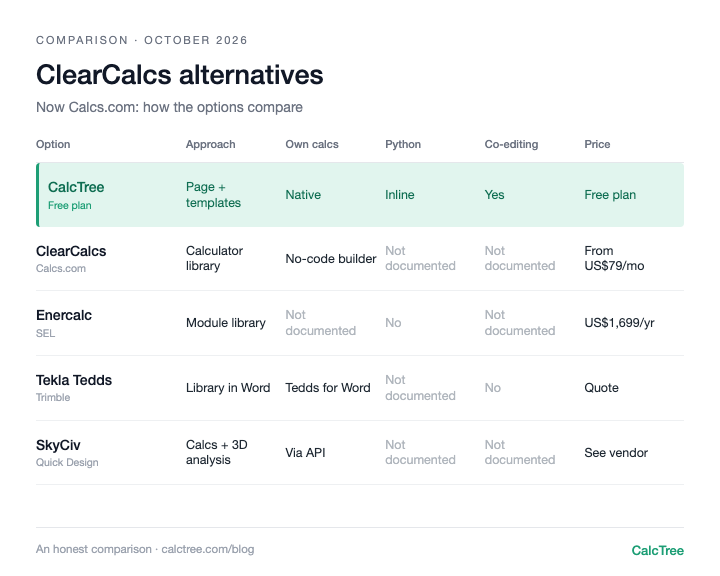
| ClearCalcs (Calcs.com) | Library of ready calculators with load linking | Browser | US, AS/NZS, Canada, Eurocode | Calcs Builder (no-code) | Not documented | Not documented | CalcsAI (beta) | From US$79/mo (US), A$69/mo (AU); 14-day trial (Calcs.com pricing, checked Oct 2026) |
| CalcTree | Flexible calculation page plus template library | Desktop browser | AS, ACI and Eurocode templates; build to any code | Yes, native | Yes, inline | Yes | AI builder, chat and review | Free plan; paid plans US$14-34/user/month (CalcTree pricing) |
| Enercalc SEL | Library of calculation modules | Windows desktop and cloud | US focus | Not documented | No | Not documented | AI assistant | US$1,699/yr (2 seats) or US$199/mo (Enercalc pricing, checked Oct 2026) |
| Tekla Tedds | Calculation library inside Microsoft Word | Windows desktop | Eurocode, British, US, Australian, Canadian | Yes, in Tedds for Word | Not documented | No, file-based | None documented | Subscription; quote (Trimble store, checked Oct 2026) |
| SkyCiv | Browser design calculators plus 3D analysis | Browser | Multiple regions, including AU and US | Via API and custom solutions | Not documented | Not documented | AI features advertised | See vendor |
A few patterns stand out. The library products (ClearCalcs, Enercalc, Tedds) are strongest when your job matches a calculator they already maintain. Building your own calc is usually a secondary path with its own builder or syntax. Python inline with the calc is rare.
ClearCalcs (Calcs.com): the polished calculator library
Our ClearCalcs review, in short: it does the ready-calculator experience very well. There are 228 standards-aligned calculators (as of October 2026) covering beams, columns, footings, shear walls, retaining walls and wind, snow and seismic loads, across US codes, AS/NZS, Canadian and Eurocode. You fill in inputs and get a clean, inspectable PDF a checker can follow. Load linking is the standout: change a load upstream and every connected member updates. Calculations keep the module and section data version they were run with, and you choose when to upgrade.
On ClearCalcs pricing (calcs.com/pricing, checked 7 October 2026): plans start at US$79 a month in the US, A$69 in Australia and €45 for Eurocode, with a discount for annual billing. Higher plans add concrete, masonry, ASCE 7 loads and 2D frame analysis, and the top US plan adds API access (beta).
Where it is thinner: custom work goes through Calcs Builder, a no-code builder with widgets, equations, tables and conditional logic. It is capable, but we couldn't find Python or general scripting documented. CalcsAI is a newer natural-language layer that runs Calcs.com's own calculators rather than doing the maths itself, which is a sensible design, but it is in beta with a limited group of accounts (as of 7 October 2026). We also couldn't find real-time co-editing documented; projects are shared within your company account.
Use it if: most of your work is standard residential and light commercial members, and you want them fast, linked and checkable.
Skip it if: a large share of your work is bespoke, or you want Python and your own logic to sit in the calc itself.
CalcTree: a flexible page with a template library
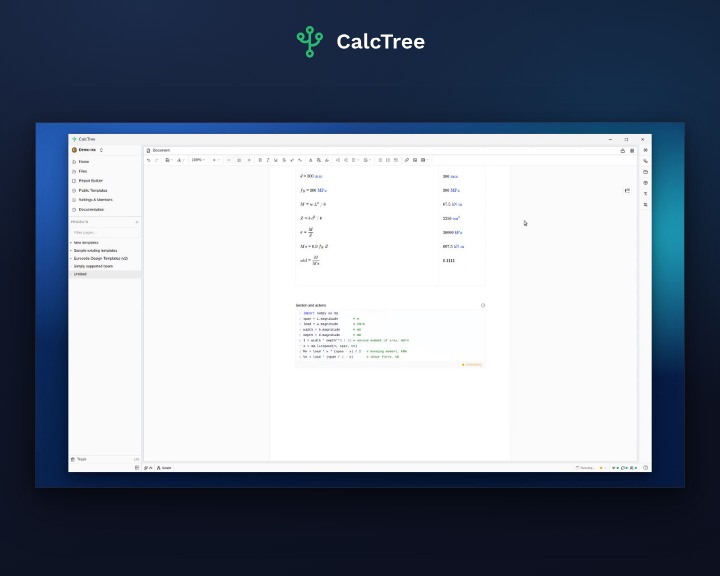
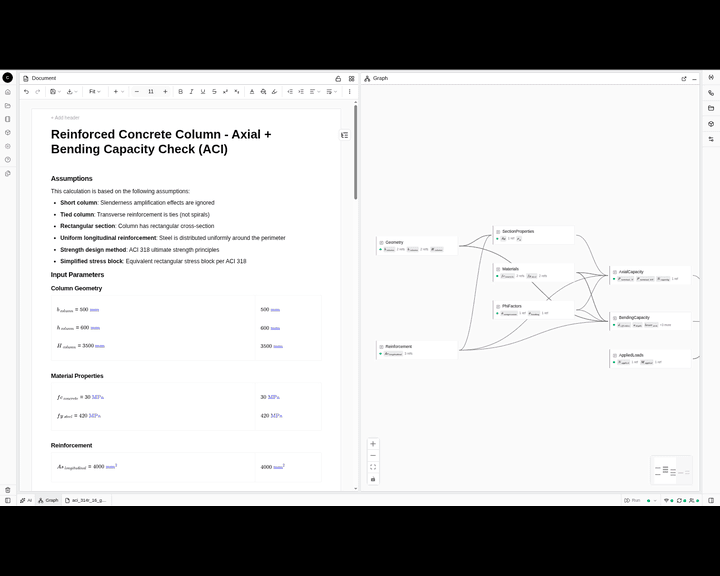
CalcTree starts from a blank, flexible page rather than a fixed calculator. Maths and native Python cells sit together, with units carried through every step. There is a template library (AS 3600, AS 4100, AS 1720.1, ACI 318-19, Eurocode 3 and 5) for standard checks, and you can turn any page into a template your team reuses. Pages call other pages, so calcs chain together.
Where ClearCalcs is ahead: its calculator library is deeper for standard US and Australian residential members. CalcTree's 100+ built-in templates cover common checks across disciplines and jurisdictions, and anything the library lacks you can build yourself, with Python and AI, in the same workspace.
Use it if: your work mixes standard checks with bespoke calcs, your calcs get checked, reused or shared, or you want AI, Python and your other software working on the same calc.
Skip it if: you need native Word export, or fully offline work today (offline use is coming soon).
Enercalc: the long-standing US module library
Enercalc's Structural Engineering Library (SEL) has 64 modules for beams, columns, foundations, walls, earth retention and loads across steel, wood, concrete and masonry. It runs on Windows desktop and in the cloud, and Enercalc for Revit links calcs to the model. Pricing is US$1,699 a year with two seats included, or US$199 a month (Enercalc pricing, checked 7 October 2026).
Use it if: you are a US practice that wants a trusted module library, possibly tied to Revit.
Skip it if: you work to Australian codes or need to build your own calcs regularly. We couldn't find custom calcs documented on its product pages.
Tekla Tedds: the Word-based library
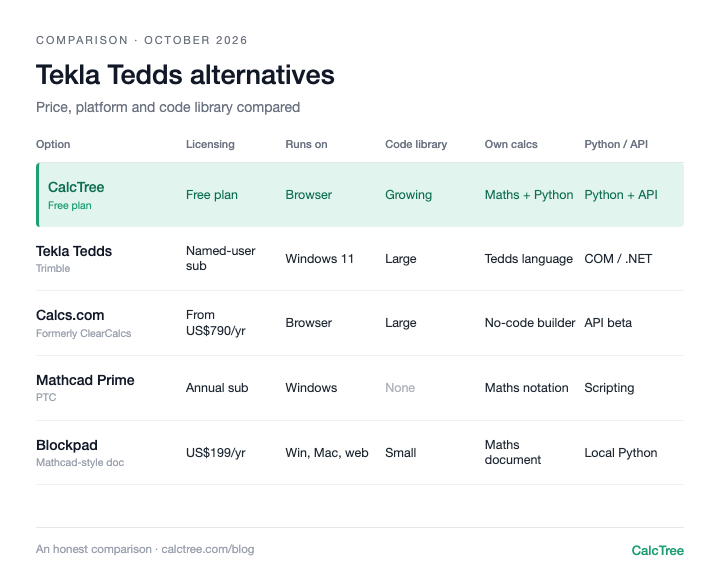
Tedds pairs a large, quality-assured calculation library with Microsoft Word output. Code coverage is broad, including Eurocodes, British Standards, US, Australian and Canadian codes. You can write your own calcs in Tedds for Word, and many practices have years of trust in its output. It is a Windows desktop application that needs Microsoft Office. We cover it in more detail in our Tekla Tedds alternatives guide.
Use it if: you want broad code coverage and Word-native output, and your team is all on Windows.
Skip it if: you need browser access, live collaboration or Mac support.
SkyCiv: browser calculators plus analysis
SkyCiv offers browser-based design calculators (Quick Design) for steel, timber, concrete, foundations and connections across North American, Australian, New Zealand, Canadian and European codes, with step-by-step PDF reports. It sits alongside 3D analysis software, an API and AI features.
Use it if: you want member design and 3D analysis in one browser-based suite.
Skip it if: your priority is writing your own calculation logic in a document a checker reads top to bottom.
A note on Structural Basics: you may come across it while researching. It is a learning site with Eurocode design guides and paid courses, not online structural calculation software, so it is not a like-for-like ClearCalcs alternative.
When a calculator library stops being enough
Library-first products share the same limits, and they show up as soon as your work drifts from the library:
- Bespoke work falls back to Excel. When the calculator you need doesn't exist, the calc ends up in a spreadsheet, outside the tidy linked project.
- Your logic sits in someone else's builder. No-code builders are good for forms. Iteration, optimisation and anything that wants numpy are another matter.
- Hard to run at scale. Running a calc over hundreds of input rows, or from another system, needs an API that can run your own calcs, not just the vendor's.
- Collaboration is project sharing, not co-editing. A checker and designer working the same calc at once is still rare.
For mostly standard members, none of this matters much. For teams with a lot of bespoke work, it adds up.
Where CalcTree fits
We make CalcTree, so weigh this accordingly. We built it for engineers whose work does not fit neatly into a fixed library:
- AI native. AI is built in for drafting, debugging and reviewing calcs, and an admin can switch it off. Claude and other AI tools can also build and run your calcs through LLM plugins.
- Review and history. Review calcs in the shared workspace, with version history and an audit trail of who checked what.
- Real-time collaboration. Co-editing, comments and mentions on the same page.
- Python, natively. Python cells sit inline with the maths, units carried through, with numpy, scipy and plotting libraries pre-installed.
- Connected to your other software. The Excel add-in and API let anything that can call an API run a calc, including over hundreds of input rows.
- Governance. Three lock modes and role permissions, and versioned workspace templates that flag pages when the source changes.
- Templates out of the box. 100+ built-in templates across disciplines and jurisdictions, including AS, ACI and Eurocode, to insert or reference, plus your own workspace templates.
- Linked calcs. Pages link to each other as subroutines, pinned to a revision and flagged when the source changes.
- Reports. Company headers and document elements set once for the whole firm, and a Report Builder that binds multi-page reports with contents and page numbers.
- A generous free plan. Python, the Excel add-in, the API and an AI allowance are all on the free plan. Paid plans are US$14 to US$34 per user per month.
Where others are still ahead: native Word export, and fully offline use (offline is coming soon).
Want to see how it looks and feels with your own work? Request a calc and we'll build it for you, or send us a Mathcad or SMath file and we'll convert it for you.
Decision tree
- Only ever need fixed, standard US or Australian residential member checks → ClearCalcs (Calcs.com)
- US practice, desktop-first, working with Revit → Enercalc
- Broad code coverage and Word output on Windows → Tekla Tedds
- Design checks plus 3D analysis in one browser suite → SkyCiv
- A mix of standard and bespoke calcs, Python, API or AI → CalcTree
- Designer and checker in the same calc at once → CalcTree
- Need to review and sign off calcs, with a history of who checked what → CalcTree
- Want to build and work on calcs with AI built in → CalcTree
- Want calcs that plug into Excel, other software and AI tools like Claude → CalcTree
Frequently asked questions
ClearCalcs vs CalcTree: which is better?
If every job is a standard member check from a fixed library, ClearCalcs is quick. If your work mixes standard checks with bespoke calcs, or needs reviewing, co-editing, Python, AI or an API, CalcTree: 100+ built-in templates plus anything you build yourself, with a free plan to start.
Is ClearCalcs now Calcs.com?
Yes. ClearCalcs became Calcs.com in 2025. Calcs.com says it is the same product, team and calculation library, and existing accounts and projects carried over.
How much does ClearCalcs cost?
As of October 2026, Calcs.com plans start at US$79 a month in the US, A$69 in Australia and €45 for Eurocode, with a discount for annual billing and a 14-day free trial.
Can you build custom calculations in ClearCalcs?
Yes, with Calcs Builder, a no-code builder using inputs, equations, tables and conditional logic. We couldn't find Python or general scripting documented.
ClearCalcs vs Enercalc: which is better?
Both are library-first. ClearCalcs runs in the browser and covers US, AS/NZS, Canadian and Eurocode work with load linking. Enercalc is US-focused, runs on Windows desktop and in the cloud, and connects to Revit.
Is there a free ClearCalcs alternative?
CalcTree has a free plan with Python, the Excel add-in, your own templates and an AI allowance. It does not replace a large ready-made library on day one, but bespoke calcs are free to build.
What is the best online structural calculation software?
It depends on your mix of work. For standard members, a mature library like ClearCalcs is hard to beat. If you write your own calcs or want Python and an API, a flexible page like CalcTree fits better.
Prices are list prices from each vendor's website, checked October 2026, and may have changed. Sources: Calcs.com pricing; Enercalc pricing.