
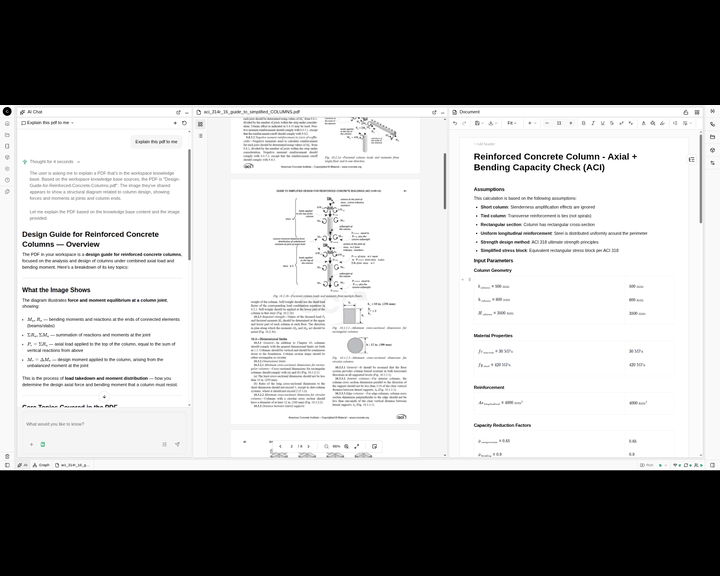
Most AI answers from what it was trained on. That's fine for general questions and not much use for engineering, where the right answer depends on this project's basis: the design criteria, the geotechnical report, the client's spec, the loads in your model. An AI that can't see those is guessing.
CalcTree's knowledge base closes that gap. You add your own files to your workspace, and CalcTree AI works from them, so the calculation it builds and the checks it runs are grounded in your documents, not in generic training data.
What the knowledge base is
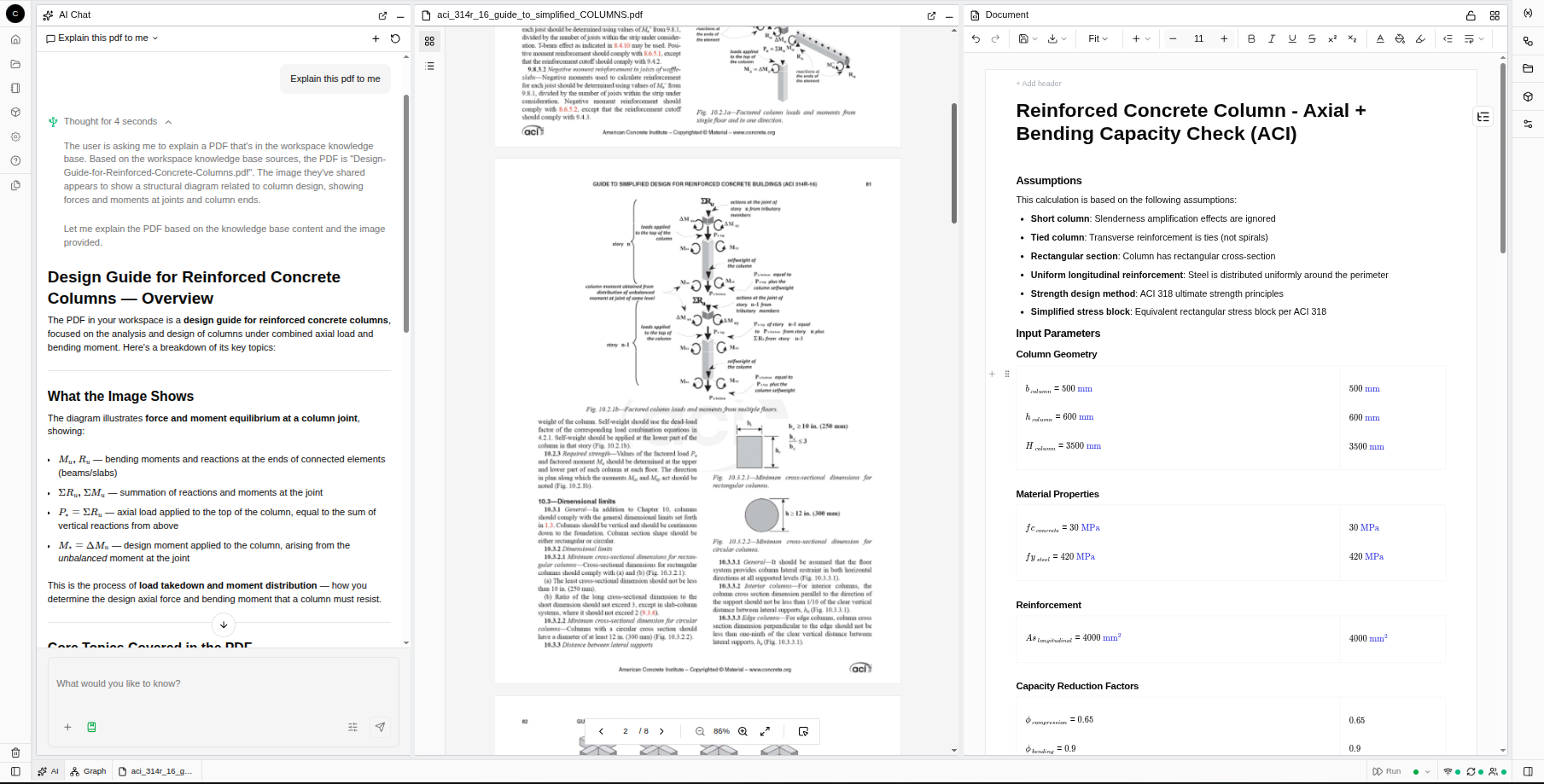
The knowledge base is a place in your CalcTree workspace to add the files your work depends on: project specifications, geotechnical and site reports, client briefs, your design criteria, spreadsheets, Word documents, and your own existing calcs. Once a file is in there, CalcTree AI can read it and use it as context when it builds or reviews a calculation anywhere in that workspace.
Think of it as handing the AI your project's reference shelf. Instead of describing the basis from scratch every time, you add it once and the AI works from it.
Why working from your own documents matters
Generating a number is the easy part. The part that matters in engineering is whether that number is right for this project: against the right acceptance criteria, the correct load case, the actual material grade. An AI grounded in your documents can build to that basis and, more importantly, check against it.
That is the difference between a generic assistant and a reviewer that knows your project. Add your spec and your design basis, and CalcTree AI can cross-check your calc against them, the assumptions, the criteria, the limits, and flag where they don't line up before the calc reaches your design. It makes the first-pass review faster, and it means the review actually happens.
We're honest about where this sits: it speeds up and grounds your first-pass review, it doesn't replace your engineering judgement or a formal sign-off, and the fuller verification workflow is what we're building toward. If you're weighing how far to trust it, we looked at how accurate AI-generated calculations actually are separately.
What you can do once your files are in
Build a calc grounded in your basis
Describe what you're calculating, and the AI builds an editable page that draws on the documents you've added: your design basis, your inputs, your project's parameters. You take it over and edit it like any other calc.
Check a calc against your spec or design basis
Point the AI at an uploaded specification, client brief, or your own design criteria and ask it to review your calc against it. It cross-checks the assumptions and criteria and surfaces inconsistencies, the work you would do by hand on a first read, done in seconds.
Extend it with Python
When equations aren't enough, extend the same page with Python. Your logic and your reference material stay in one place.
Bring your existing work in
The knowledge base is also how you bring years of existing work across. Add a spreadsheet, a PDF, or an exported Mathcad calc, and CalcTree AI can read it and help you turn it into a live calculation you can edit and reuse. If you're escaping locked-up legacy files, we walked through converting Mathcad files to CalcTree in a separate post.
How to set it up
It takes a minute:
- On your CalcTree home screen, open the knowledge base (the Files area of your workspace).
- Add your files: specs, reports, client briefs, spreadsheets, existing calcs.
- On any page, describe what you're calculating, and CalcTree AI builds and checks using those files.
That's it. The more of your real basis you add, the more useful the AI gets, because it's working from your project rather than a generic one.
Give the AI something to work with
The shift is small but it changes everything: an AI that works from your own documents is one you can actually use on real engineering, because it's grounded in the same basis you are.
Start free in CalcTree and add your first file, or if you're rolling it out across a team, book a 15-minute setup call and we'll get your knowledge base going with you.
.png)

.jpg)




