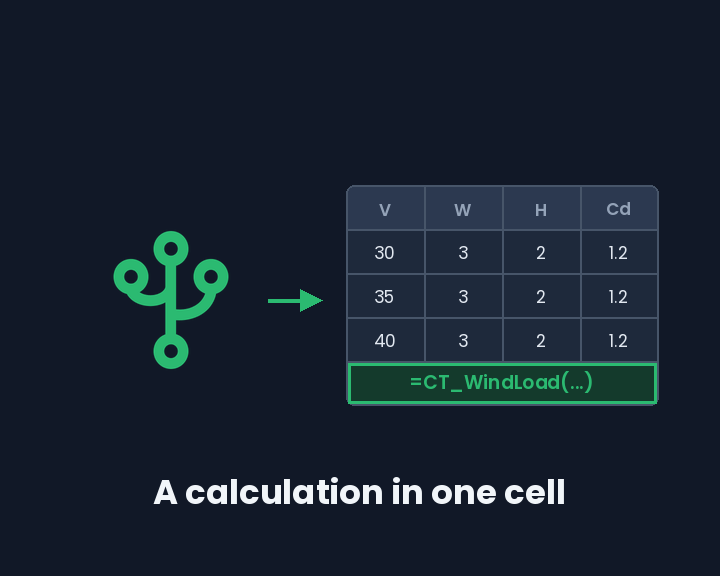
CalcTree pages and templates are usable as functions in Excel. Install one into a workbook and it becomes a named formula: the page's inputs are its arguments, its outputs land in your sheet, and the logic stays in CalcTree.
=CT_Wind_Load_Sign(30, 3, 2, 1.2, 1.225, 5)
That arrived in August, along with three more: batch runs across a whole schedule, the page's report rendered in the task pane, and a list of every cell in the workbook that calls a given calculation.
Installing one
Open a calculation in the task pane and choose Install as Formula. You pick which inputs become arguments and which outputs come back, grouped by the node that produces them, and whether results carry their units.
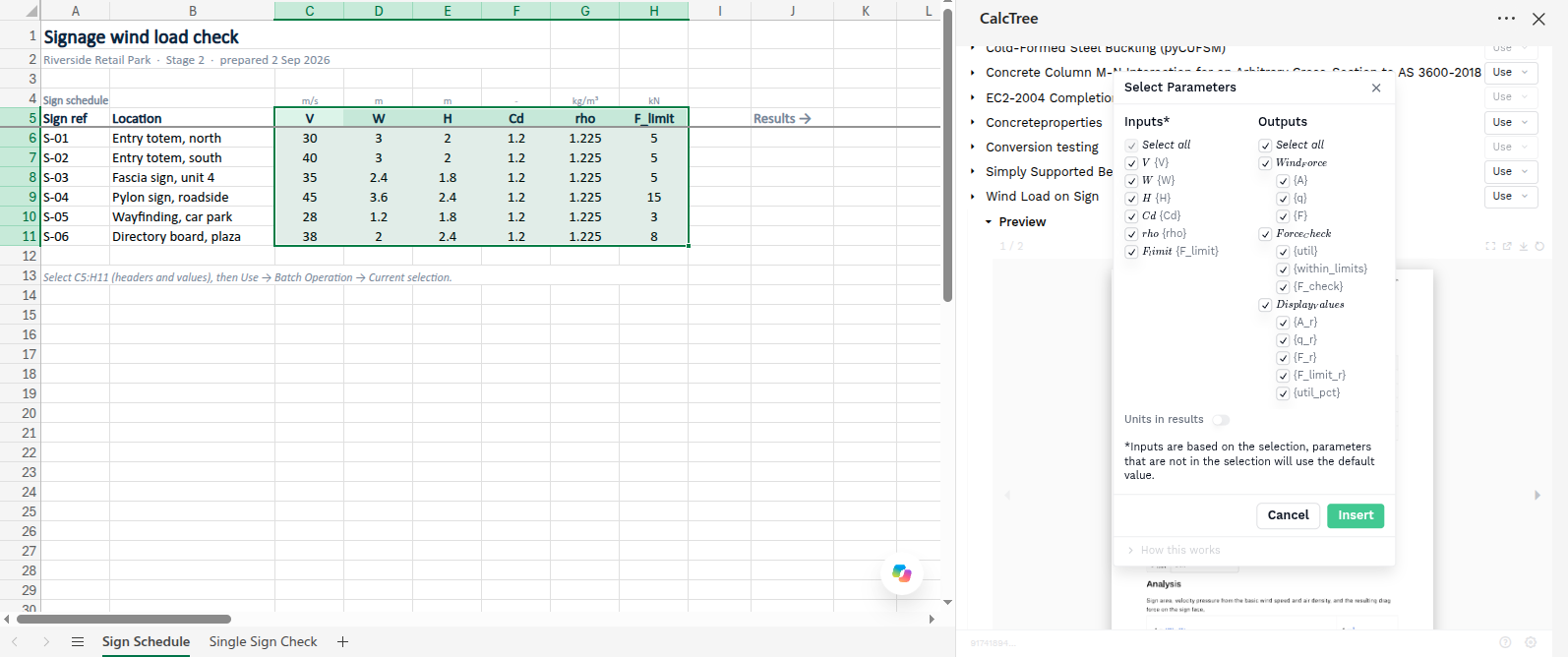
The page Wind Load on Sign installs as CT_Wind_Load_Sign. Type =CT_ and it turns up in autocomplete like any built-in function on Windows and Mac. Excel on the web does not list saved formulas in autocomplete, so use Insert from the task pane there. Underneath it is a LAMBDA, so it appears in Name Manager with a comment naming the page behind it, and you can rename it to whatever your team calls that check.

One cell now carries a whole calculation: its equations, its units, its checks. There is no second copy of the logic to keep in step, and nobody has to remember the argument order.
Named formulas need Excel 365 on Windows or Mac. Everything else runs on Excel on the web, on Excel for Windows with Microsoft 365, and on Excel 2019 or later on Mac.
A whole schedule in one request
Select the headers and values of a schedule, then Use, Batch Operation, Current selection. Every row goes through the calculation in a single request and the results spill in alongside.
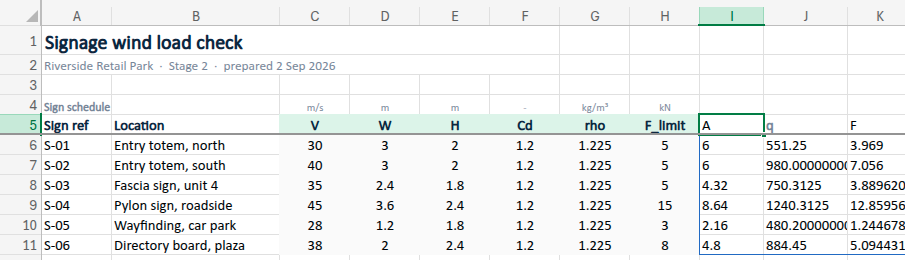
Six signs becomes one call rather than six. So does a set of load cases, a member schedule, or any parametric sweep. The header row is how columns get matched to the calculation's inputs, so those cells carry the variable names rather than friendly labels.
What comes back is ordinary cells, which means the results chart, filter and feed other formulas like anything else in the workbook.
See every cell that calls a calculation
Expand View Usage and the pane lists each place in the workbook that calls that calculation: the type of call, the exact range it wrote into, when it last ran, and a comment you can set.
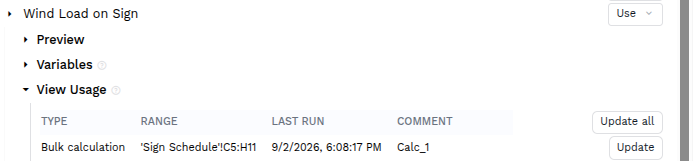
Spreadsheets are poor at answering this. Six months after a calculation changes, working out which sheets leaned on it normally means opening all of them and reading formulas. Here it is a list, and you can re-run straight from it, one entry or all of them, so a corrected calculation reaches the sheets that used it deliberately rather than from memory.
Check a calculation before you trust it
Preview builds the page's report and renders it in the pane, paginated, with a link through to the calculation itself. The working behind a number sits one click from the cell holding it.

Variables lists every input and output with its value, unit and type, each row linking back to the node that produced it. You can see what a calculation expects and what it hands back before wiring it into a sheet, instead of learning it from a #VALUE!.
The functions underneath
None of this replaces what was already there, and existing workbooks keep working.
=CALCTREE.CALC(apiKey, url, inputNames, inputValues, outputNames, [outputFormat])
Take the first sign. At 30 m/s on a 3 m by 2 m face it returns an area of 6 m², a velocity pressure of 551.25 Pa, a wind force of 3.969 kN and a utilisation of 0.7938. Push the wind speed to 40 and the row recomputes to 980 Pa, 7.056 kN and 1.4112, which is over the force limit. None of that arithmetic happens in Excel.
=CALCTREE.BULK_CALC() is the same call across many rows, and it is what Batch Operation writes for you.
Values in the sheet stay plain numbers. The add-in attaches each variable's unit from the calculation, so a cell holding 30 is metres per second because the page says so, not because someone remembered. Outputs come back bare or with units, your choice at install time or through the outputFormat argument.
The pane runs the other way too: map a range onto a page's inputs and push the values into CalcTree, for when the sheet is where the data actually lives.
Getting it
The add-in is on the Microsoft Marketplace. In Excel, go to Insert, Get Add-ins, search for CalcTree and add it.
Already running the add-in? Nothing to do. The task pane loads from our servers, so reopening it picks all of this up.
From scratch you need a CalcTree account and a workspace API key. Open the task pane, choose Settings, and paste in the key along with any page URL from your workspace; the workspace comes out of the URL. Settings persist on the machine, so it is a once-per-computer job. It works in Excel on the web, on Windows and on Mac.
Custom functions run asynchronously, so a cell may sit at #BUSY! for a moment while a calculation finishes.
Not the same thing as Connection Nodes
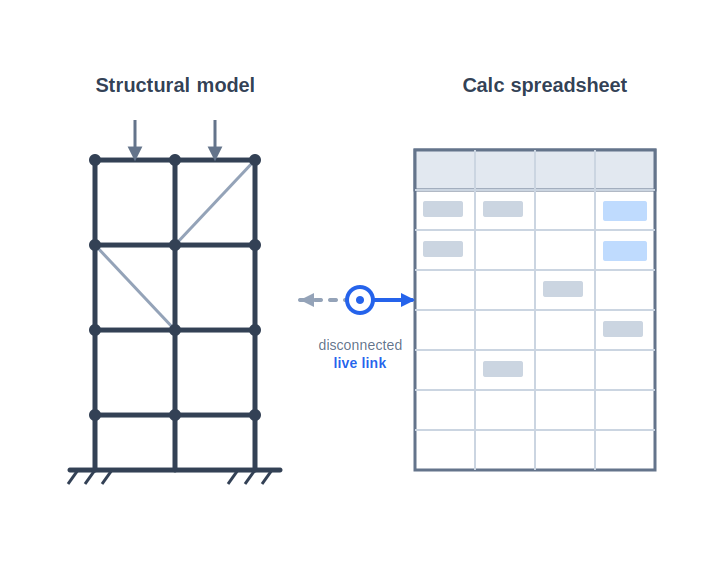
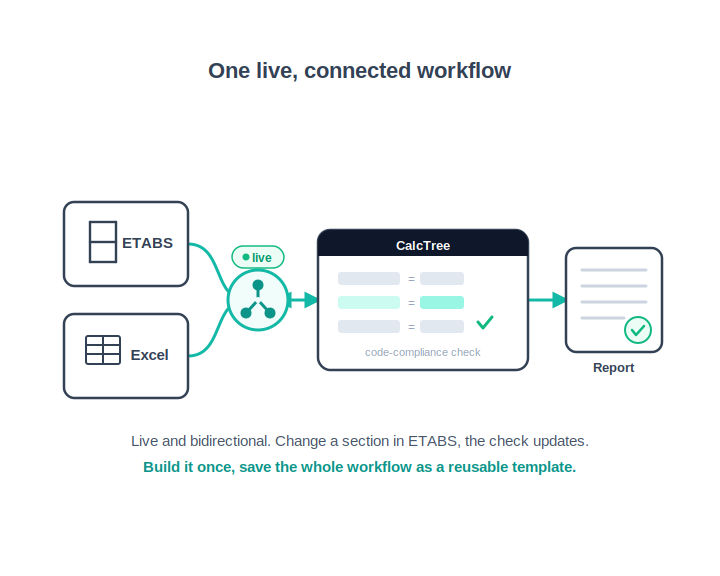
We announced Connection Nodes earlier this year: a live, bidirectional link between CalcTree and the software your team runs, ETABS and Excel first. That is an enterprise capability we deploy alongside teams, because wiring into a firm's models and workbooks is work you do together.
The add-in is smaller and shaped differently. It runs inside Excel, needs an API key and nothing else, and suits the engineer who wants a calculation from the library in the sheet in front of them this afternoon.
The point of it
Engineering teams keep their calculations in spreadsheets, and spreadsheets drift. A formula gets copied into a new workbook, an assumption changes in one copy and not the others, and by the time it reaches review nobody is certain which version is right.
Holding the calculation in one place fixes that, but only if people can still reach it from where they work, and only if you can still see where it has been used. That is what the add-in is for, and it is the same thinking behind making the handoff between an analysis model and a calculation something better than copy and paste.
The setup and function reference covers both functions with worked examples. If your team has calculations it has already signed off and you want them reachable from everyone's spreadsheets, book a call and we will go through it against your own library.