If you've spent any time in modern calculation tools, you've probably heard the phrase "linked calculations" or "connected calc sheets" thrown around. Most explanations of what this means are either too vague to be useful or too tied to one product to be portable.
This post is the explainer we wish existed. What linked calculations actually are, what they aren't, how they should work in an engineering context, and when they're overkill.
What "linked calculations" actually means (and what it doesn't)
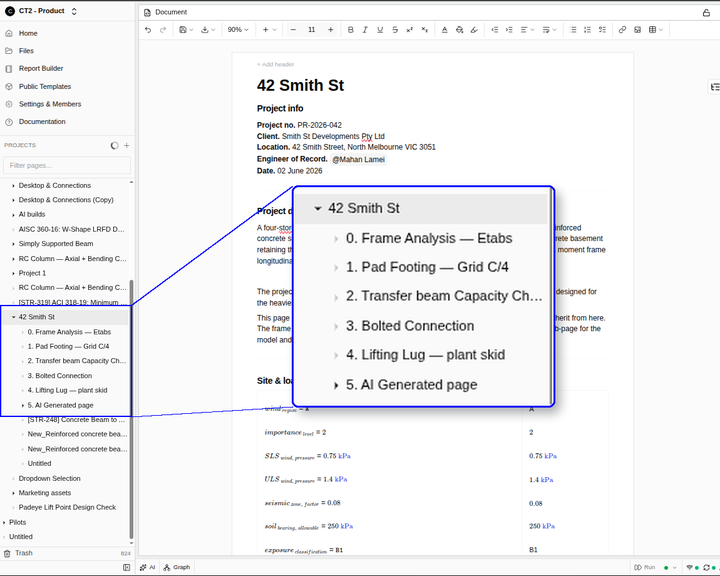
Linked calculations means a value defined in one calculation page can be referenced by other calculation pages, and the platform tracks the relationship. It is a dependency between calcs, managed by the platform itself rather than by the engineer.
This is distinct from a few adjacent concepts that get confused with it. Spreadsheet cell linking (=Sheet2!A1) is a value reference within a single workbook — linked calculations operate across separate calculation documents. Variable scope in a notebook (Jupyter, Mathcad) is local to a worksheet — linked calculations cross worksheet boundaries. Cross-file Excel references are a brittle version of the same idea — they link, but the platform doesn't really track the relationship; it just resolves a path at open time.
When done well, linked calculations make the dependencies between your calcs explicit, queryable, and survivable across file moves, renames, and team transitions.
A worked example: one wind load value, three downstream calcs
Concrete example. You're working on a steel-frame commercial building.
On the project inputs page, you've defined a wind load: 1.4 kPa, based on the local code and site conditions. Three downstream calc pages reference this value. The roof purlin design uses the wind load for uplift checks. The lateral bracing calc uses it for shear distribution. The cladding fixing calc uses it for pull-out resistance.
A month in, the client revises the building geometry. The new exposure category puts the wind load at 1.7 kPa.
In a linked-calc workspace, here's what happens. You update the value on the inputs page. The platform shows you the three downstream calcs that depend on this value. You review what will change, approve the update, and the three calcs recalculate with the new input. The dependency graph confirms nothing was missed.
Without linked calculations, the same change is a thirty-minute hunt-and-update task with a QA pass on the other end, and a real possibility of missing one of the three.
The four properties of a useful linking system
Not all linking systems are equal. The ones that work in engineering have four properties.
Scope. Links work across pages in a shared workspace, not just within a single file. If the linking is file-local, it's not solving the problem.
Propagation control. The user decides when downstream calcs update. This is non-negotiable for engineering work — see the next section.
Audit trail. Every change to a linked value is recorded with a timestamp, author, and the previous value. This is what makes the system trustworthy in a review context.
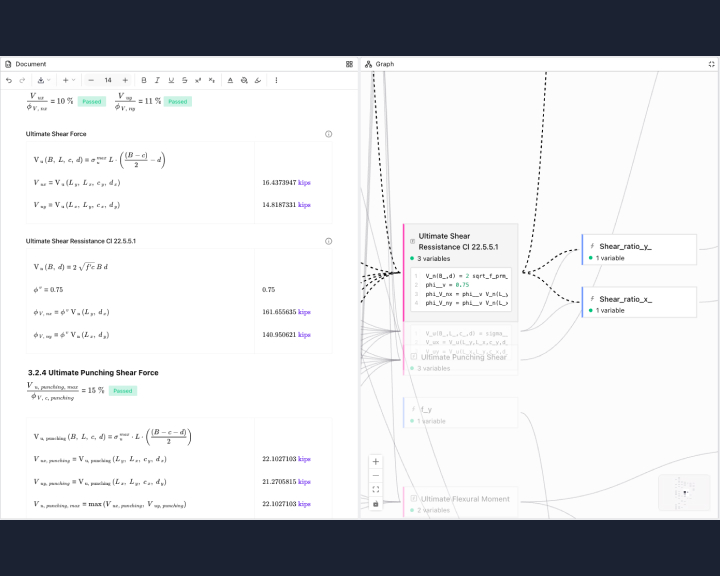
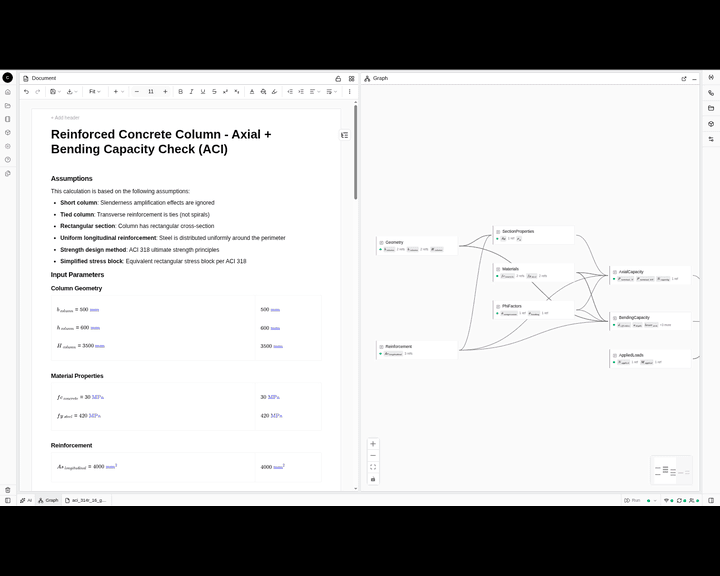
Dependency visibility. Before you change a value, you can see exactly which calcs depend on it. CalcTree exposes this through the Graph View — a visual representation of how every calc in a project connects.
Miss any one of these and the linking becomes either unusable (too rigid) or untrustworthy (too magical).
Why automatic propagation is the wrong default in engineering
When we first built variable linking, the most consistent customer feedback was: don't make it automatic.
That was counter-intuitive. The whole pitch of linked calculations is that one change propagates everywhere, automatically. So why would engineers explicitly ask for friction?
The answer is the review process. An engineering review is a comparison of what's been signed off against what's now in the model. A calc that silently changed itself overnight is a calc that just failed audit. Reviewers need to know exactly what changed, when, and why.
So in CalcTree, links are real, but updates are previewed and require approval. The user sees what will change before it changes. This is slower than fully-automatic propagation. It's also the only version engineers actually trust.
This is the design choice we'd encourage you to scrutinise hardest when evaluating any linked-calc platform. Get it wrong and the tool is unusable for work that goes through formal review.
How linked calculations change template design
The downstream effect of linking is that templates become much more useful.
Without linking, a calc template is a starting structure. You copy it, manually fill in the project's specific values, and from that point onward the template and the calc are separate — changes to the template don't reach the calc; changes to the calc don't update the template.
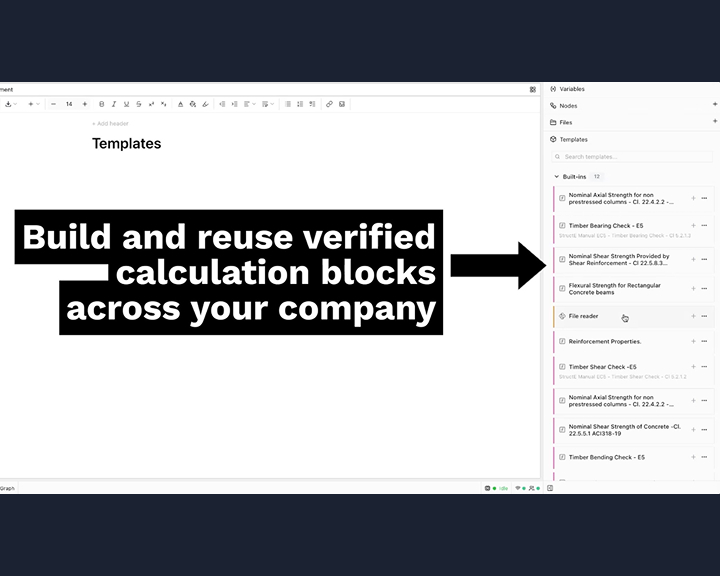
With linking, templates can reference project-level inputs. You build a calc template once, with the formulas and structure correct, and it pulls the actual values from the project's inputs page. New project, new inputs page, same template, no copy-paste.
This is what makes a calculation template library actually survive at the team level — without it, templates rot inside six months.
How linked calculations change QA and review
QA on multi-disciplinary projects is largely about catching inconsistencies between calcs. Did the steel designer use the same wind load as the foundation engineer? Are the loads from the structural analysis the same loads being passed to the connection design?
When inputs are linked, those questions don't need to be asked. The dependency graph answers them. The reviewer's job shifts from "find inconsistencies" to "verify the logic of the calcs themselves" — higher-value work.
This is the real productivity gain. Not minutes saved on input updates, but hours not spent reconciling files at the end of the project.
When linked calculations are overkill
For honesty: linked calculations aren't always worth it.
If you're one engineer doing single-discipline work on a small project, the overhead of setting up a workspace with linked inputs isn't worth the time savings. A single Mathcad worksheet or Excel file does the job, and you're not paying the cost of cross-file complexity.
The breakeven point is somewhere around two engineers, multiple disciplines, or more than fifteen to twenty interrelated calc files. Below that, simpler tools win. Above it, the absence of linking becomes the bottleneck.
If you're trying to figure out which side of that line you're on, book a demo here we'll talk through your project shape.