Most multi-disciplinary engineering projects don't fail at the calculations themselves. They fail in the cracks between calculations. When a load value changes, an input gets revised, or a material spec is updated, and the change has to find its way through twenty separate files without anyone missing one.
If you've ever been the person who spent a Friday updating a soil bearing capacity value across a pile of foundation, retaining wall, and slab design calculations, you know exactly what this post is about.
Below is an honest look at the four approaches engineering teams actually use to share variables across calculations, where each one breaks down, and how to choose between them.
The hidden cost of duplicated inputs in multi-disciplinary projects
When you're working on a building, a bridge, or a large industrial fit-out, the same input values show up in dozens of places. Wind load. Seismic coefficients. Material strengths. Soil parameters. Geometric dimensions. A typical multi-disciplinary project might have eighty to two hundred calculation files where the same handful of inputs need to stay consistent.
The cost of getting this wrong isn't usually catastrophic. It's silent. An out-of-date load value sitting in calc #47 doesn't crash the project — it slips through review, makes its way into a design drawing, and gets caught at audit, or worse, in construction. The team's response is to push harder on QA, which costs time, which compresses everything downstream.
This is a structural problem, not a discipline problem. The tools most teams use weren't designed to keep variables in sync across files. Let's look at the four approaches that fill the gap.
Approach 1: copy, paste, and hope
Every team starts here. The lead engineer defines an input, writes it down somewhere, and everyone uses that value in their own calc files.
It works for small projects with one or two engineers. It breaks the moment a value changes. The team relies on a notification mechanism, a Teams message, an email, a comment in a shared doc, and on every engineer remembering to update every calculation they're responsible for.
The failure mode is predictable: one file gets missed. Usually it's a calc someone did three weeks ago and hasn't touched since. The value sits there, outdated, until someone notices in QA, or doesn't.
Copy-paste isn't a bad approach for very small teams or simple designs. It's a terrible approach the moment you have more than two engineers, more than one discipline, or more than twenty calculations in play.
Approach 2: Excel cross-file references (and the rename problem)
The next evolution is to put shared inputs in a master spreadsheet and have other Excel files reference it. =Inputs.xlsx!$B$4. It's a real attempt at single-source-of-truth.
The problem is fragility, and it fails in two different ways.
The visible failure is #REF!. If the source file isn't where Excel expects it; renamed, moved, deleted, or unreachable in a cloud-shared setup, then the cells return errors and you notice straight away. Annoying, but at least it's loud.
The worse failure is silent. Excel keeps a hidden table of last-known values from each external link. When the source file isn't reachable but those cached values exist, the cells show the cached numbers. You get a prompt at the top of the file asking whether to update links. Most users click "Don't Update" out of habit, or never see the prompt because someone else opened the file first and dismissed it. The spreadsheet looks like it's working. The numbers are stale. Nobody notices even in the QA process, and the mistake cost money later on.
Excel cross-file references are better than copy-paste, but they trade one failure mode (forgetting to update) for two new ones: loud errors when links can't resolve, and quiet drift when they resolve to stale cached values. For engineering work, where you need to trust the numbers, the quiet one is the problem.
Approach 3: build your own (custom in-house tooling)
The other route some engineering firms take is to build their own system for this. A digital engineering team inside the company develops custom calculation tools tailored to the firm's workflow. Python apps, Streamlit (or other libs) dashboards, internal web tools, custom plugins to Revit or Excel. Sometimes a full bespoke calculation platform.
When it works, this approach genuinely solves the linking problem. Custom tools can model project inputs, reusable logic, and downstream calcs the way you actually work. Some of the best engineering software in the industry is internal-only tooling at large consultancies.
The two things that go wrong are inflexibility and cost. Inflexibility: engineers on the ground need a change, and the change goes through a queue managed by the digital team, which has its own priorities and timelines. Adding a new code section, supporting a new discipline, or even adjusting an output format can take weeks. Cost: building one of these properly takes a multi-person team and a multi-year horizon, and maintaining it never stops. You need senior engineers who understand the calculation work and software engineers who can keep the platform working. a rare combination, and an expensive one.
The result is that custom tooling is really only practical for large firms, the kind that can absorb a dedicated digital engineering team as a cost of business. Small and medium consultancies can't justify it. And even at large firms, the digital team usually ends up serving a fraction of the engineers who'd benefit, which means most of the firm is still on copy-paste or Excel cross-refs in practice.
The actual question, then, is whether you can get the benefits of custom tooling without the large cost?
Approach 4: linked calculations as a platform feature
The answer, increasingly, is yes.
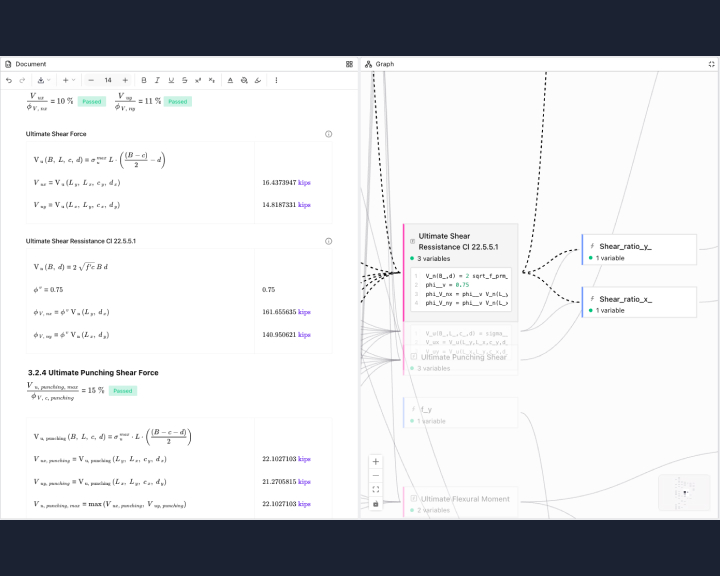
A newer generation of calculation tools is built around the linking problem from the start. Inputs are defined once, on a page that other calc pages reference directly. When an input changes, the platform knows every calc that depends on it. The dependency tracking, propagation control, and audit trail that custom in-house tools sometimes provide come as platform features, built and maintained by the platform's engineers, not yours.
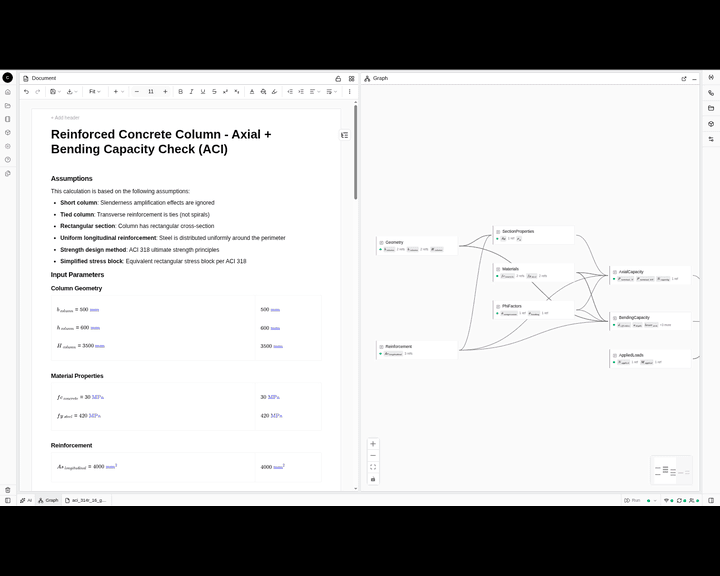
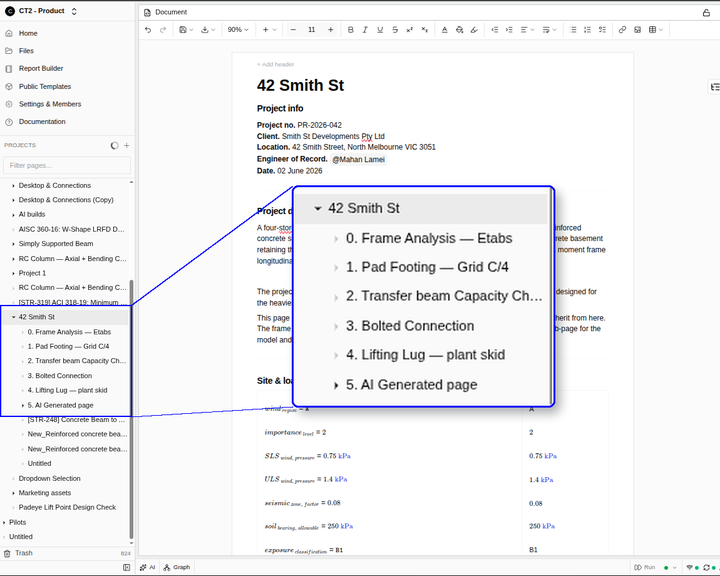
This is what CalcTree's calculation structure and page linking feature allows: variables defined in one calc page can be linked to from any other page in your workspace, and the platform tracks the dependency graph so you can see exactly what's connected to what.
The properties that matter for engineering work are scope (links work across pages in a workspace, not just within a single file), propagation control (the user decides when downstream calcs update, not the platform), audit trail (every change is logged with a timestamp and author), and dependency visibility (you can see, before you change a value, exactly which calcs will be affected).
The last one matters more than people expect. We've written separately about how the Graph View makes calculation dependencies visible - visibility changes the way engineers reason about their own work.
The result on real projects is concrete. A single input change is a one-minute task, not a half-day audit. Reviewers spend their time on engineering judgement instead of consistency-checking.
The case for Approach 4
For most teams, Approach 4 is the answer. It connects to the tools you already use, lets engineers set up the linking collaboratively without going through a digital team, and provides the infrastructure - dependency graphs, audit trails, controlled propagation - built and maintained by the platform's engineers, not yours.
If you want to see what that looks like on your own work, book a demo here . Bring a real calc and we'll walk through it together.