
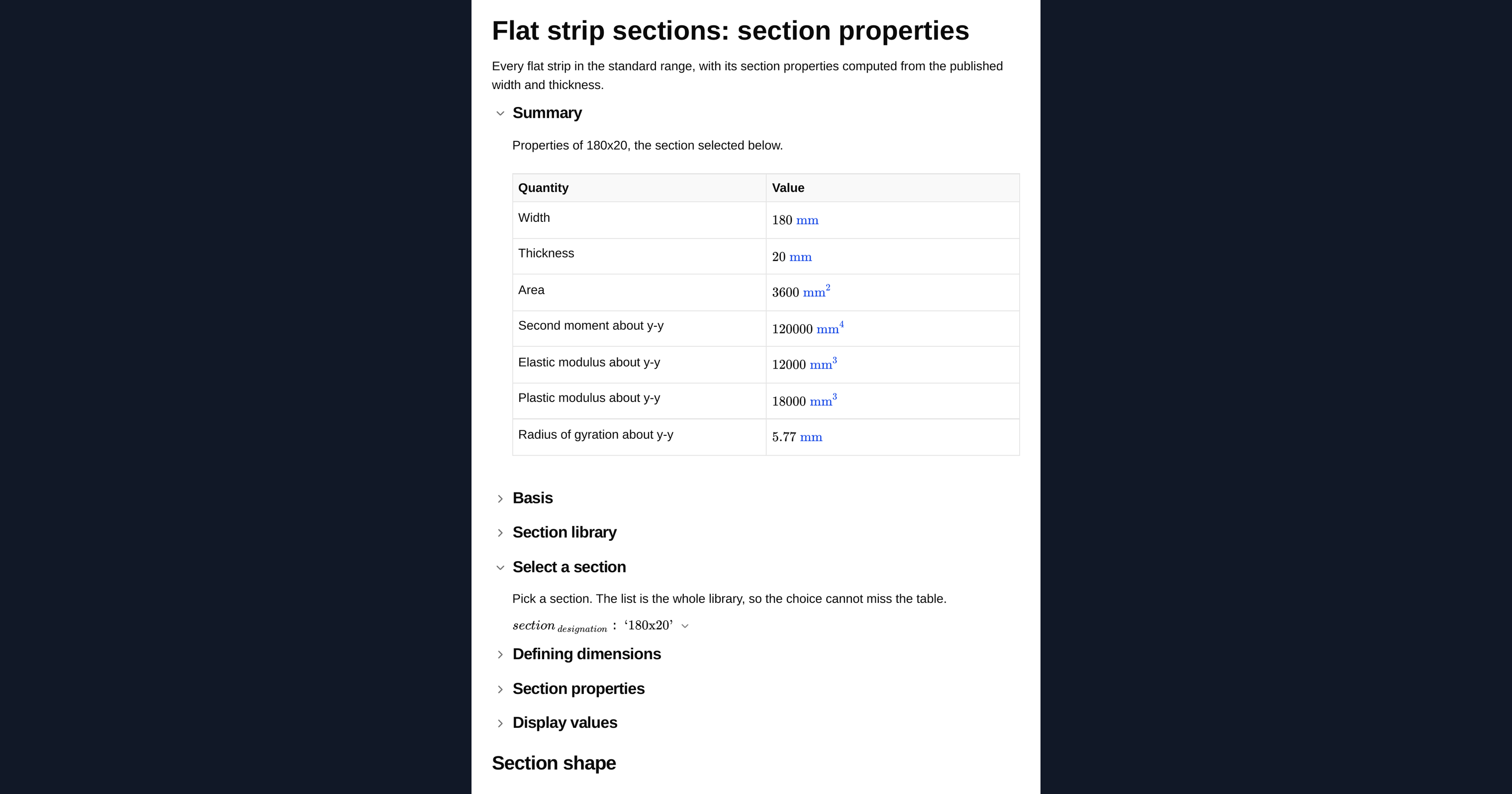
Flat steel strip section properties to EN 10058: area, second moments, moduli and radii of gyration about both axes. Pick a size and read the values.

This template is not available yet. You can sign up and create it yourself!
Or let us know if you'd like to be notified when it’s ready:
No items found.
No items found.
About this Flat Steel Strip Section Properties Calculator
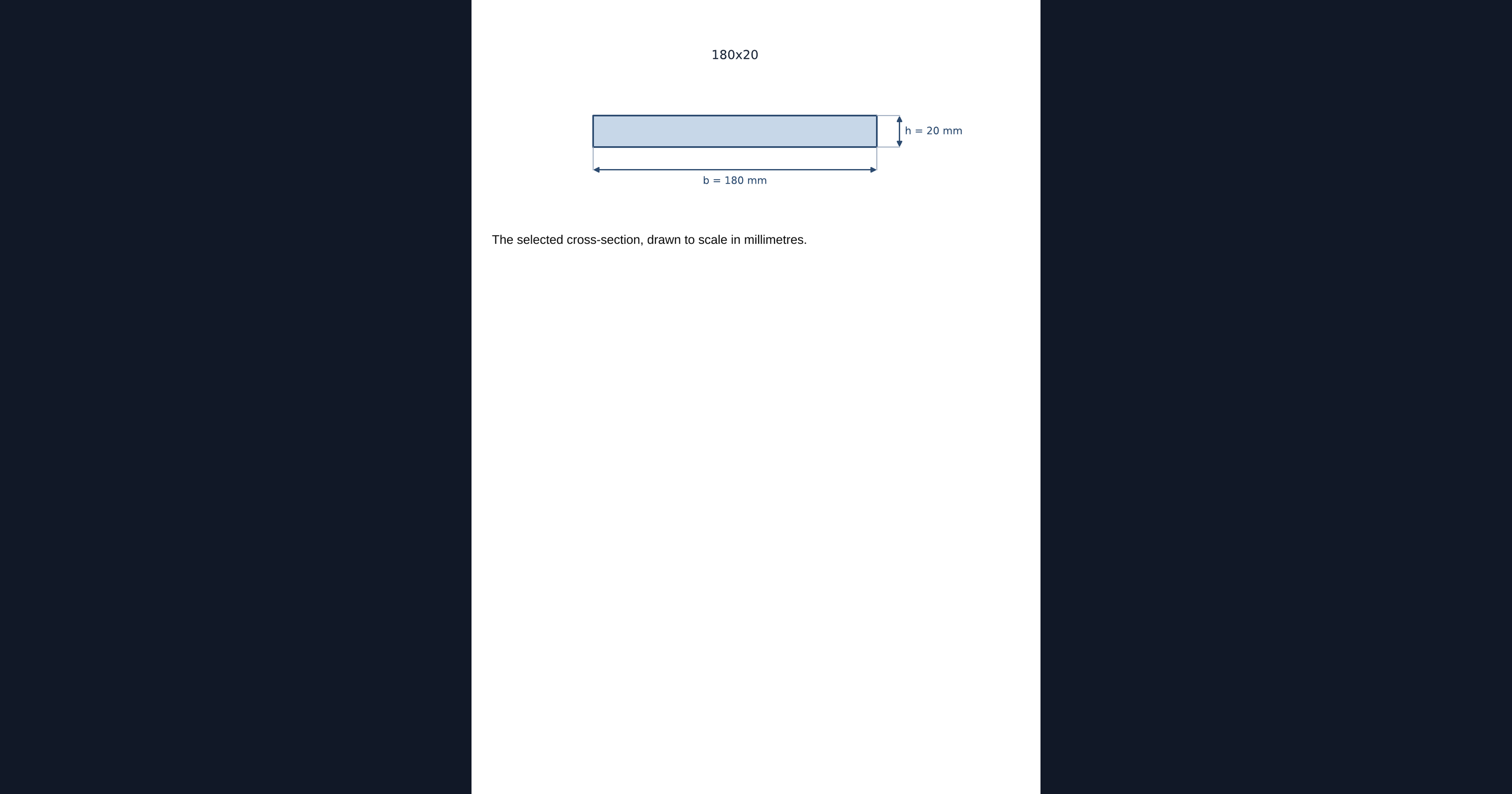
This calculator returns the section properties of any flat steel strip in the standard range, computed from the published width and thickness. Pick a size and it gives you the area, the second moments of area about both axes, the elastic and plastic section moduli and the radii of gyration, along with a scale drawing of the section.
- Structural engineer: get the properties of a flat used as a tie, a cleat or a stiffener without deriving them by hand each time.
- Steel detailer: confirm the standard sizes available and the properties of the flat chosen for a connection component.
- Checker: verify the section properties quoted for a flat in a submitted calculation against the standard range.
Every property is computed on the page in visible MathJS rather than read from a stored table, and each one is checked against an independent geometric integration of the same section before it ships. It is an engineering-grade calculator you can audit, duplicate and adapt in CalcTree.
More info on Flat Steel Strip Section Properties
What defines a flat
Two published dimensions define a flat strip: the width and the thickness. The properties are elementary, but having the standard range in one place keeps the numbers consistent and traceable rather than retyped.
How the properties are derived
A strip is a solid rectangle, so every property is a closed-form expression in the width and the thickness. The strong axis bends about the thickness and the weak axis about the width, and both are given because the ratio between them is large.
Using the library in your own calculation
The section range is attached to the page as a dataset rather than pasted in as a table, so the same file can be inserted into any other calculation in your workspace. Duplicate the page and the data comes with it, which means a member check you build on top of it stays tied to one copy of the section range rather than a retyped subset of it.
Where the numbers are checked
Each size is verified against an independent numerical integration of the same geometry, carried out by a different method to the closed-form expressions used on the page. Both have to agree to four significant figures for every size in the range.
Common Calculation Errors to Avoid
- Ignoring lateral torsional buckling: A flat is wide and thin, so its weak-axis stiffness is small and a strip in bending about its strong axis is usually governed by lateral torsional buckling rather than by the section capacity given here.
- Swapping width and thickness: The strong axis bends about the thickness. Getting the two the wrong way round changes the second moment of area by a large factor, and the mistake is easy to make because the designation gives both as a single pair.
- Using plastic properties without classifying the section: The plastic modulus only applies if the cross-section can reach and sustain its plastic moment. Classify the section for the relevant load case first; a Class 3 section is limited to its elastic modulus and a Class 4 section needs effective properties, not the gross ones given here.
- Using a flat as a compression member without checking slenderness: The weak-axis radius of gyration of a flat is very small, so buckling governs at short lengths. Check the slenderness before relying on the area.
- Treating gross properties as net properties: These are gross section properties. Bolt holes, cope cuts and corrosion allowances all reduce the section, and none of them are accounted for here.
Engineering templates
Common calculators
Design guides




FAQs
Which axis is strong and which is weak?
The y-y axis bends about the thickness and is the strong axis. Because a flat is wide and thin, the ratio between the two axes is large, and the weak-axis radius of gyration is small enough that buckling generally governs.
Why have a calculator for something this simple?
So the numbers are consistent and traceable rather than retyped. The page carries the whole standard range, and the same dataset can be pulled into any other calculation.
Does it check lateral torsional buckling?
No. It gives section properties only. Lateral torsional buckling depends on the span, the restraint conditions and the loading, and belongs in the member check.
Can I use this inside my own calculation?
Yes. The section range is a dataset attached to the page, so duplicating the page brings the data with it and you can look up any size from your own maths.
Does it allow for holes?
No. The properties are the gross section, so any deduction for bolt holes has to be applied separately, which matters for a flat used as a tie.
Learn about the benefits of using CalcTree on engineering projects!