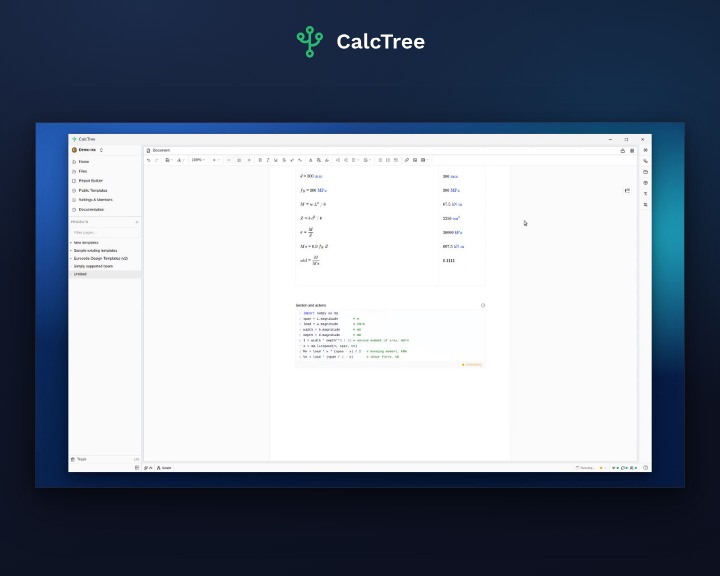
CalcTree pages now have a solver block. Define equations and boundary conditions, name the unknowns, and it solves the system. Nothing is rearranged and nothing is hidden in a separate solver definition: the equation on the page is the equation being solved, it supports units and will be part of printed reports.
Set the problem up in natural notation
Add a solver block from the slash menu, where it is called Solve block, and write the constraints as they stand. One per line, as many as the problem needs.
In the example here, an EC2 stress block that has no useful rearrangement for the neutral axis depth goes in untouched:
fcd · bw · (0.8x) · (d − 0.4x) = MEd
Name the unknowns, here just x. Every other symbol resolves from the page above, in the units you already wrote them in.
Give an unknown a target unit by writing it as x:mm, and the answer comes back in millimetres rather than a magnitude you have to scale yourself. Declare units on the unknowns and the block also checks the equation is dimensionally consistent before it solves anything, so one that subtracts a force from a length is refused rather than quietly returning a number.
Symbolic and numeric in one block, and it names which ran
A solver block tries a symbolic solve first. Where a closed form exists it returns that closed form, so the answer is exact rather than converged: no iteration, and no tolerance for you to set. Where there is no closed form it falls back to a numeric least-squares solve.
Either way the badge on the answer names what ran. It runs on Python: sympy for the symbolic solve, scipy for the numeric one, both long-established open source libraries. sympy.solve on the badge means exact and symbolic, scipy.least_squares means numeric from a starting guess. You are told which produced the number in front of you, on the result itself.
It tells you when there is more than one answer
Plenty of constraints have more than one solution, and a solver that hands you one of them without mentioning the others is the most quietly dangerous thing in this whole feature.
So the block counts them. A quadratic has two roots, both exact, and the badge reads Exact (1 of 2) with both listed on the answer. The one displayed is the root nearest the block's starting guess. Which root belongs in the calculation is a judgement, and it stays yours: what the block guarantees is that you know there was a choice to make.
In the example here the two roots are 88.7 mm and 1036 mm. Both reproduce the design moment exactly, and only one of them puts the neutral axis inside the section.
Where an unknown is genuinely constrained, add a bound on its own line using the comparison operators, x > 0, and only roots that satisfy it come back.
And when there is no single answer
Two unknowns with one equation between them has no single answer. Infinitely many pairs satisfy it.
A least-squares solve will hand you one of them anyway, and what comes back is really just wherever it started. Ask a + b = 10 for both a and b: start from 1 and 1 and it returns 5 and 5, start from 1 and 9 and it returns 1 and 9. Both satisfy the equation. Neither is the answer, because there isn't one.
That is the failure worth worrying about, because the result looks completely ordinary. A solver block reads the system as Not unique and tells you the two things that resolve it: another independent equation, or one unknown pinned to a value.
Exact only, or best fit
A solver block has two modes. Exact only, the default, reports an error when the constraints have no exact solution rather than quietly handing back something close. That is usually what you want in a design check: constraints that cannot all be satisfied are something to look at, not a number to accept.
Best fit is for when you are fitting rather than solving, an over-constrained system or measured data with noise in it. It returns the least-squares closest fit and labels the answer Best approximation, so it cannot be mistaken for exact.
Either way, a failure reads as engineering rather than software. You are told what is wrong with the system you wrote, never handed a Python traceback.
Part of the calculation, and visible in the graph
A solver block is a node in the calculation graph like any other. Open the graph and it is there, wired to the values it reads and the one it produces, with its type, its runtime and the equation itself on the node.
That is what makes it re-run. Change a load or a section size anywhere on the page and the solve goes again, along with everything downstream of it, so the answer is never sitting there stale.
The equation you wrote stays the equation on the page, the badge beside it names the method and how many answers there were, and the exported PDF reads the same labels as the screen.
Solver blocks are available now. Open a page, add one, and give it the equation you have been rearranging by hand.
.jpg)