%20(1).jpg)
When you log in to CalcTree this week, you'll land somewhere new.
The home page is no longer whatever page you were on last, but rather it's a hub. One view that holds everything you need to start, continue, or expand your engineering work.
Why we changed it
In the old CalcTree, your work was scattered. Templates lived in one menu. Team management lived in another. Docs lived somewhere else. Recent pages were a click or two deep. New users landed on an empty workspace and had to figure out where everything was; existing users wasted clicks every login getting back to where they'd been.
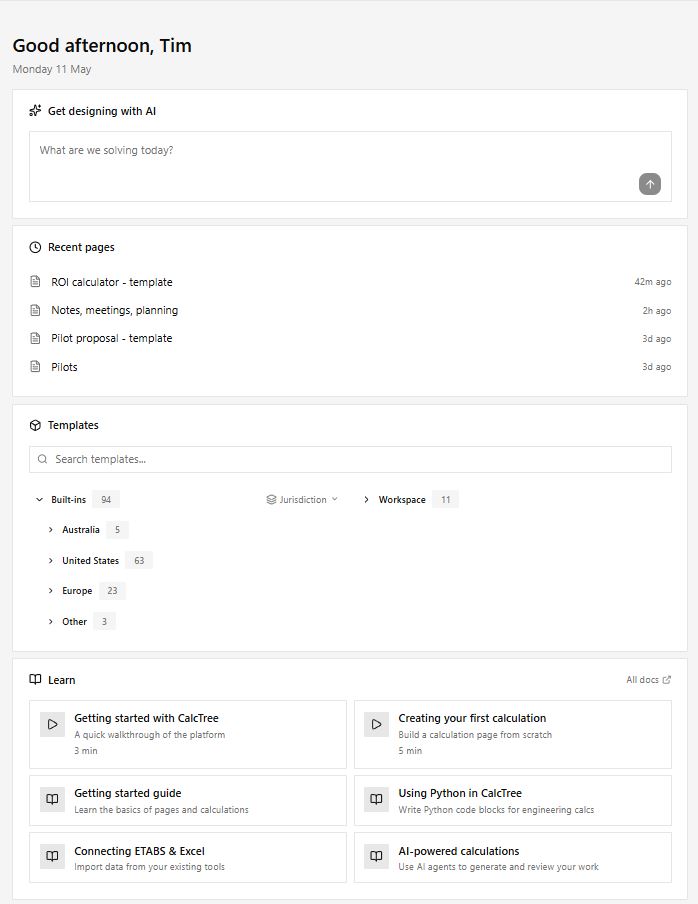
The new home page collects it all into one view. We've grouped what you see around four jobs:
- Pick up where you left off - your recent pages, surfaced on landing.
- Start something new with AI - an AI prompt to spin up a calc from a sentence, alongside 94 jurisdiction-filtered templates.
- Get up to speed - short Learn videos and direct links to the documentation.
- Bring your team in - visible workspace members with one-click invites, and easy switching between workspaces you belong to.
What's new
Recent pages
Your most recent pages are one click from landing.
Start a calc with AI
Type what you're working on into the prompt at the top of the page, and CalcTree generates a real, editable page — inputs, formulas, outputs. Not a template, not a chatbot answer.
"Get me started — I'd like to set up my first timber beam calc to AS1720"
You land inside a working page in seconds. Change the span, swap the timber grade, add a load case. Verify the math. It's yours from there.
Templates, filtered by jurisdiction
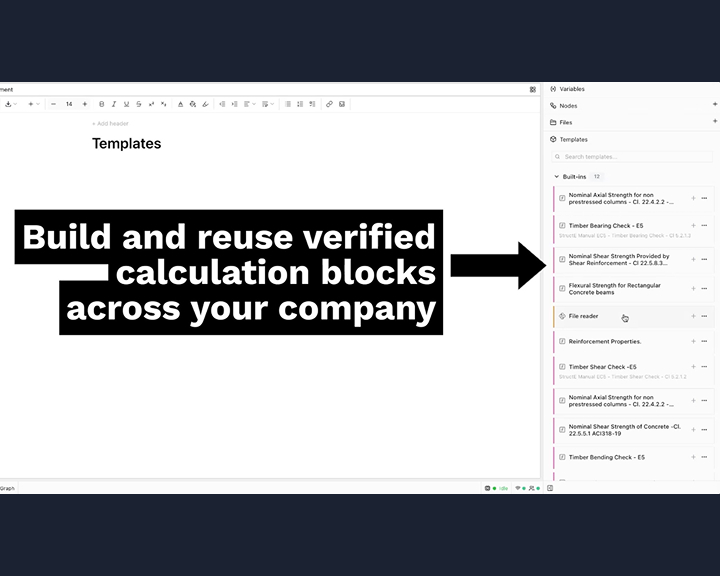
Ninety-four built-in templates, filterable by region: Australia, United States, Europe, and beyond. AS1720, AISC, Eurocode — one filter away. Your workspace's own templates sit alongside the built-ins, so your team's standards and the global ones live in the same place.
Learn, in context
Short videos and guides for the things people ask us about most: getting started, building your first calculation, AI-powered calcs, using Python in CalcTree, and connecting ETABS or Excel. Most are 3–5 minutes — watchable on a coffee break.
Your team, your workspaces
Workspace members are now visible from the home page — who's in, who's an admin, with one-click invites. Other workspaces you belong to are listed below, so switching contexts is a click instead of a menu hunt.
Documentation, one click away
The full docs are linked directly from the home page. You shouldn't have to search the app to find the manual.
What hasn't changed
Everything else. Your projects, pages, calculations, version history, Python blocks, integrations — all where they were, working the way they did yesterday.
Try it
The new home page is live for all users. Log in and have a look around.
If you're new to CalcTree, sign up here and try the AI prompt as your first move!