
Free topology optimisation example in Python: SIMP turns a steel bracket plate into a truss, then checks it. Open a copy in your browser.

Tell us what you need, or sign up and build it yourself in minutes.
Leave your email and we'll tell you when a template for it is ready:

No items found.
No items found.
About this Topology Optimisation Example
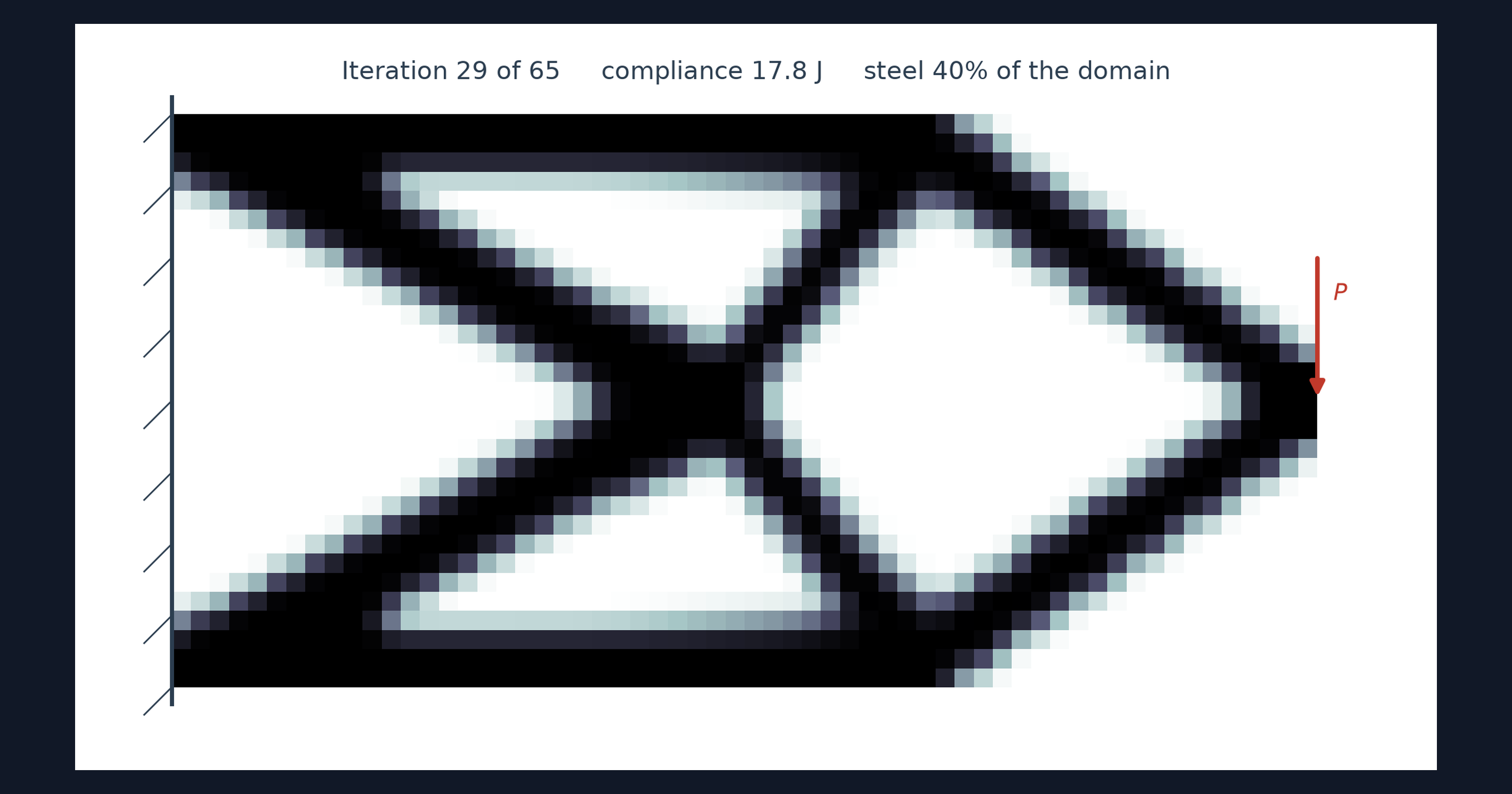
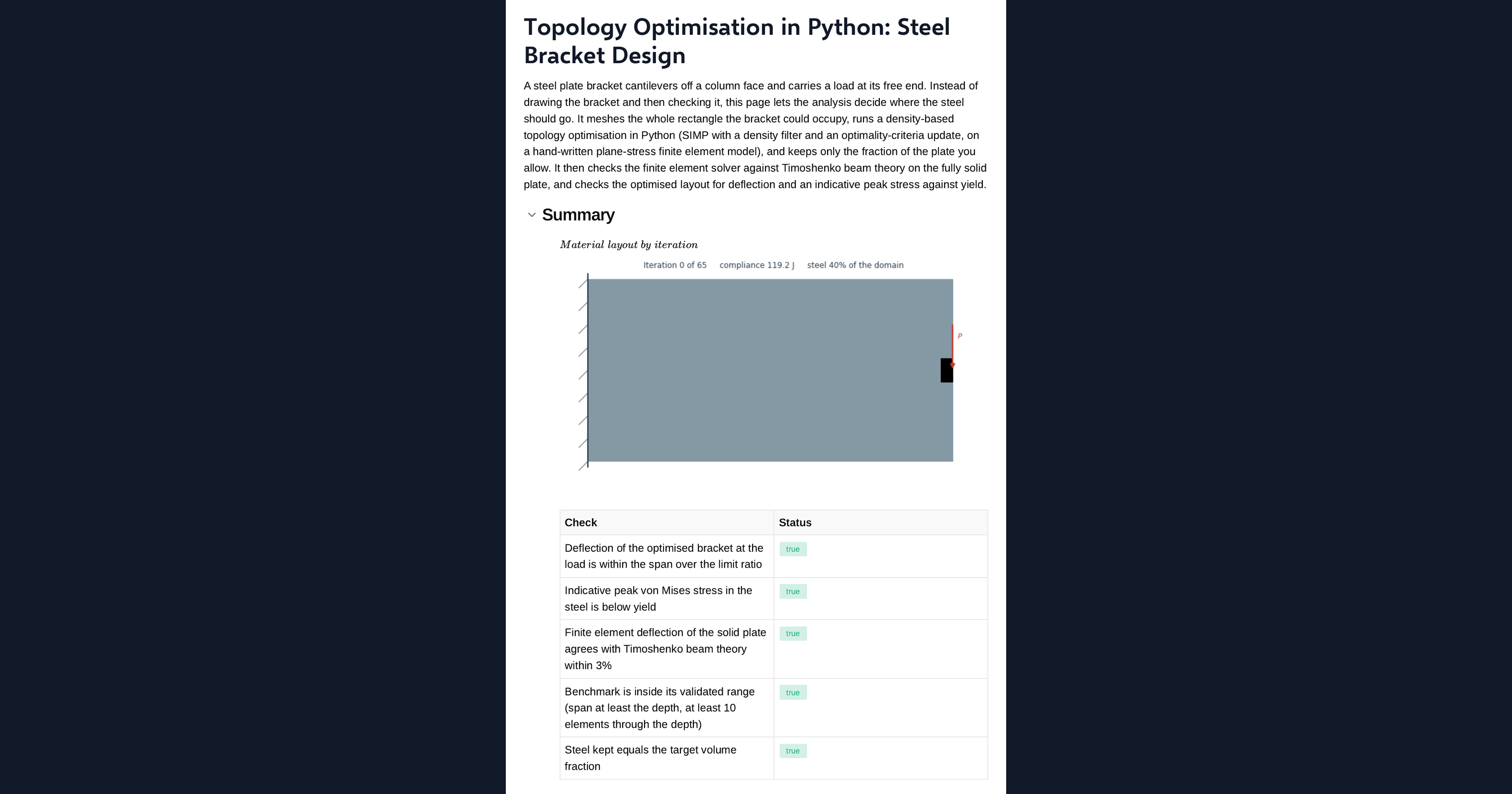
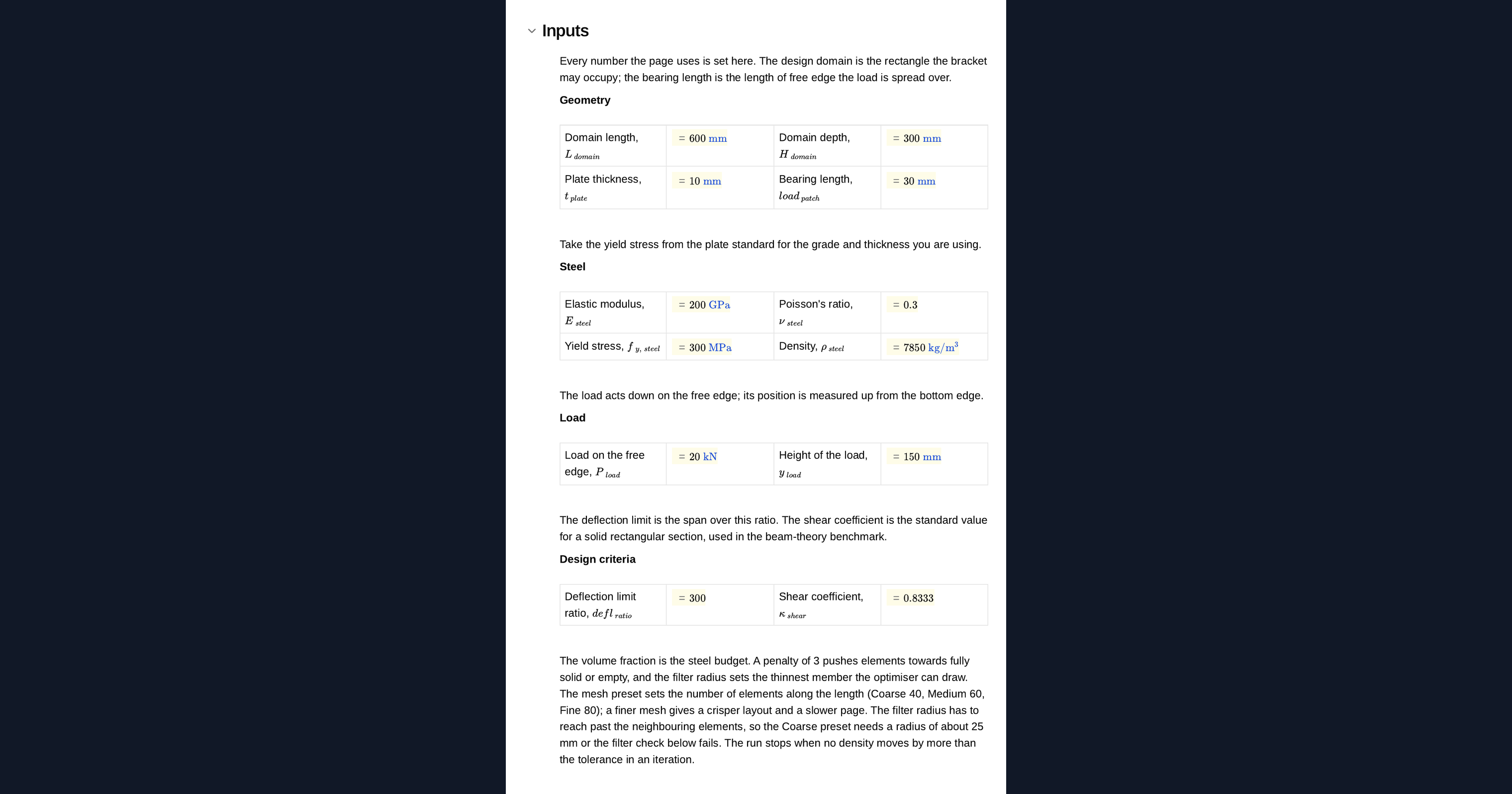
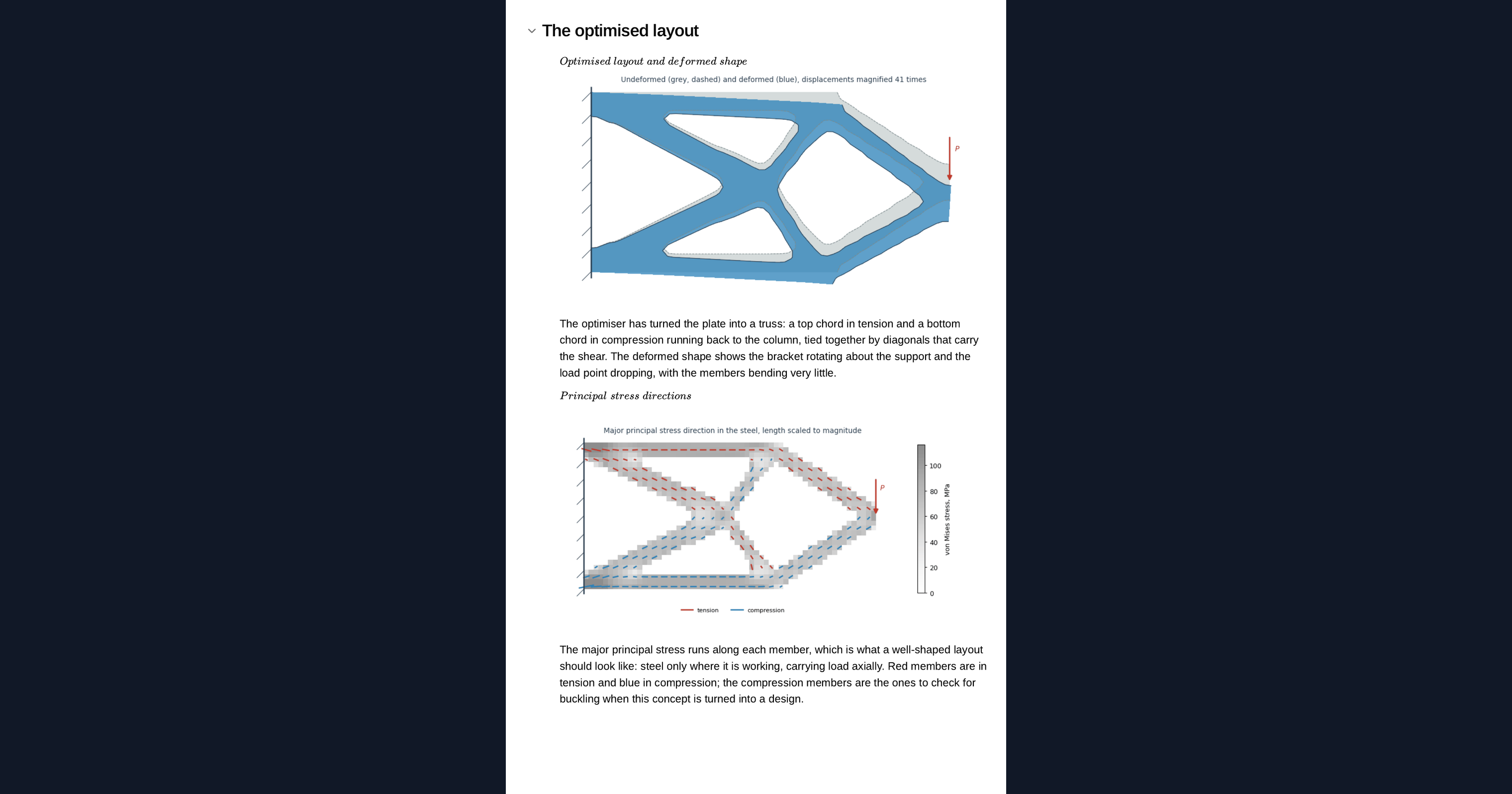
This page is a worked example of topology optimisation in Python, running in your browser inside a CalcTree calculation page. Starting from a solid steel bracket plate and a target fraction of the steel, the SIMP method works out where the material should go and animates the plate turning into a truss. The finite element model is compared with the Timoshenko beam result before the optimiser runs, and the final layout is solved for deflection and stress.
- Structural engineer: see how load paths emerge in a bracket or gusset, and adapt the example to your own plate and load.
- Mechanical or product engineer: explore lightweight layouts on a worked example before detailing anything in CAD.
- Graduate engineer learning optimisation: read a complete SIMP implementation in NumPy and SciPy, change the steel budget, and watch a different truss emerge.
It is an example of what a CalcTree page can do, built with CalcTree AI, not a design method to rely on as is. The model is idealised and its limits are stated on the page. Duplicate it into your own workspace to change the inputs, read the Python, or use it as the starting point for your own analysis, and verify anything you take into a real design.
More info on Topology Optimisation
Inputs
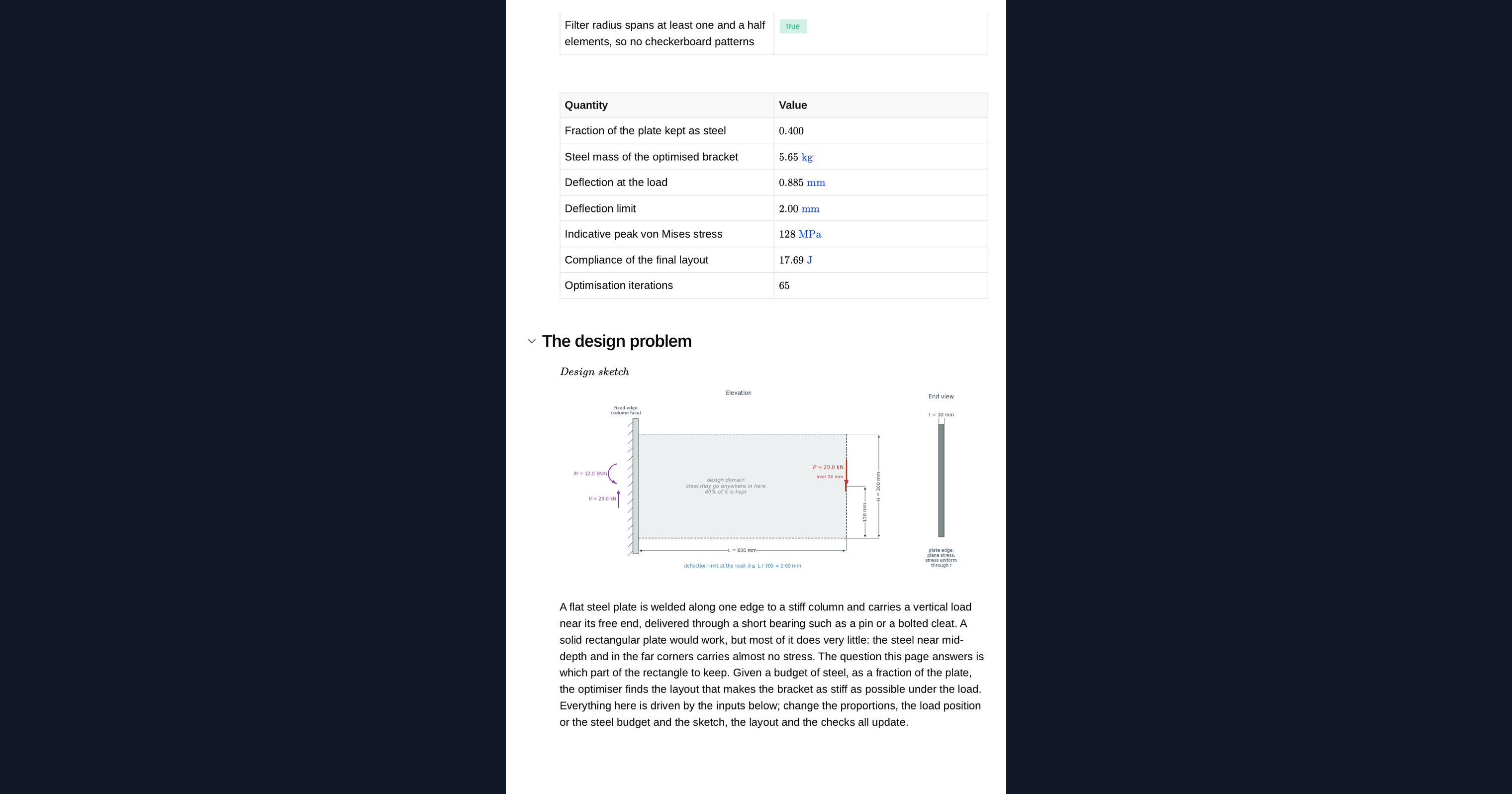
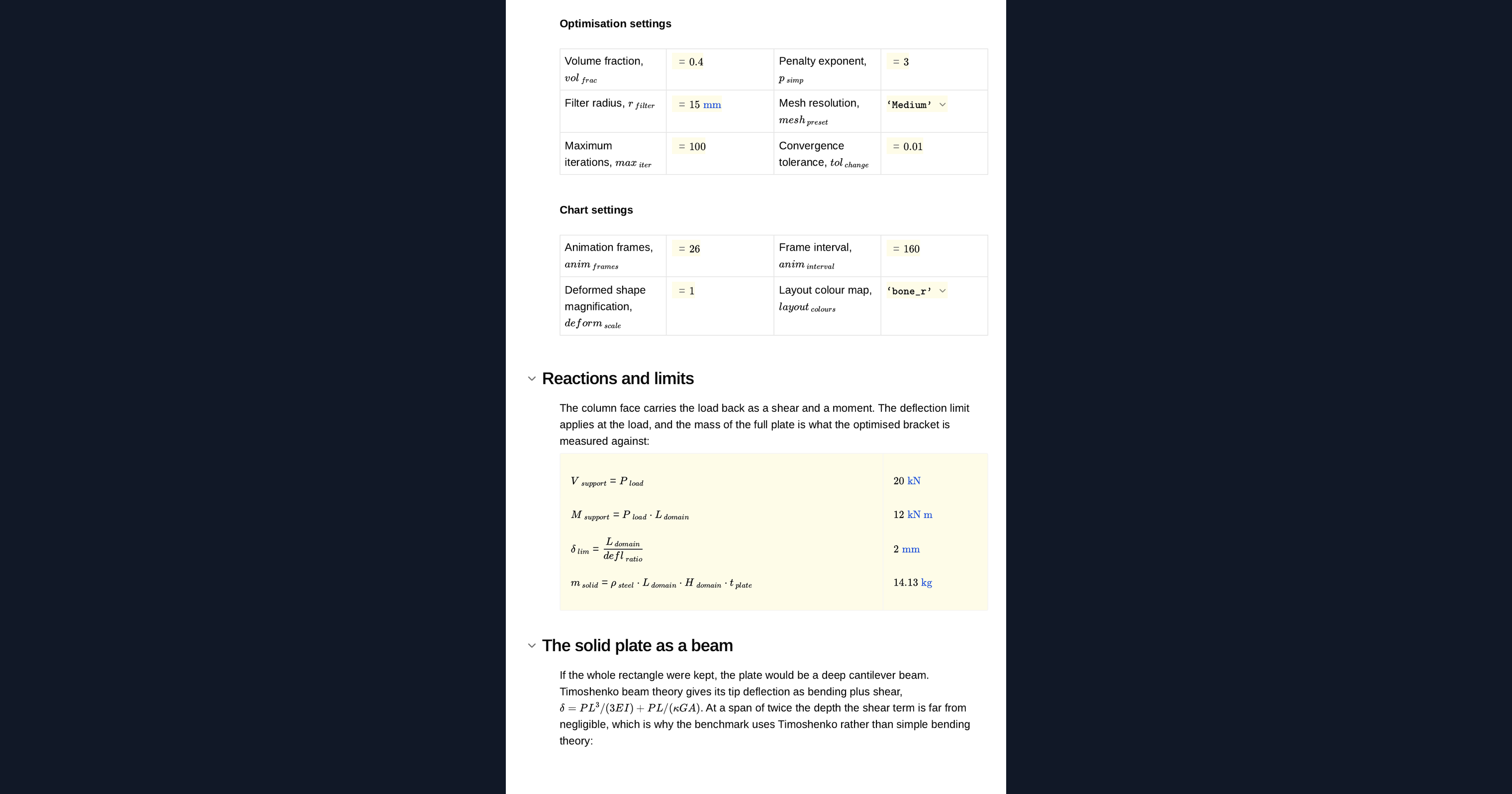
You set the plate length, depth and thickness, the length of the bearing that carries the load, the steel modulus, Poisson ratio, yield stress and density, the load and the height it acts at, and the deflection limit as a span ratio. The optimiser settings are the volume fraction, the penalty exponent, the filter radius, the maximum number of iterations and the convergence tolerance, and a mesh preset sets the element count. A design sketch of the plate, support and load redraws from them.
The topology optimisation method
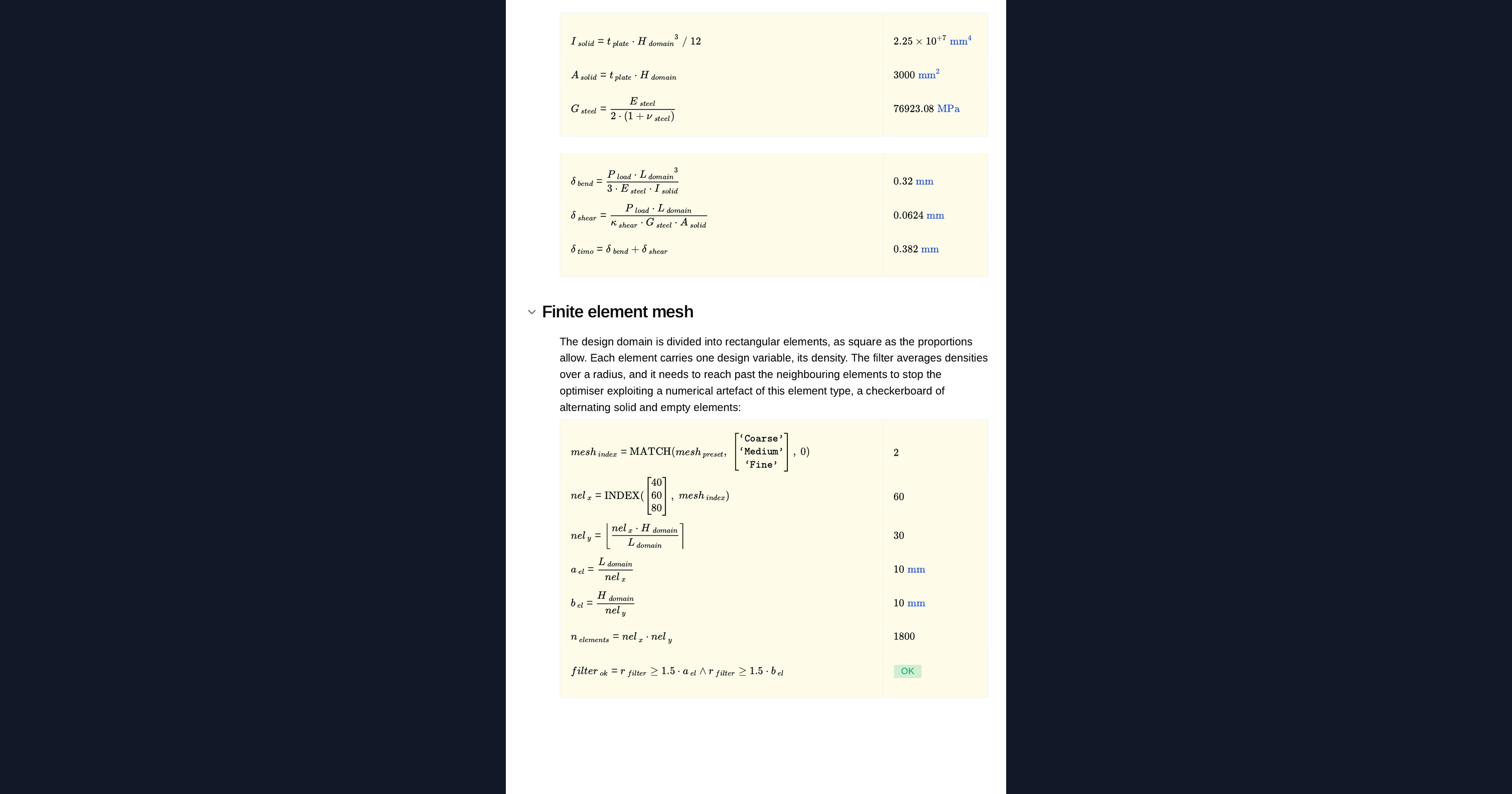
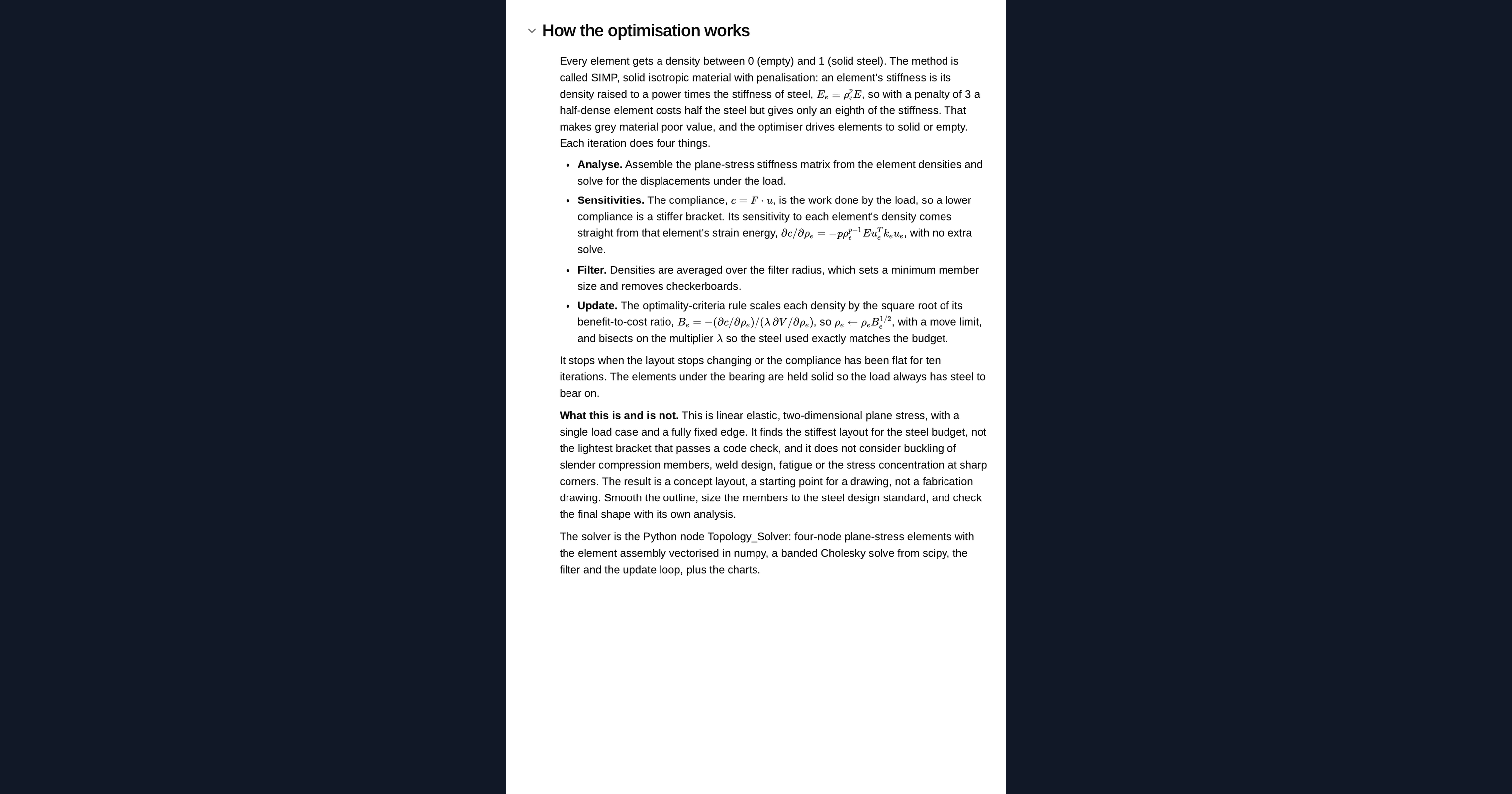
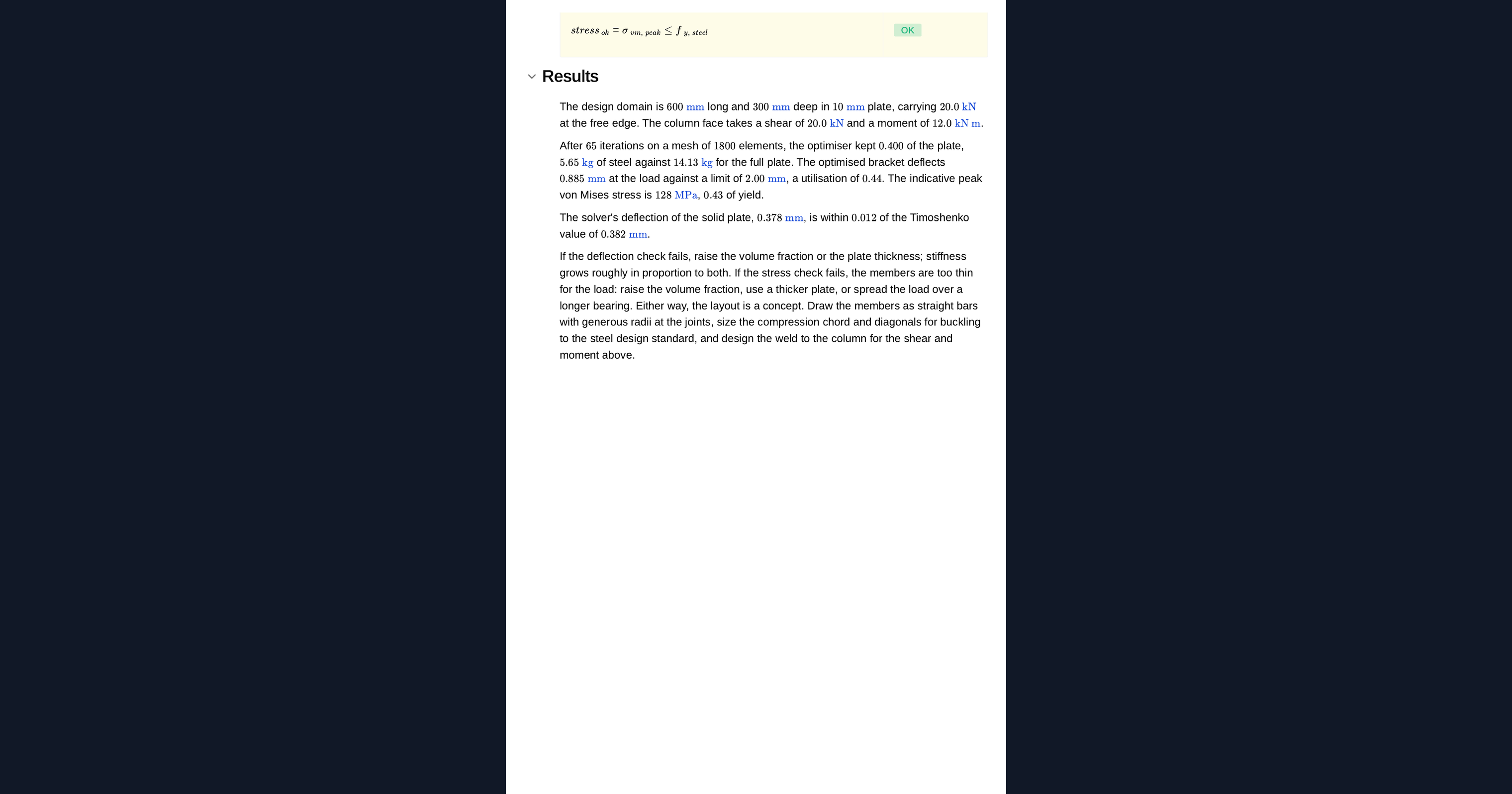
The plate is meshed with four-node plane-stress elements, each with its own density between void and solid. The SIMP method penalises intermediate densities so the result tends to solid and void. Each iteration solves the finite element model, works out how sensitive the stiffness is to each element, filters those sensitivities to avoid checkerboards, and updates the densities by the optimality criteria method while holding the total steel fixed. The solver sits in a Python node on the page, so you can read it, change it and rerun it.
Checking the model
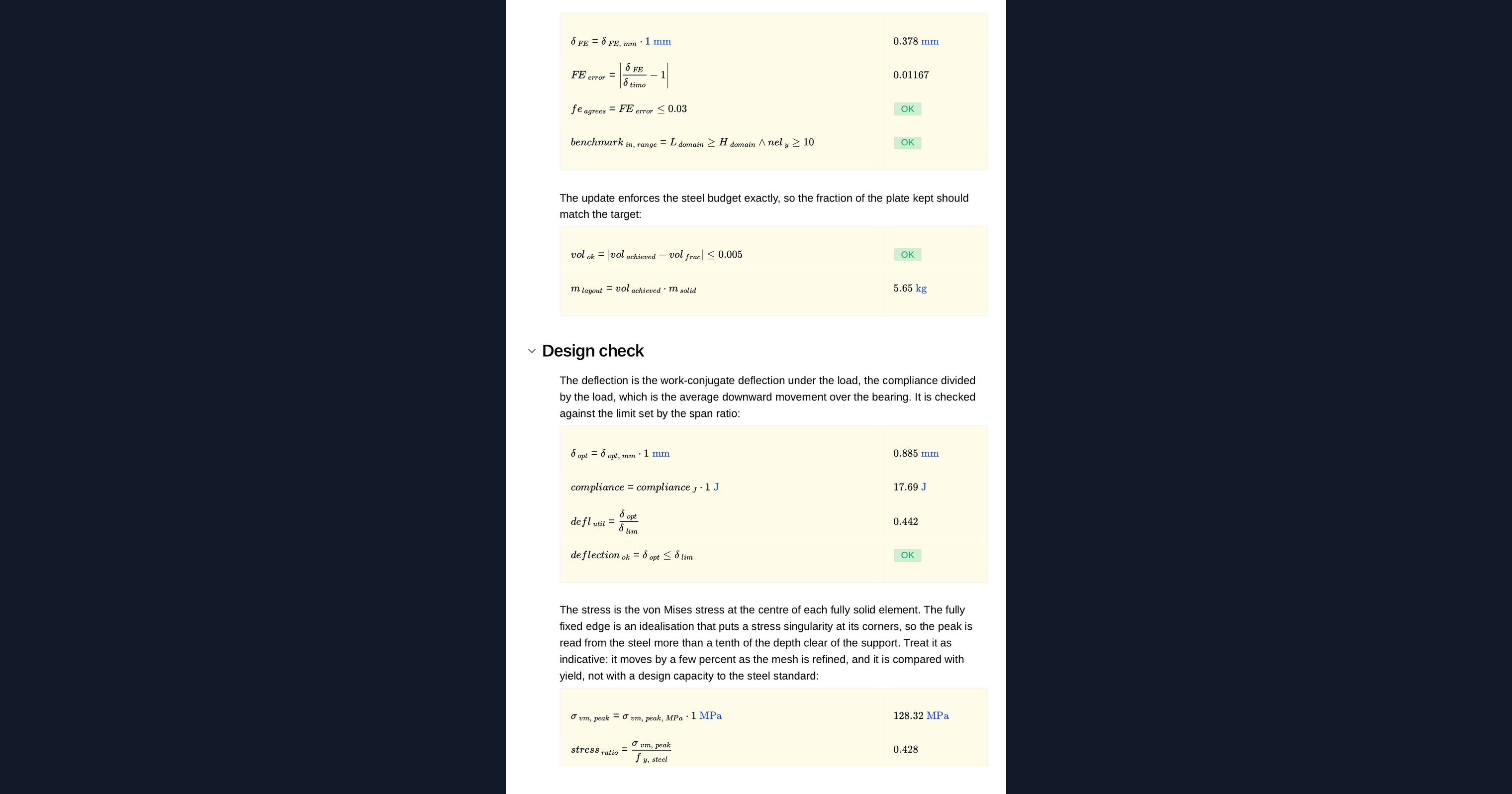
Before optimising, the page solves the fully solid plate and compares its tip deflection with the Timoshenko beam result, including shear deformation. It flags whether they agree within tolerance, whether the plate proportions and mesh are inside the validated range, and whether the filter radius spans enough elements.
Deflection and stress checks
The optimised layout is solved as a structure. The page reports its tip deflection against the limit and the peak von Mises stress against yield, along with the mass saved against the solid plate. The truss it finds is a starting point for detailing, not a finished part.
Python libraries used
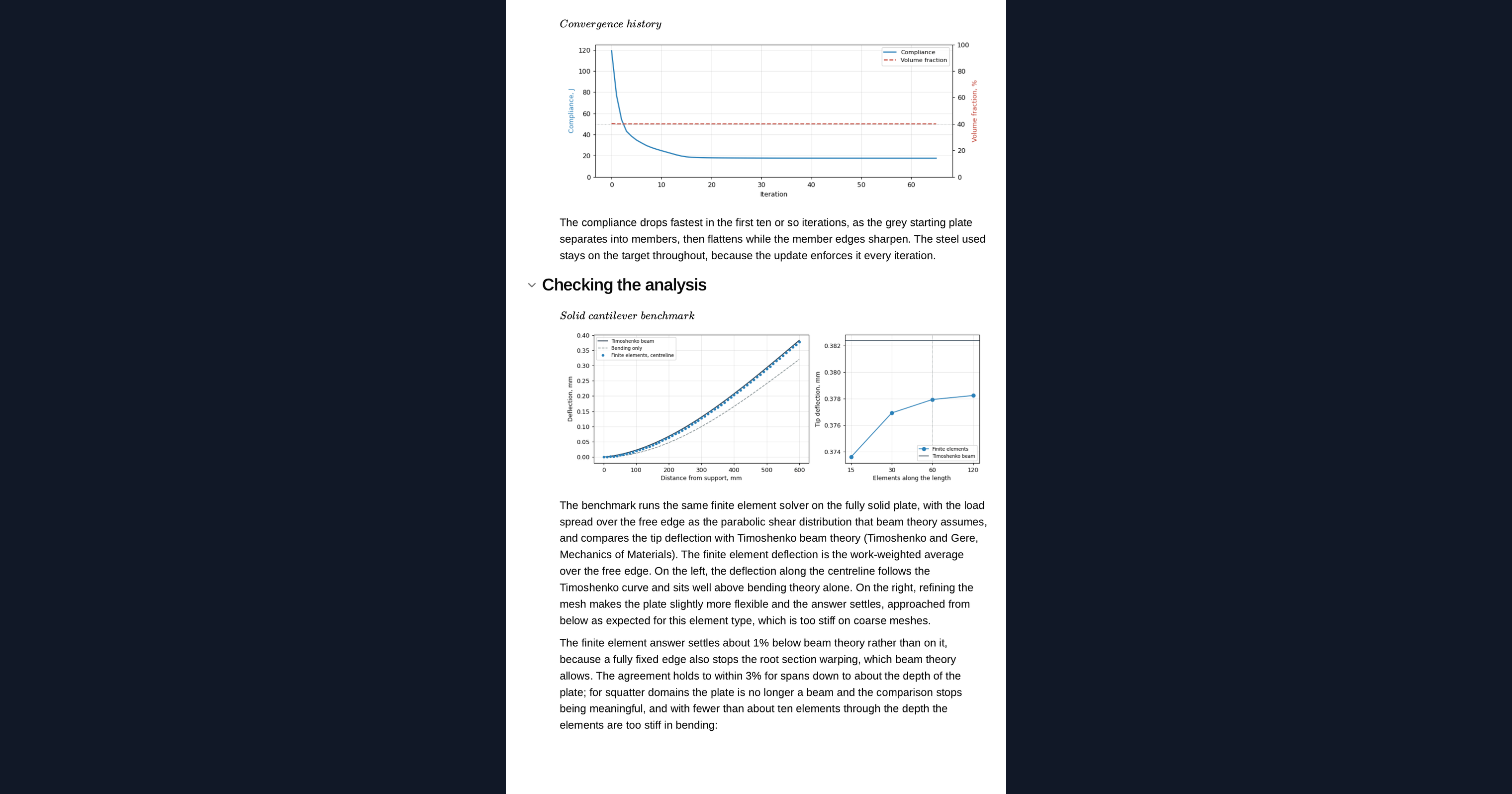
NumPy builds the element stiffness, filters the sensitivities and updates the densities each iteration. SciPy solves the finite element system with a banded Cholesky factorisation. Matplotlib draws the design sketch, the convergence history, the principal stress directions and the animation of the plate turning into a truss.
Common Calculation Errors to Avoid
- Treating the optimised shape as the final design: the layout comes from a linear stiffness problem and still needs checks for buckling, connections, fatigue and how it will be made.
- A filter radius smaller than an element or two: without enough filtering the result breaks into checkerboards and mesh-dependent detail.
- Changing the mesh and expecting the same layout: a coarser or finer mesh can give a noticeably different truss, so compare results at the same filter radius in real units.
- Applying the load at a single node: a point load causes a stress singularity, so spread it over a realistic bearing length.
- Skipping the solid-plate check: if the finite element model does not match a known result, the optimised layout is no better than the model behind it.
- Reading stress off grey elements: intermediate densities have no physical meaning, so check stress on a converged, mostly solid and void layout.
Engineering templates
Common calculators
Design guides




FAQs
Can I do topology optimisation in Python without Altair OptiStruct or ANSYS?
For a two-dimensional plate like this one, yes. SIMP with an optimality criteria update fits in a short block of numpy and scipy and runs in a browser. Commercial packages handle three-dimensional parts, multiple load cases, manufacturing constraints and stress-based objectives; use them for those.
What is the SIMP method?
Solid Isotropic Material with Penalisation. Each element gets a density between zero and one, and its stiffness is scaled by the density raised to a penalty power. The penalty makes intermediate densities inefficient, so the optimiser drives elements towards solid or void.
How is the result checked?
The finite element model of the solid plate is compared with the Timoshenko beam deflection before optimising. The optimised layout is then solved and checked for deflection and von Mises stress against the limits you set.
Why does changing the volume fraction give a different truss?
With less steel available the optimiser can afford fewer and thinner members, so the load path changes. Change the volume fraction on the page and the layout regrows from the solid plate.
Can I change the bracket and rerun the optimisation?
Yes. It is an example to build on: duplicate the page into your workspace, then change the plate, the load, the steel budget, the optimiser settings or the Python itself. The sketch, the layout, the animation and the checks all update together.
Learn about the benefits of using CalcTree on engineering projects!