
Free modal analysis example in Python: footbridge modes and a walking pedestrian, checked against closed-form beam results. Open a copy in your browser.

Tell us what you need, or sign up and build it yourself in minutes.
Leave your email and we'll tell you when a template for it is ready:
No items found.
No items found.
About this Footbridge Modal Analysis Example
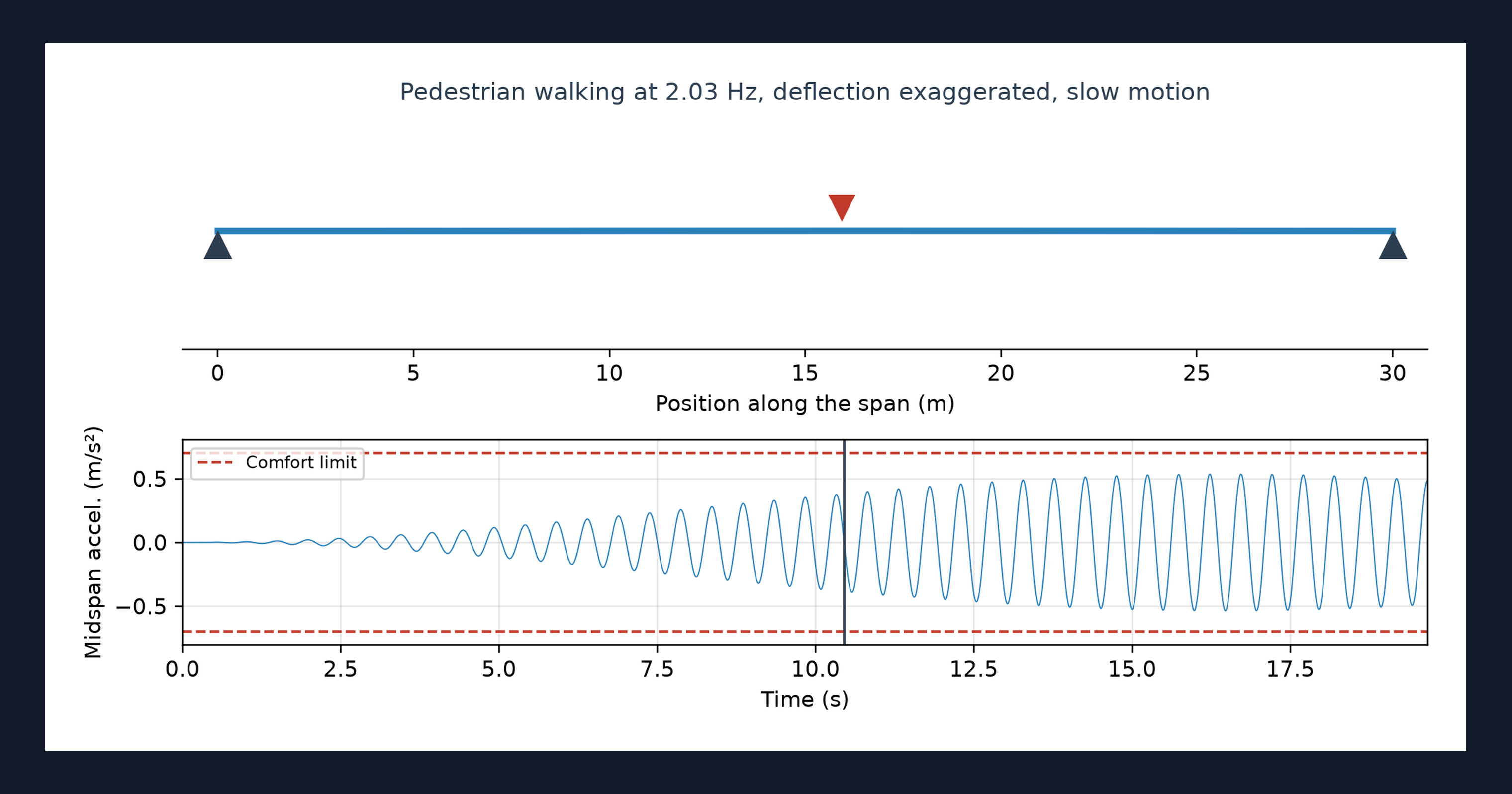
This page is a worked example of a modal analysis in Python, running in your browser inside a CalcTree calculation page. A beam finite element model gives the natural frequencies and mode shapes of a simply supported footbridge, then a pedestrian walks across at every pacing rate in the walking range while the deck animates. The frequencies and the resonant response are compared with closed-form results on the page.
- Structural or bridge engineer: see why a frequency in the walking range does not settle footfall comfort on its own, and adapt the example to your own span.
- Engineer exploring Python in calculations: see an eigen-solve, a time-stepped response and an animated deck living in one calculation page.
- Graduate engineer learning dynamics: read a modal analysis and Newmark solver in NumPy and SciPy, change the span or the damping, and watch the response change.
It is an example of what a CalcTree page can do, built with CalcTree AI, not a design method to rely on as is. The model is idealised and its limits are stated on the page. Duplicate it into your own workspace to change the inputs, read the Python, or use it as the starting point for your own analysis, and verify anything you take into a real design.
More info on Footbridge Modal Analysis
Inputs
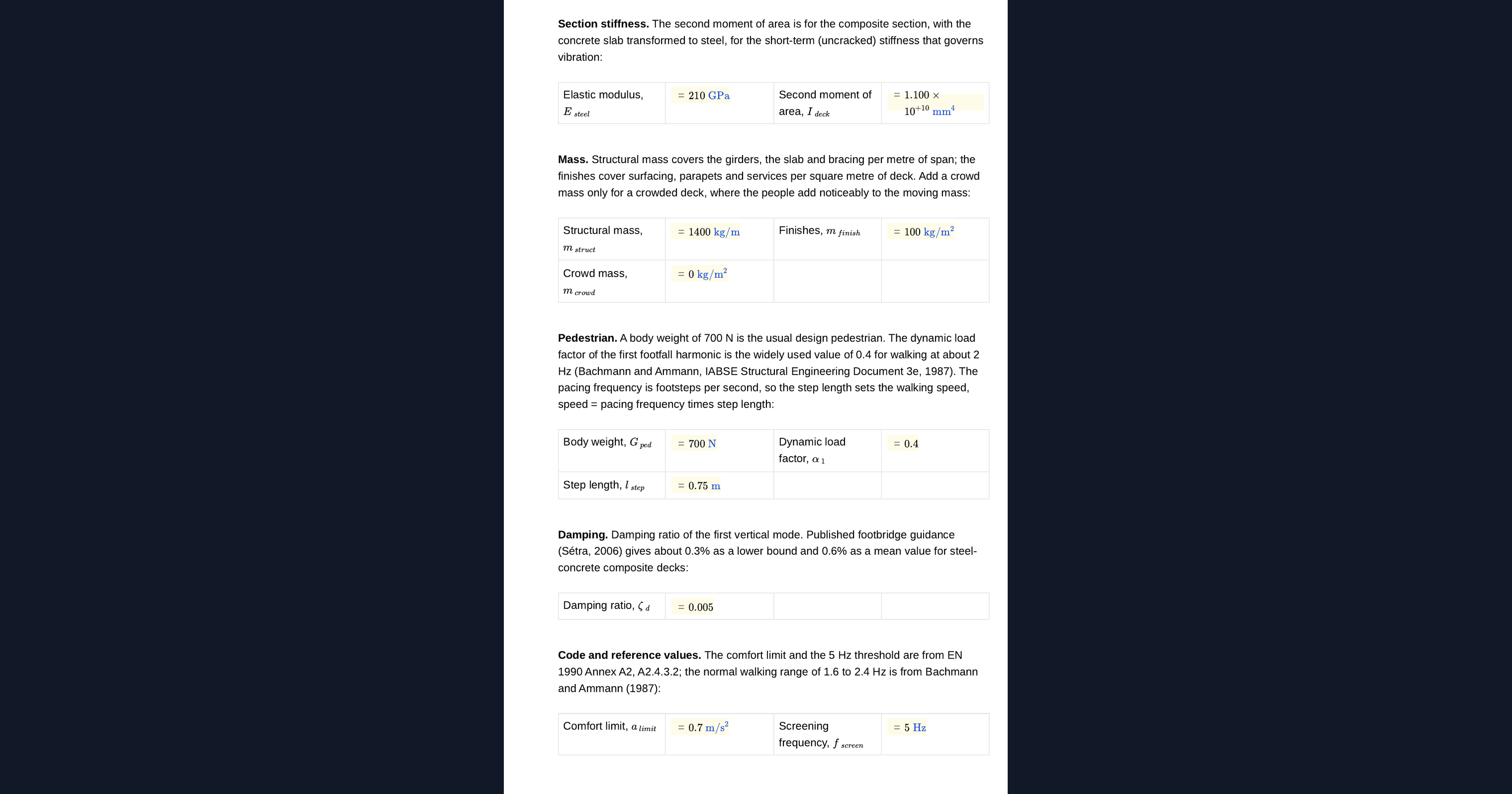
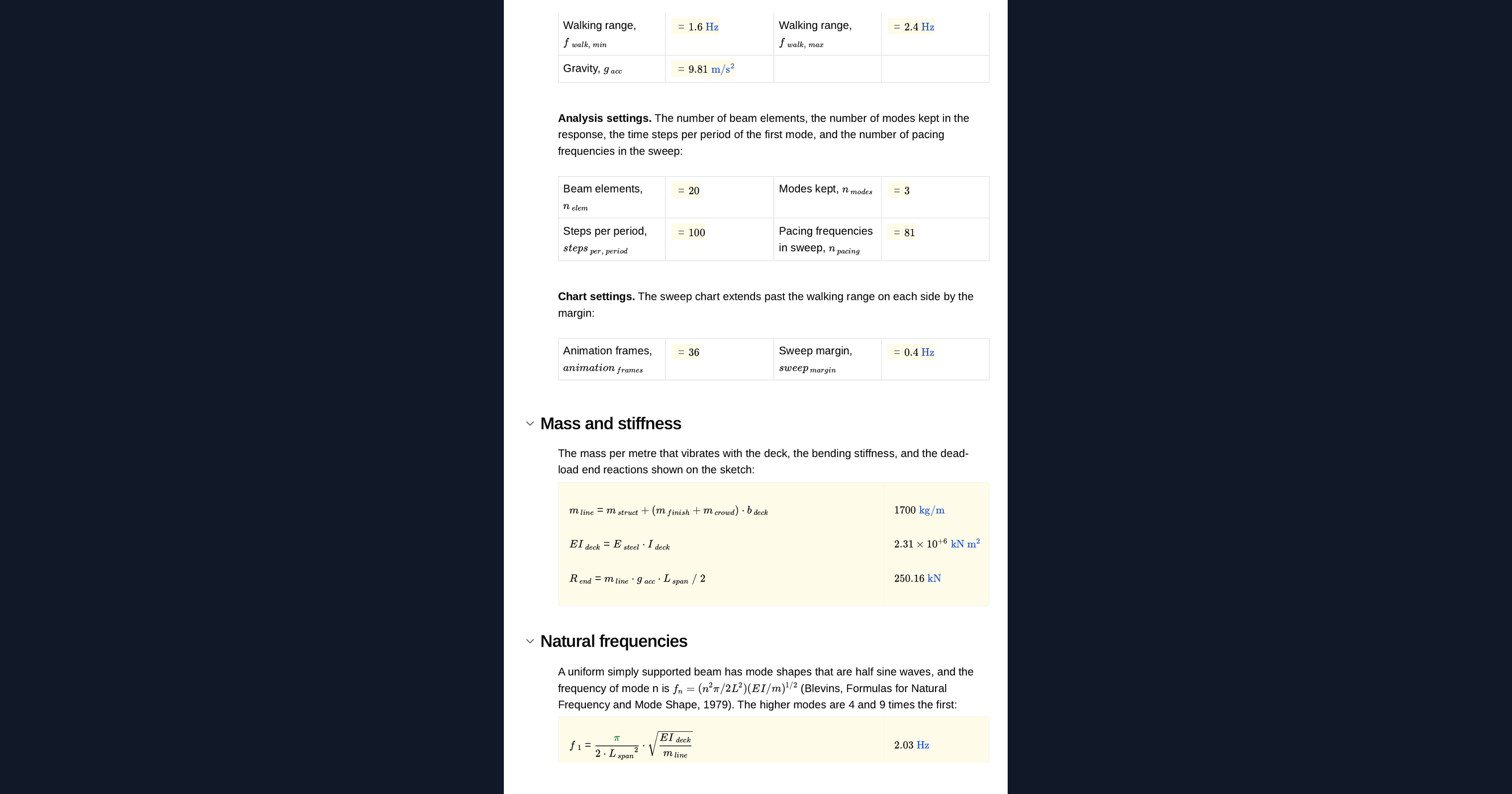
You set the span, the deck width, the steel modulus and second moment of area, the structural mass, the finishes and an optional crowd mass. The pedestrian is described by their weight, the dynamic load factor of the first footfall harmonic and their step length. Damping, the comfort limit and the walking range are inputs, along with the number of beam elements and modes, the time steps per period and the number of pacing rates swept. A design sketch of the bridge redraws from them.
The modal analysis method
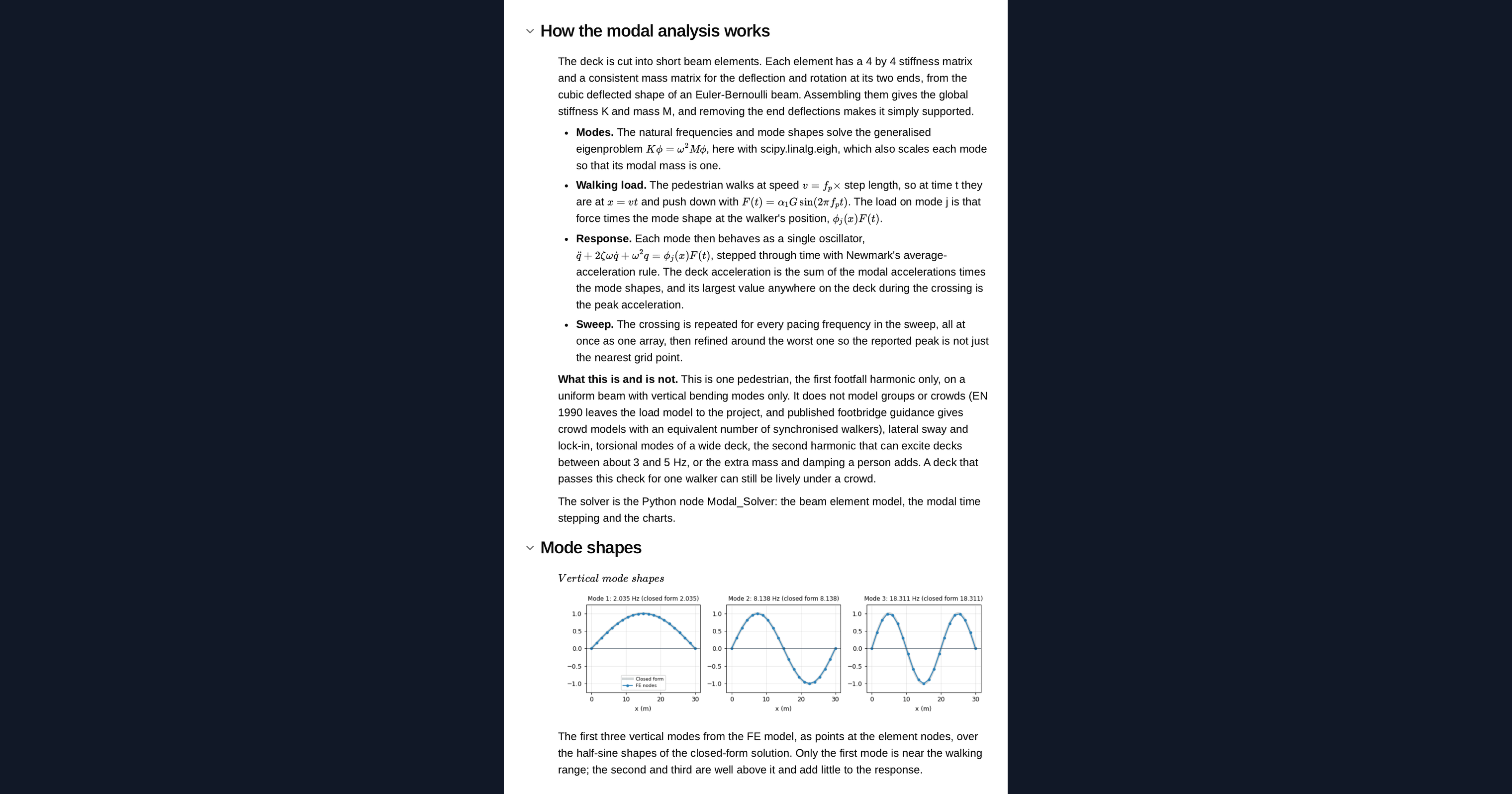
The deck is a row of Euler-Bernoulli beam elements with a consistent mass matrix, pinned at both ends. The page solves the eigenvalue problem for the first few modes. The walking pedestrian is a moving harmonic force, and each mode responds as a single oscillator stepped with the Newmark average acceleration rule. All pacing rates run side by side as one array, and the sweep is refined round the worst case. The solver sits in a Python node on the page, so you can read it, change it and rerun it.
Checking the model
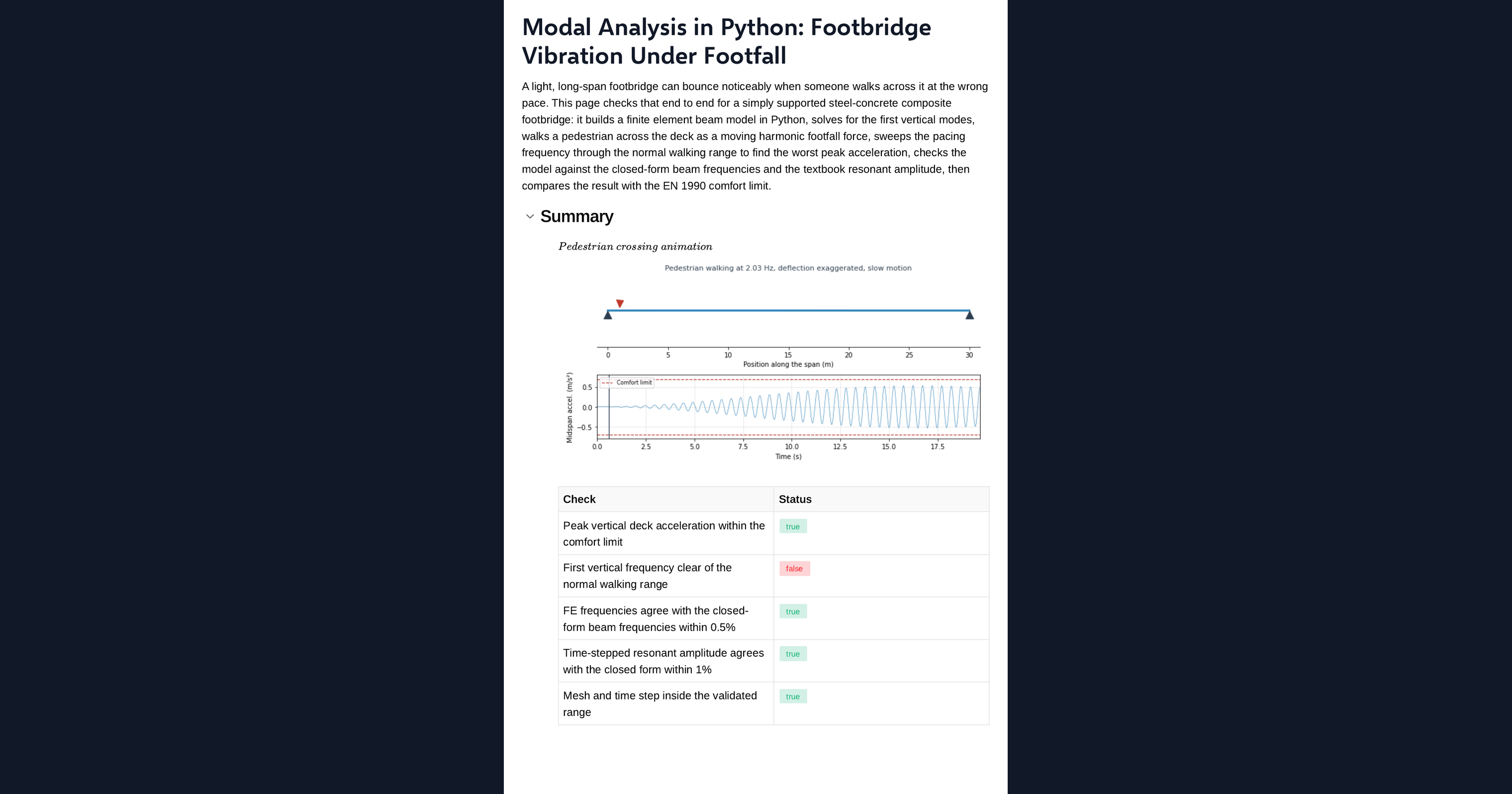
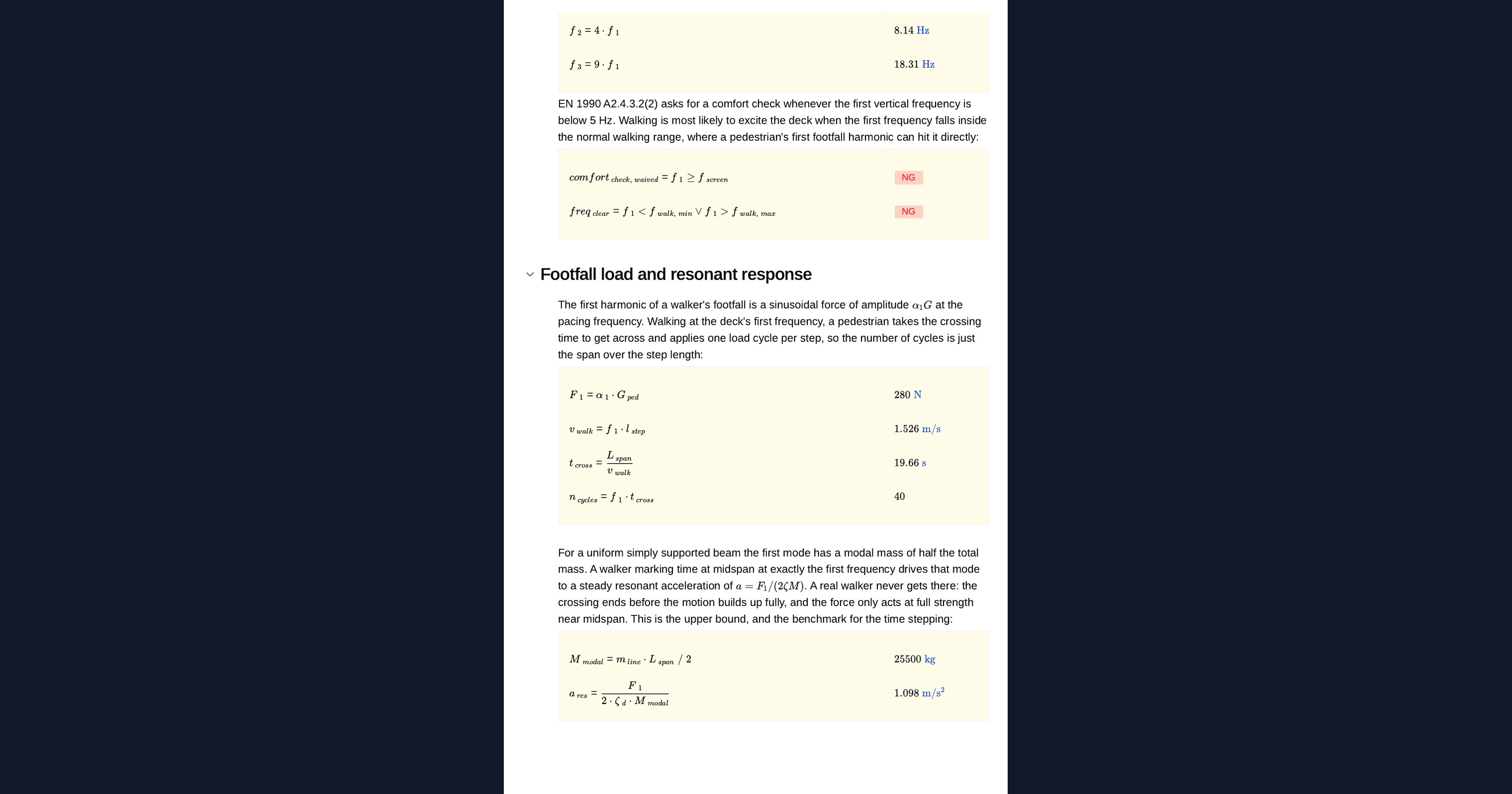
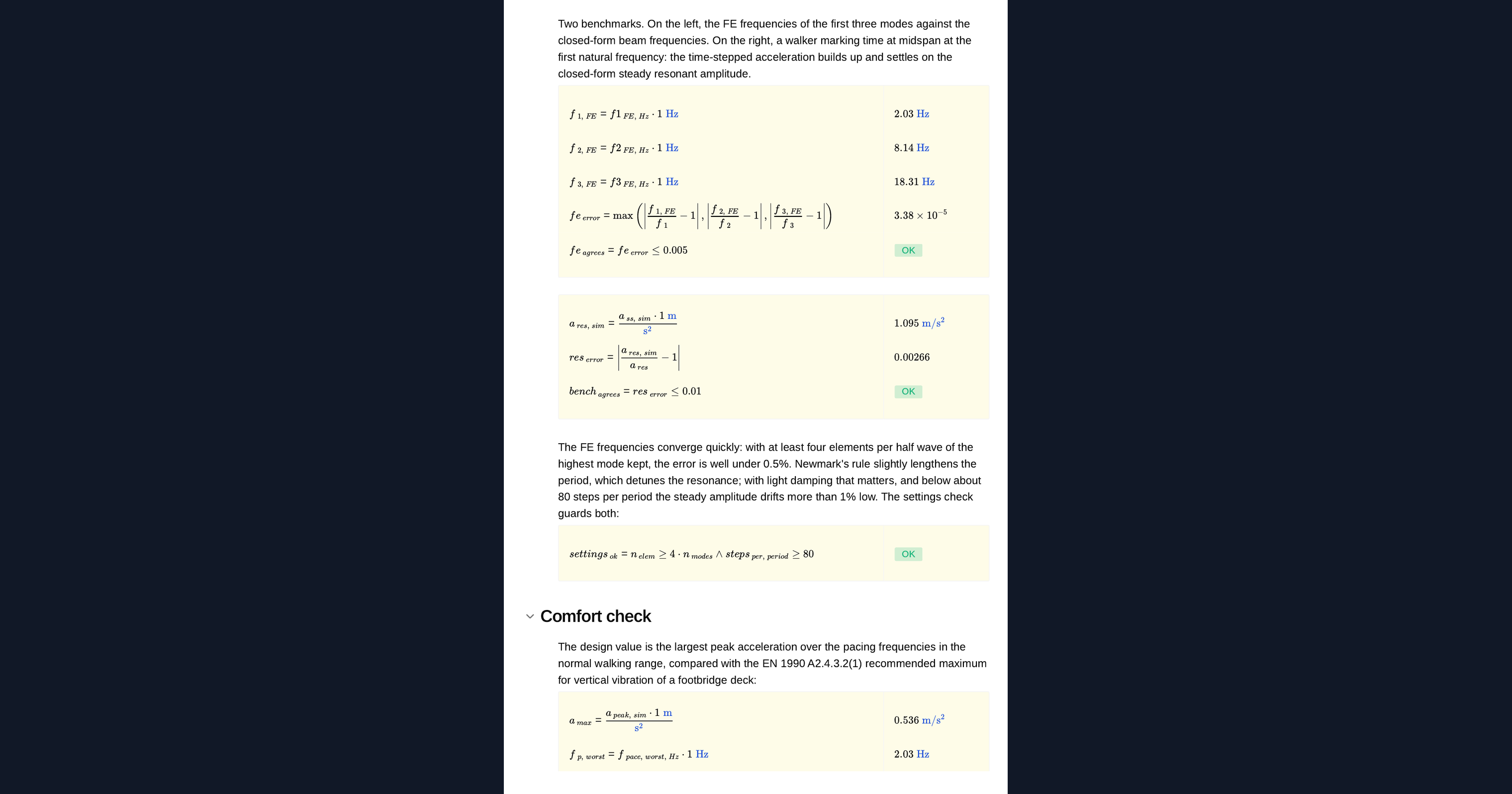
The finite element frequencies are compared with the closed-form frequencies of a simply supported uniform beam. A second run holds the pedestrian at midspan at the first natural frequency until the response settles, and compares the steady acceleration with the closed-form resonance result. The page flags whether both agree and whether the element count and time step are inside the validated range.
Frequency and acceleration checks
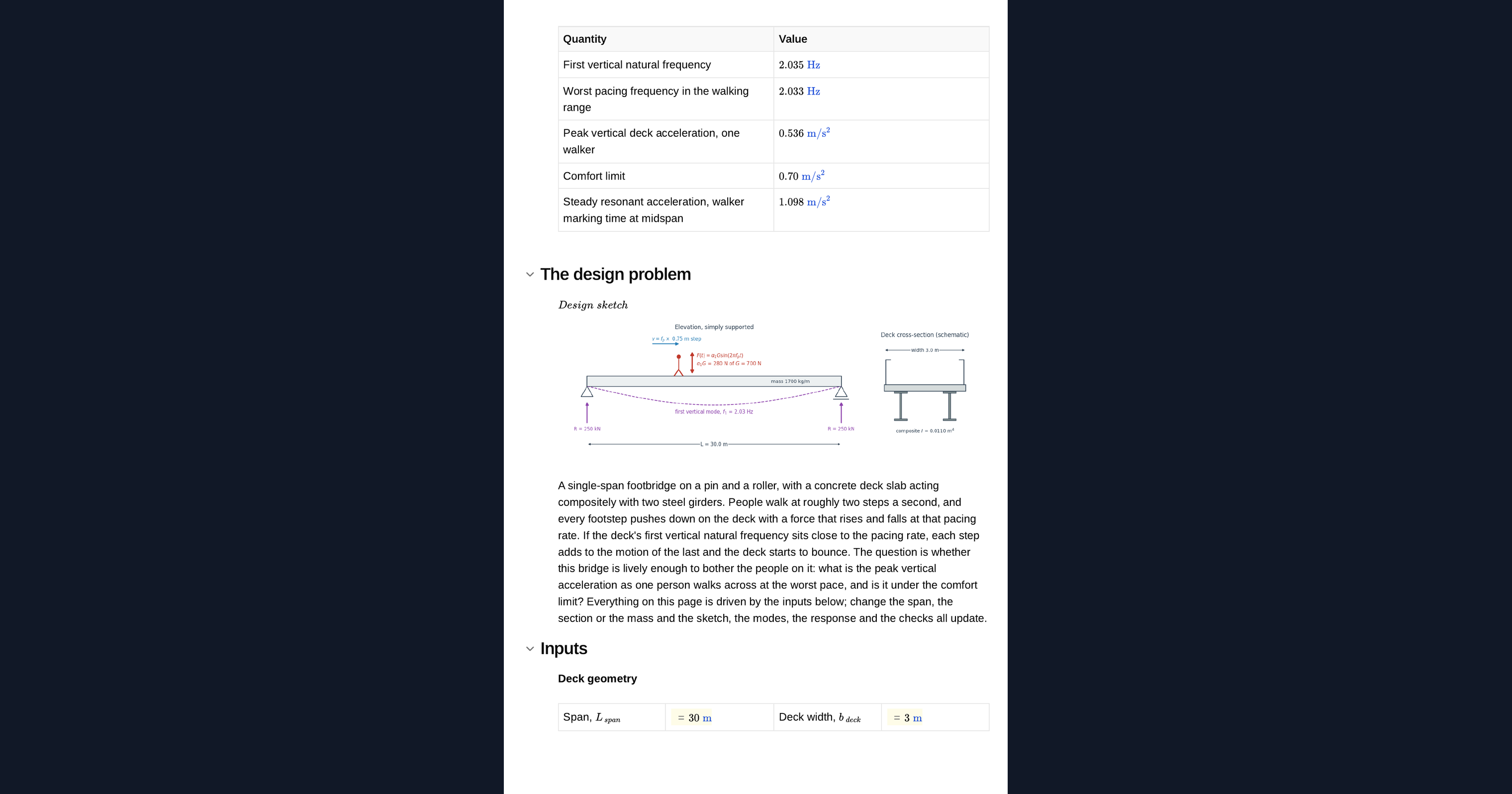
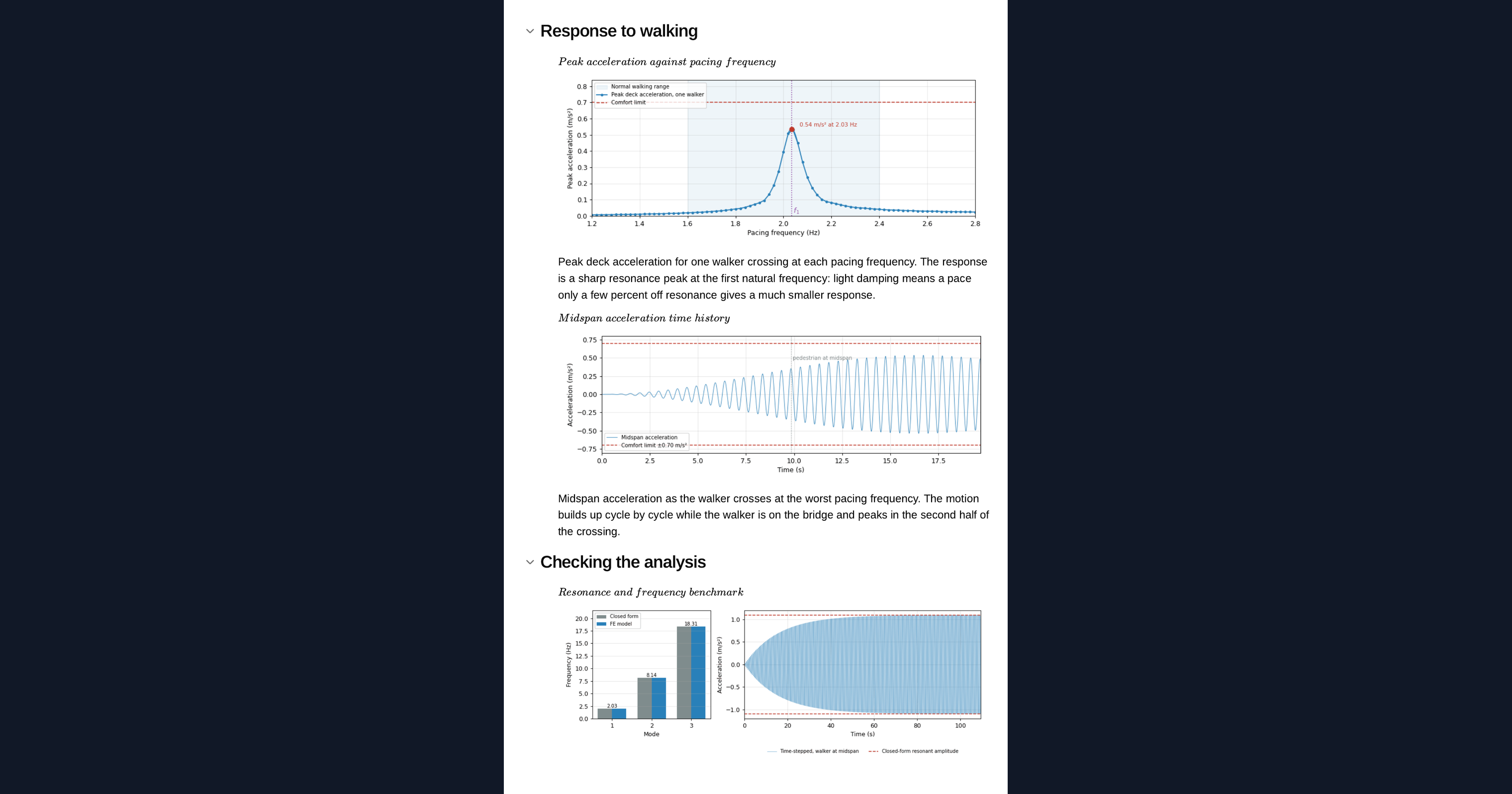
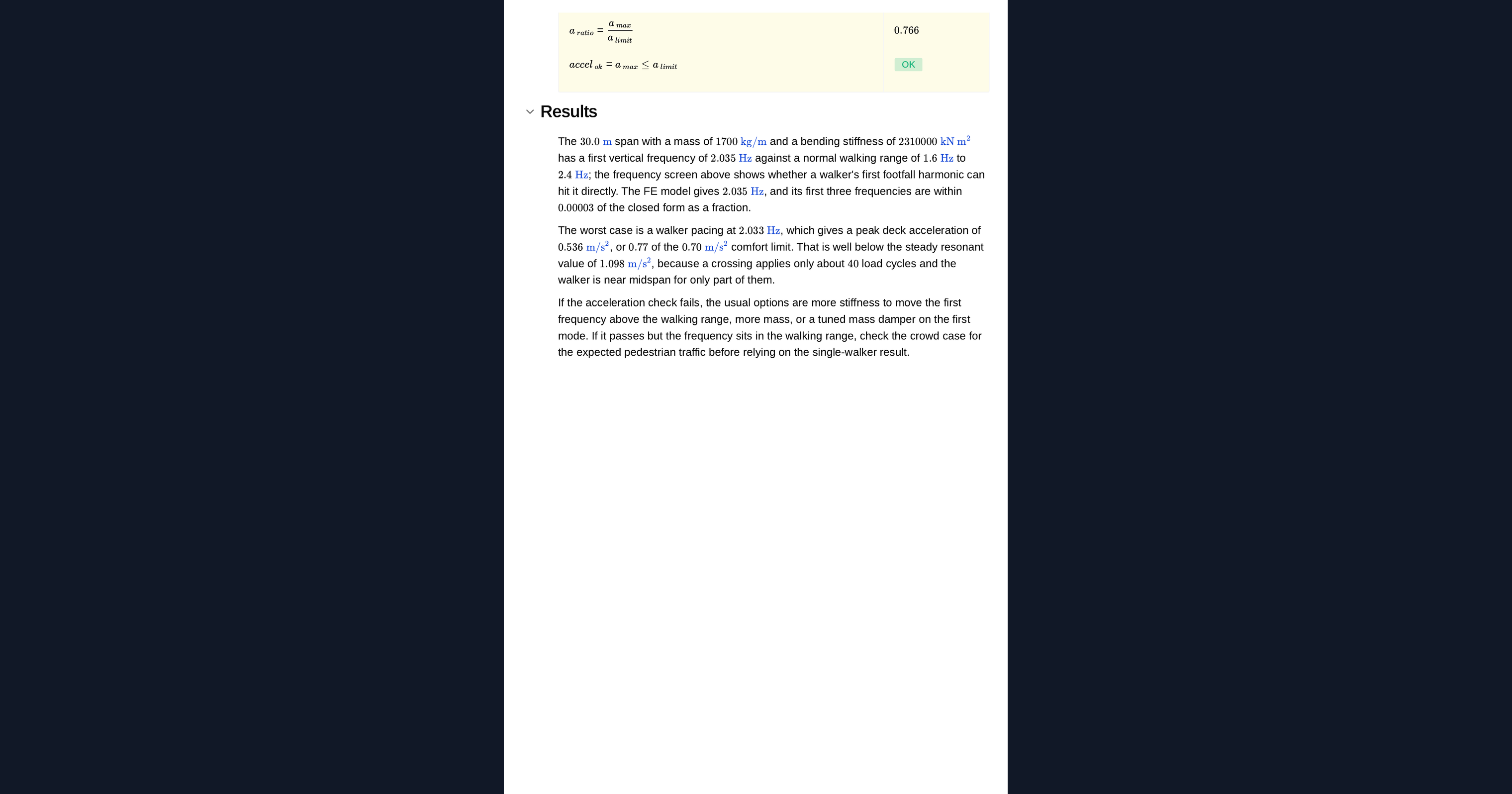
The page reports whether the first frequency sits inside the walking range, and the peak acceleration from the worst pacing rate against the comfort limit. A frequency in the walking range is a warning, not a failure: what people feel is acceleration, and a single crossing may not last long enough to build the full resonant response.
Python libraries used
NumPy assembles the beam stiffness and mass matrices and steps every mode at every pacing rate at once. SciPy solves the eigenvalue problem for the natural frequencies and mode shapes. Matplotlib draws the bridge sketch, the mode shapes, the acceleration sweep and the animated deck as the pedestrian crosses.
Common Calculation Errors to Avoid
- Stopping at the frequency check: a first frequency in the walking range flags a risk but does not settle it, and the acceleration check decides.
- Using steady resonance for a single crossing: a pedestrian takes a limited number of steps to cross, so the response may not reach its steady resonant value.
- Leaving out the finishes or the crowd: added mass lowers the natural frequency and can move it into or out of the walking range.
- Overestimating damping: footbridges have very low damping, and the response scales almost inversely with it, so use a lower-bound value for the deck type.
- Ignoring higher harmonics: a deck with a first frequency below the walking range can still be excited by the second footfall harmonic, which this page does not model.
- Ignoring lateral vibration: this page checks vertical acceleration only; lateral lock-in needs its own check.
Engineering templates
Common calculators
Design guides




FAQs
Can I do a modal analysis in Python without SAP2000 or SOFiSTiK?
For a simple span like this one, yes. A beam finite element model and an eigenvalue solve take a few lines of numpy and scipy, and this page checks the frequencies against the closed-form beam result. A full analysis package is the right choice for continuous spans, cable-stayed or curved bridges, lateral response and crowd loading.
What is the walking frequency range for footbridges?
Footfall guidance generally treats vertical frequencies in the normal walking range, roughly the pace of a person walking, as a risk. The range is an input on the page, so you can set it to the guide you design to.
Why can a bridge in the walking range still pass?
Because comfort depends on acceleration, not frequency. A single pedestrian crosses in a limited number of steps, and with enough mass the response may stay under the comfort limit even at resonance.
How is the model checked?
The finite element frequencies are compared with the closed-form frequencies of a simply supported beam, and a pedestrian marking time at midspan is compared with the closed-form steady resonance. The page flags any result outside its tolerance or validated range.
Can I change the bridge and rerun the analysis?
Yes. It is an example to build on: duplicate the page into your workspace, then change the span, the deck, the damping, the pedestrian or the Python itself. The sketch, the modes, the sweep, the animation and the checks all update together.
Learn about the benefits of using CalcTree on engineering projects!