
Free heat transfer example in Python: a mass concrete pour heating and cooling over 14 days, checked against a series solution. Open a copy in your browser.

Tell us what you need, or sign up and build it yourself in minutes.
Leave your email and we'll tell you when a template for it is ready:


No items found.
No items found.
About this Mass Concrete Heat Transfer Example
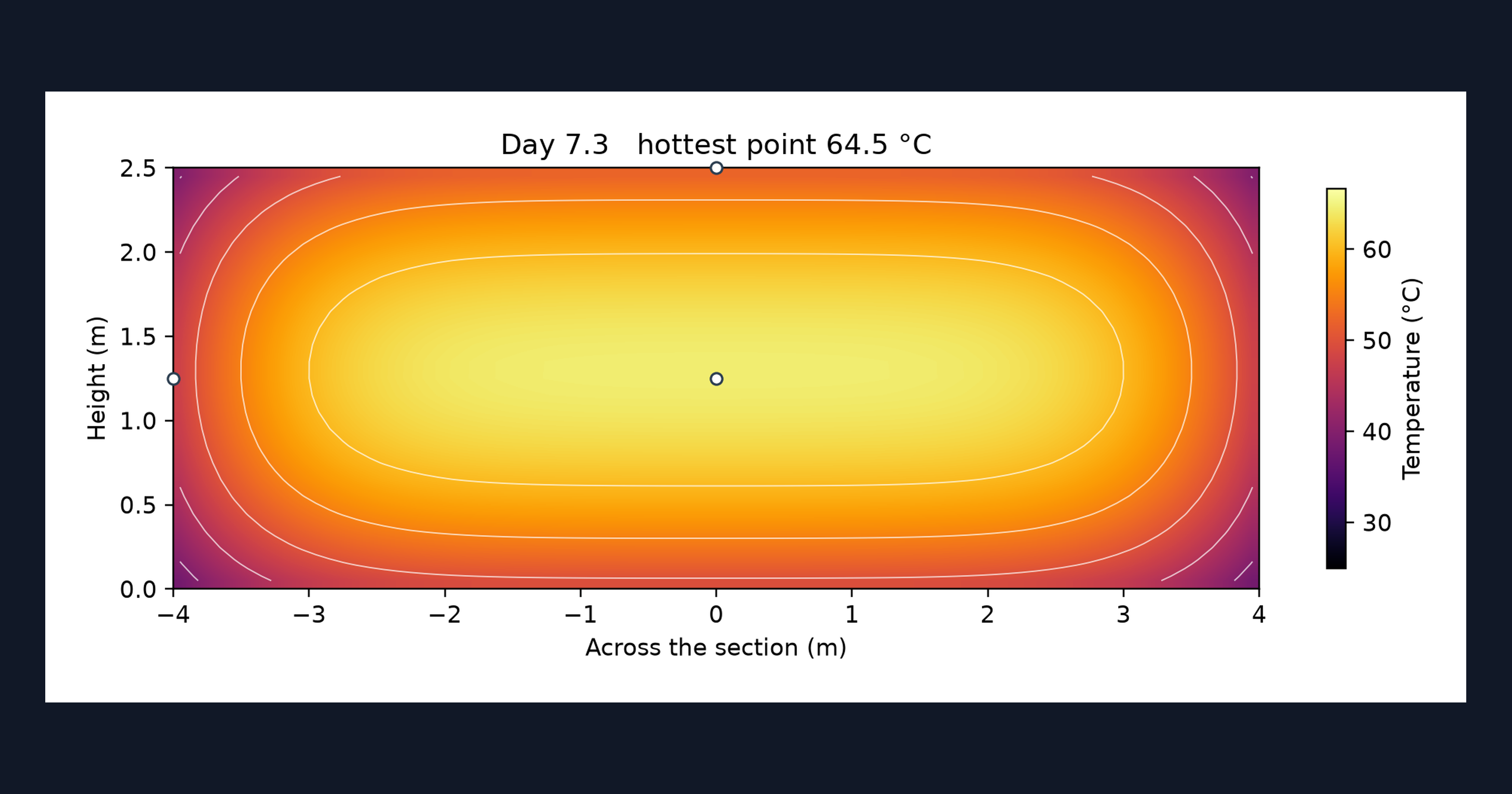
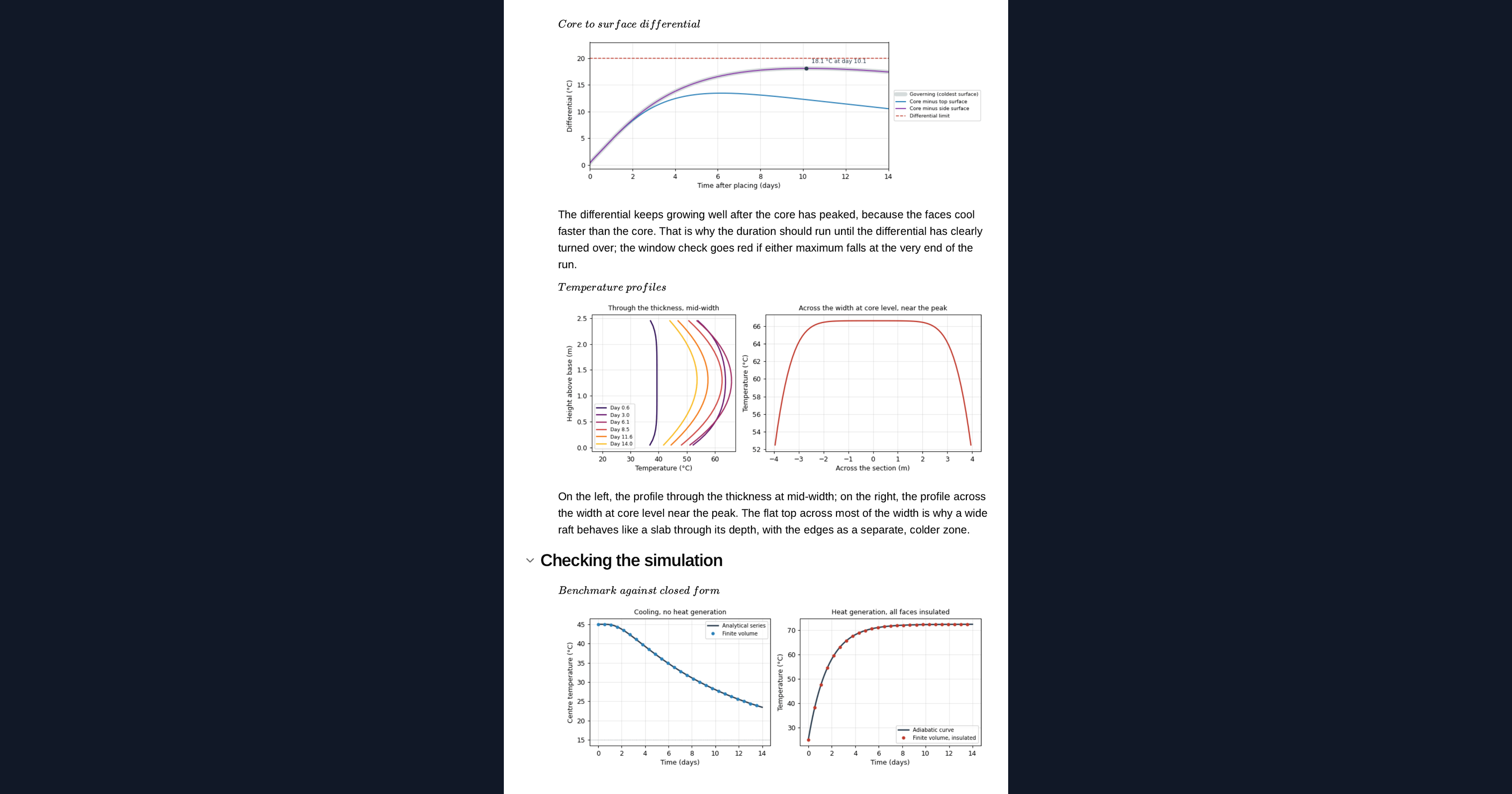
This page is a worked example of a heat transfer simulation in Python, running in your browser inside a CalcTree calculation page. It tracks a mass concrete pour for 14 days as the cement hydrates, with heat escaping through the top, sides and base, and animates the section as a heatmap. The simulation is compared with the classical series solution for a cooling block, then used to show the peak temperature and the core-to-surface differential behind early-age thermal cracking.
- Structural engineer: see why pour depth, binder content and insulation change the differential as well as the peak, and adapt the example to your own section.
- Concrete contractor or site engineer: compare placing temperatures and exposure on a worked example before talking to your designer.
- Graduate engineer learning heat transfer: read a transient conduction solver in a short block of NumPy, change the inputs and watch the section heat and cool.
It is an example of what a CalcTree page can do, built with CalcTree AI, not a design method to rely on as is. The model is idealised and its limits are stated on the page. Duplicate it into your own workspace to change the inputs, read the Python, or use it as the starting point for your own analysis, and verify anything you take into a real design.
More info on Mass Concrete Heat Transfer
Inputs
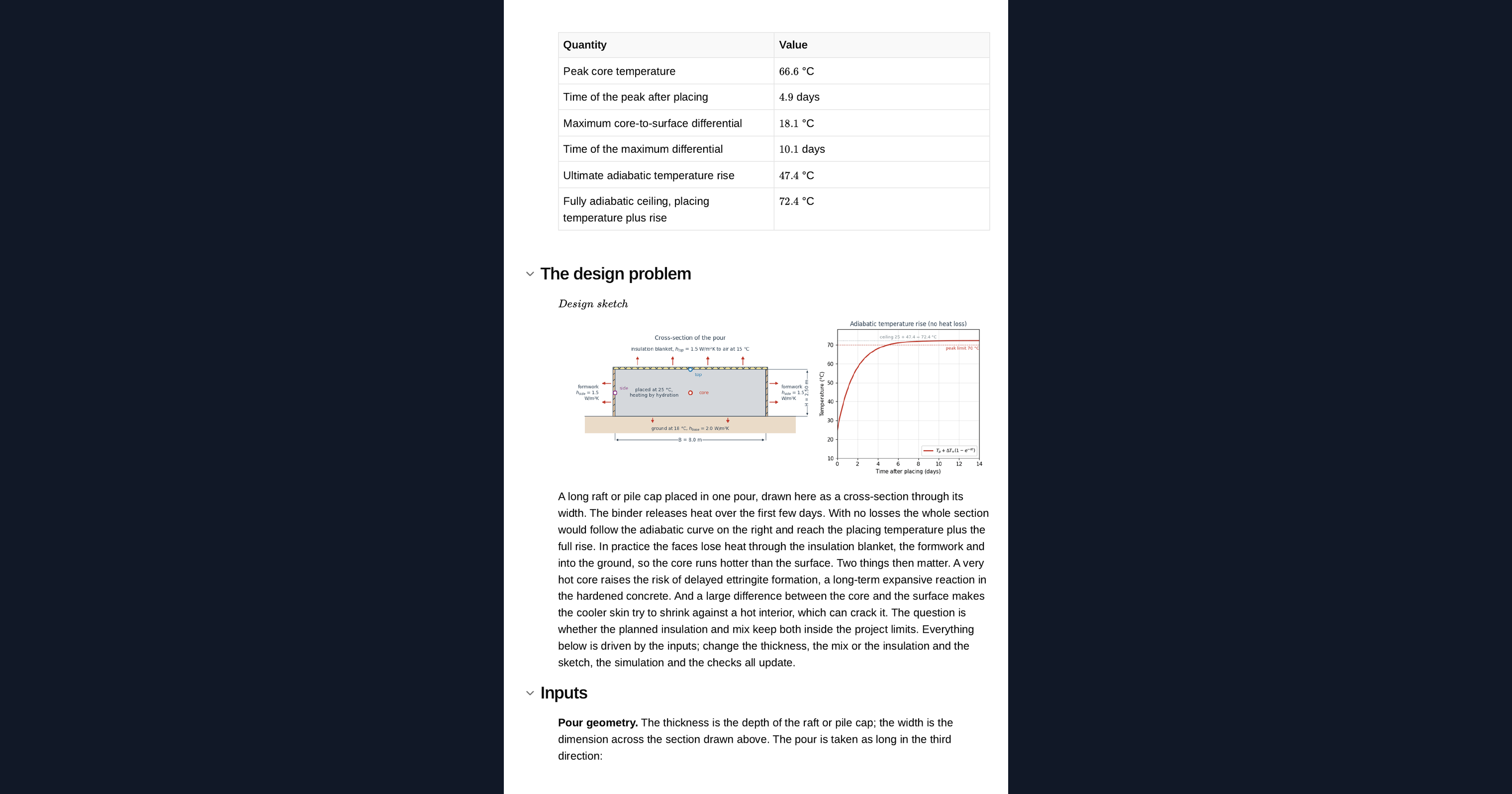
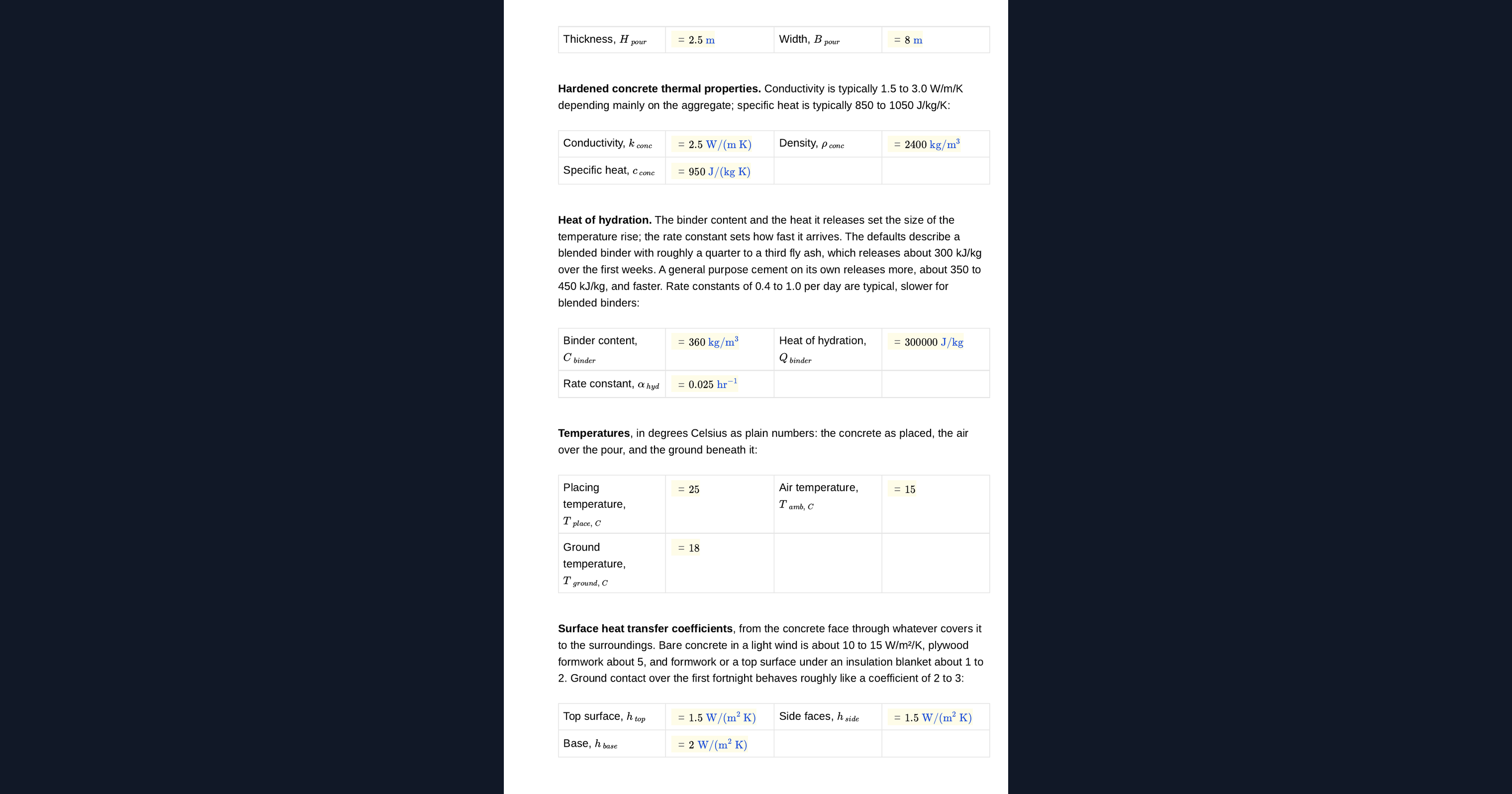
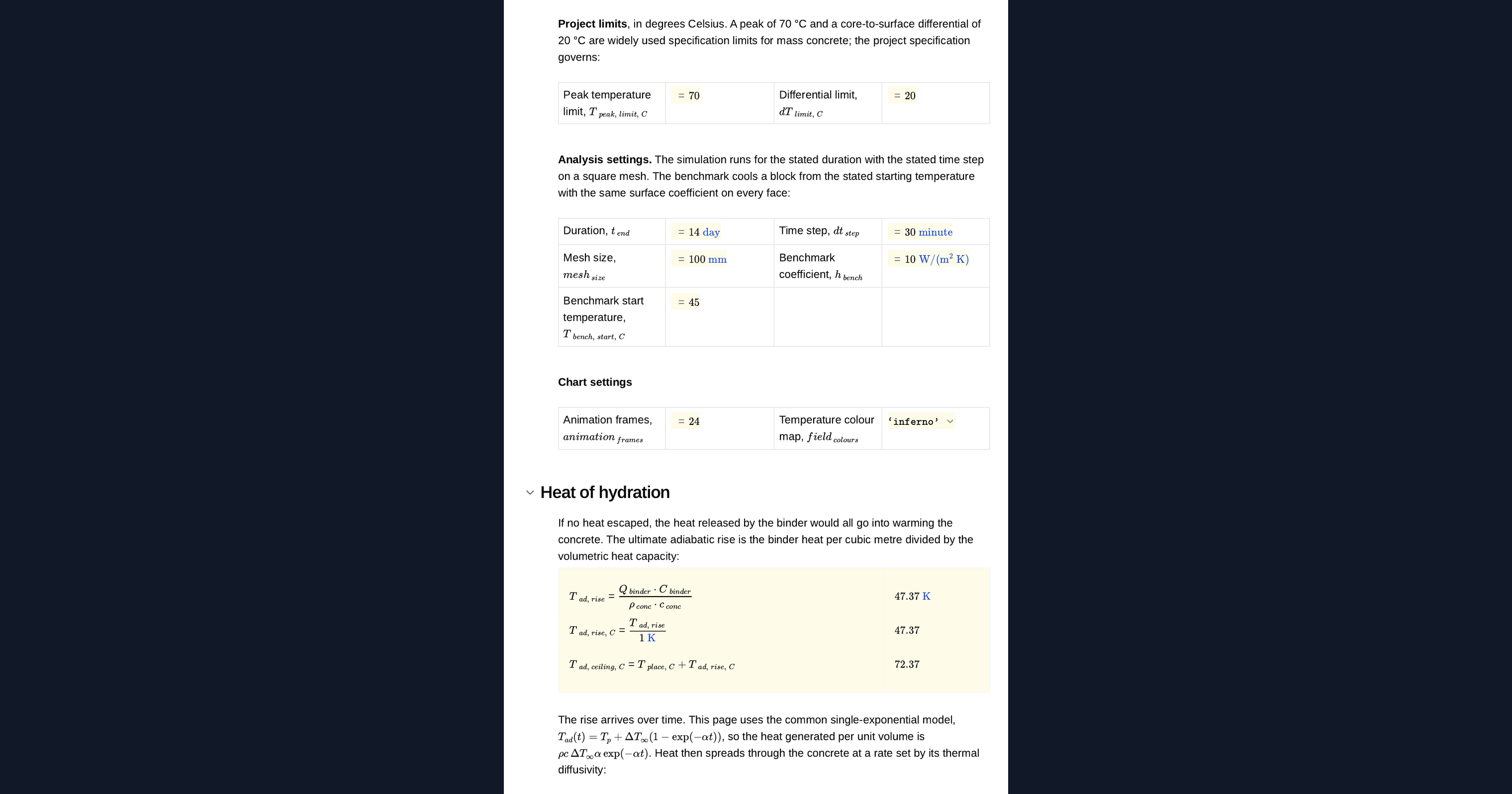
You set the pour thickness and width, the concrete conductivity, density and specific heat, the binder content, its heat of hydration and the rate it is released, and the placing, air and ground temperatures. Each face has its own heat transfer coefficient, so insulation on the top or formwork on the sides is a change to one input. The limits for peak temperature and differential, the simulated duration, the time step and the mesh size are inputs too. A design sketch of the section redraws from them.
The heat transfer method
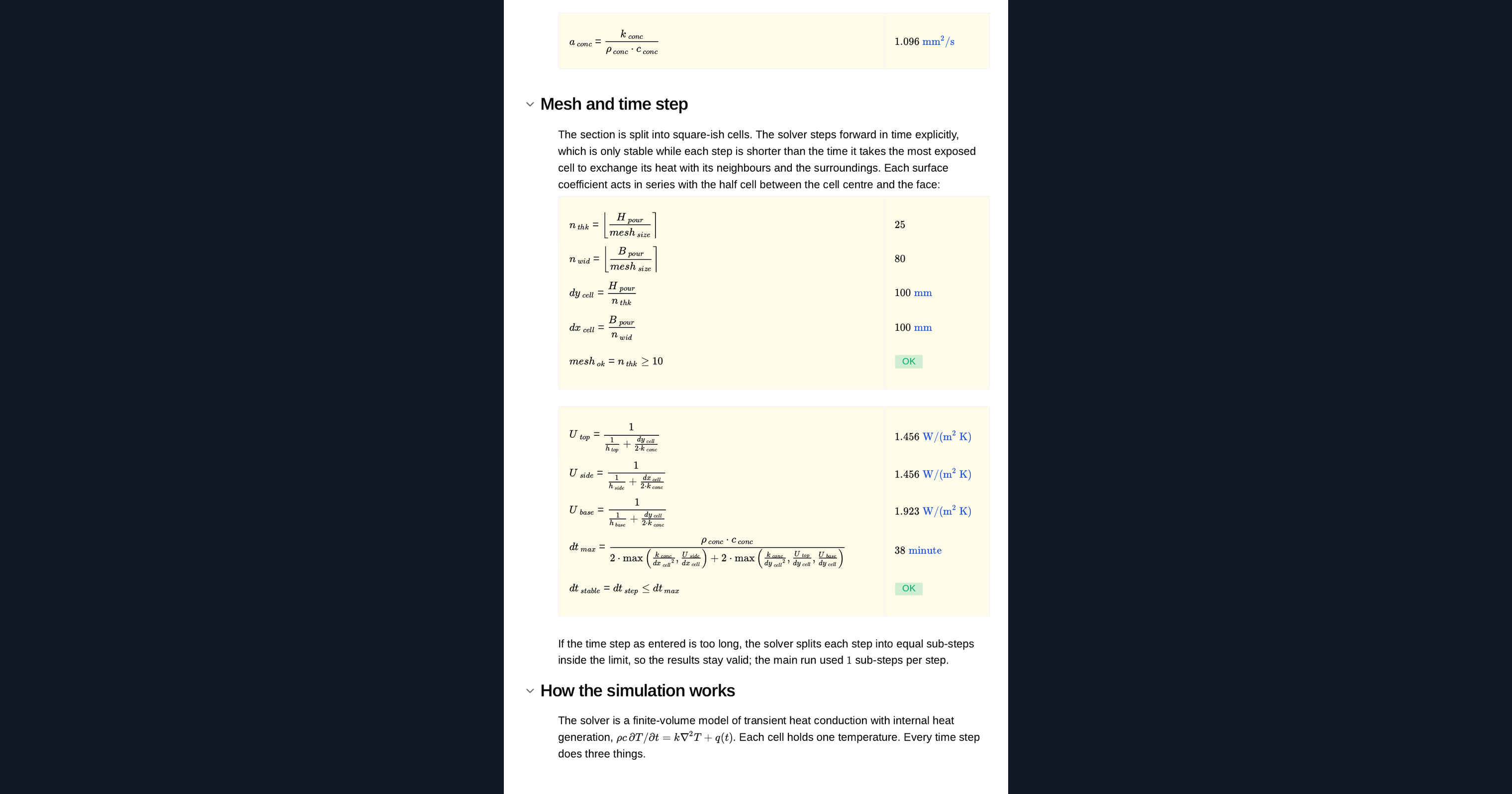
The section is split into square cells. Each step, heat flows between neighbouring cells by conduction and out through each face through a surface coefficient in series with half a cell, and every cell gains the hydration heat released in that step. The time step is checked against the stability limit of the explicit scheme and split automatically if it is too long. The solver sits in a Python node on the page, so you can read it, change it and rerun it.
Checking the simulation
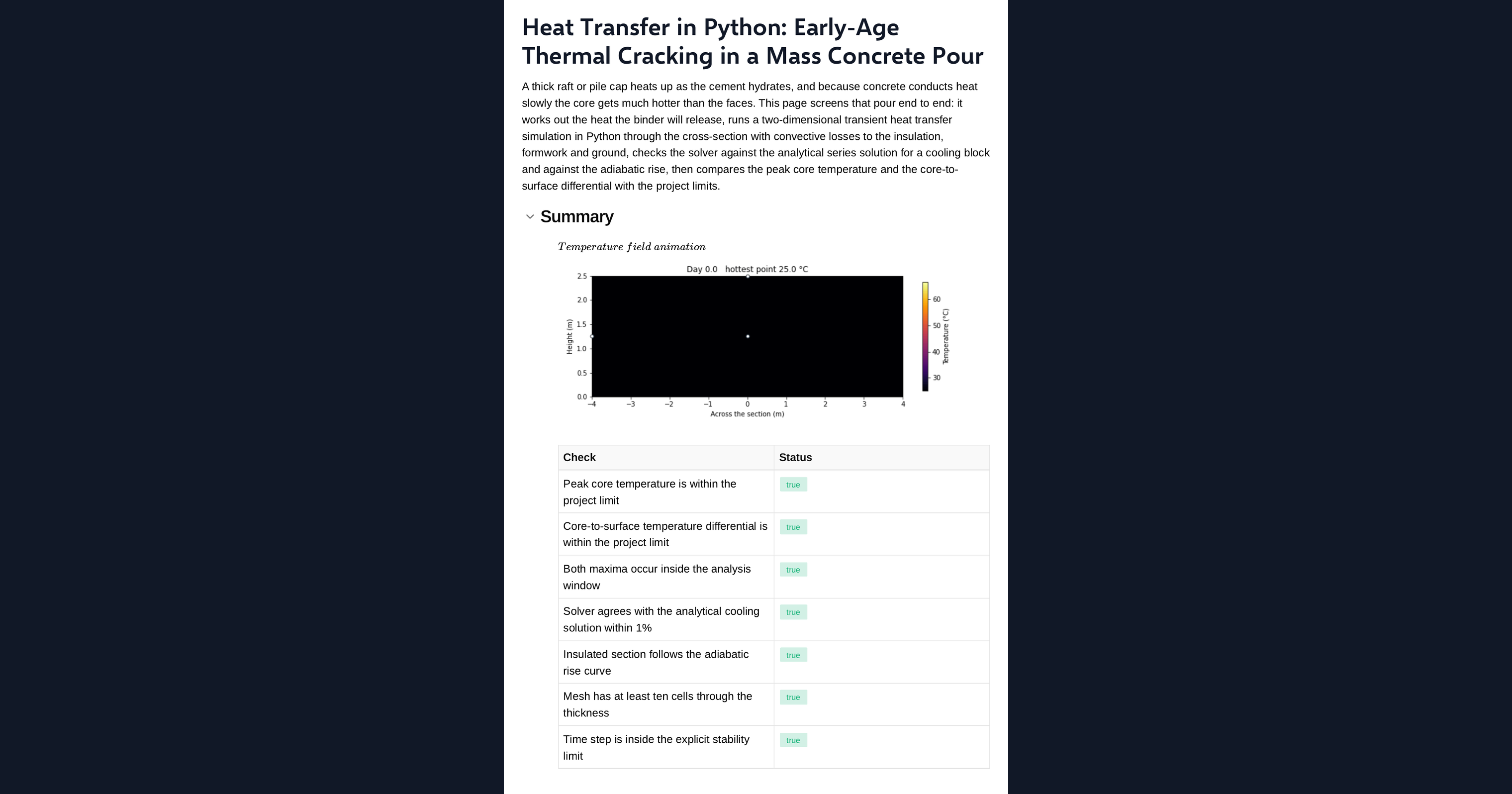
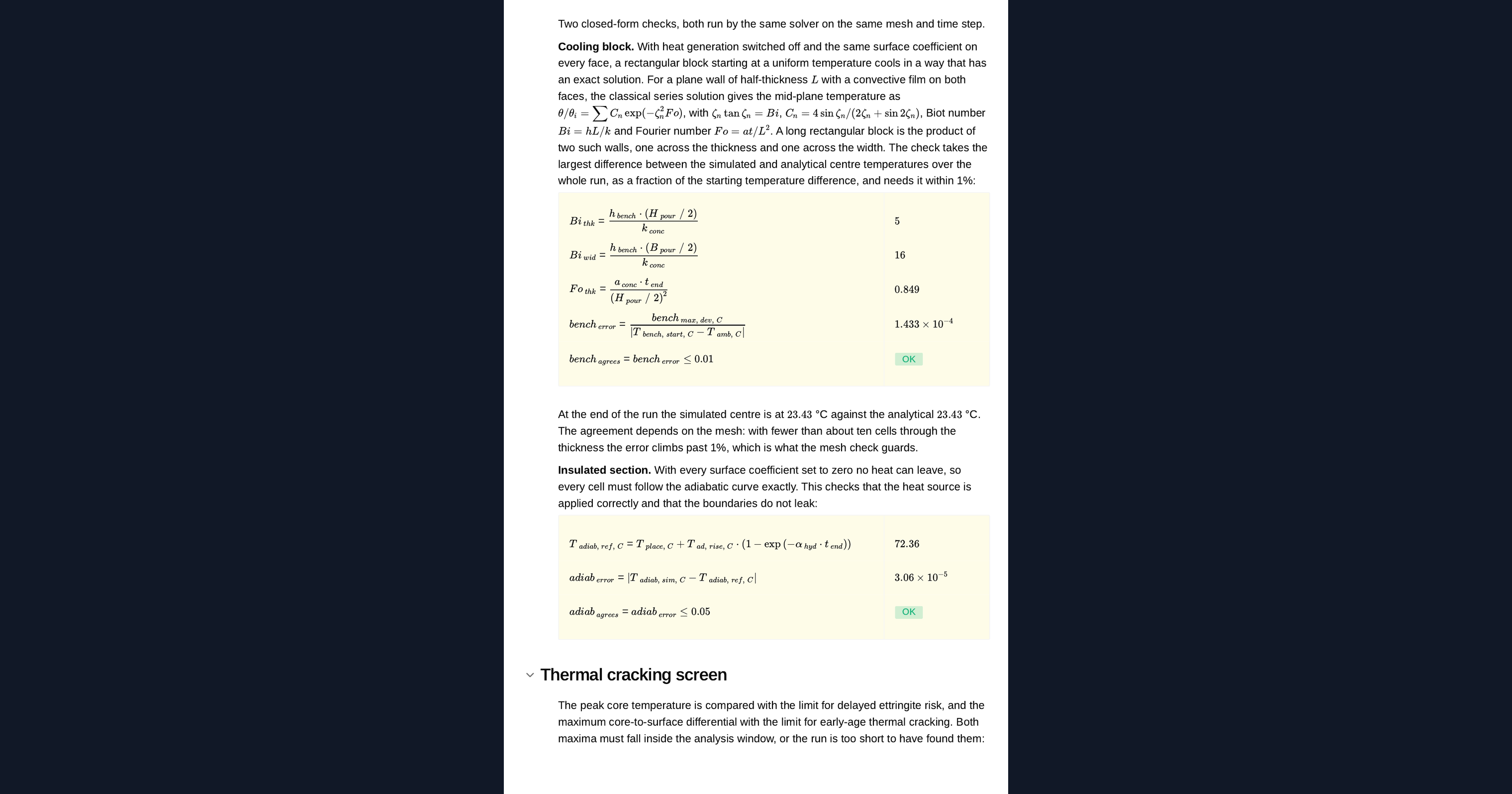
A second run of the same solver cools a block with no hydration heat, and the page compares its centre temperature with the classical series solution for a plane wall, taken in both directions. A run with every face sealed must reproduce the adiabatic temperature rise. The page flags whether both agree and whether the mesh is inside the validated range.
Peak temperature and differential checks
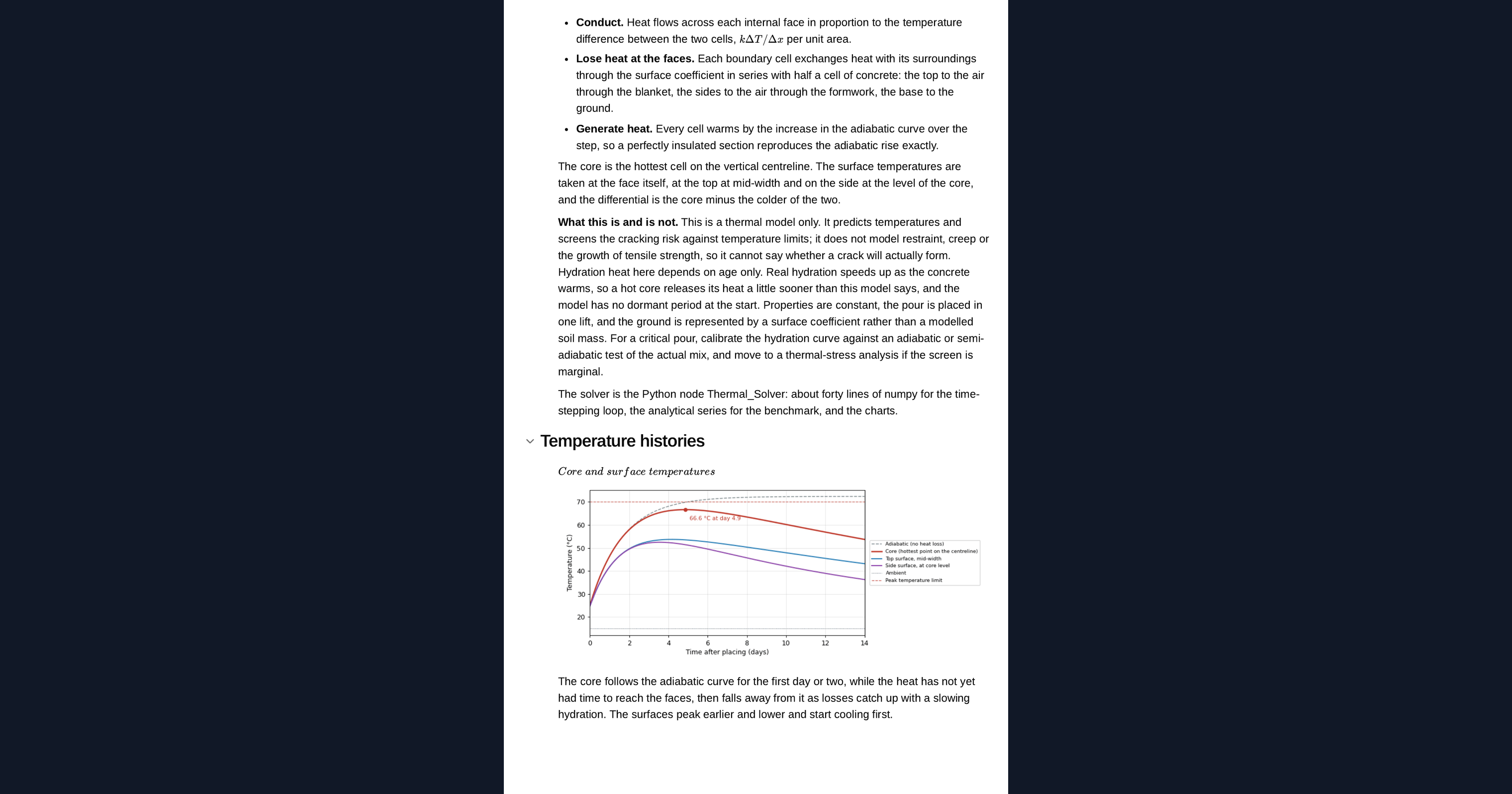
From the simulation the page reports the highest core temperature and when it occurs, and the largest difference between the core and the coolest face over the whole period. Each is checked against its limit, and the page tells you what to change if either fails: a lower placing temperature, less binder, more insulation or a thinner lift.
Python libraries used
NumPy steps the temperature field across the section and applies the hydration heat to every cell. SciPy finds the eigenvalues of the series solution used to check the solver. Matplotlib draws the design sketch, the temperature histories and the animated heatmap of the section.
Common Calculation Errors to Avoid
- Checking only the peak temperature: a deeper pour can stay under the peak limit and still fail on the core-to-surface differential, because the core holds its heat while the faces cool.
- Using the full binder content for blended cements: fly ash and slag release less heat and release it more slowly, so the heat of hydration has to match the actual binder.
- Treating every face the same: the top, the formwork and the ground lose heat at very different rates, and stripping formwork early changes the differential.
- A time step past the stability limit: an explicit scheme with too long a step oscillates or diverges, so the step has to be checked against the mesh size.
- A mesh too coarse for the gradients: the steepest temperature gradients are near the faces, and a coarse mesh understates the differential.
- Stopping the simulation too early: the differential often peaks days after the core temperature, so the run has to cover the cooling phase.
Engineering templates
Common calculators
Design guides




FAQs
Can I run a heat transfer simulation in Python without ANSYS or Abaqus?
For a problem like this one, yes. Two-dimensional transient conduction through a rectangular section is a short explicit finite-volume solver in numpy, and this page checks it against a closed-form solution. A general FE package is the right choice for complex geometry, three-dimensional effects, staged construction or coupled thermal stress.
Why does a mass concrete pour crack as it cools?
The core heats up and stays hot while the surfaces cool. The cooler surface wants to contract but is held by the hot core, so it goes into tension. If the tension exceeds the young concrete's strength, it cracks. The core-to-surface differential is the usual screen for this.
How is the simulation checked?
A second run cools a block with no hydration heat, and its centre temperature is compared with the classical series solution for a plane wall in both directions. A run with sealed faces must give the adiabatic temperature rise. The page also flags a mesh outside the validated range.
How do I reduce the core-to-surface differential?
Insulate the top and keep the formwork on longer, so the surfaces stay warm. Reduce the heat at source with less binder or a blended cement, lower the placing temperature, or pour in thinner lifts. Change the inputs on the page to see which works for your section.
Can I change the pour and rerun the simulation?
Yes. It is an example to build on: duplicate the page into your workspace, then change the section, the mix, the exposure, the limits or the Python itself. The sketch, the heatmap, the histories and the checks all update together.
Learn about the benefits of using CalcTree on engineering projects!