
Free finite element analysis example in Python: stress around a bolt hole, checked against Peterson. Open a copy in your browser.

Tell us what you need, or sign up and build it yourself in minutes.
Leave your email and we'll tell you when a template for it is ready:
No items found.
No items found.
About this Plate with a Hole FEA Example
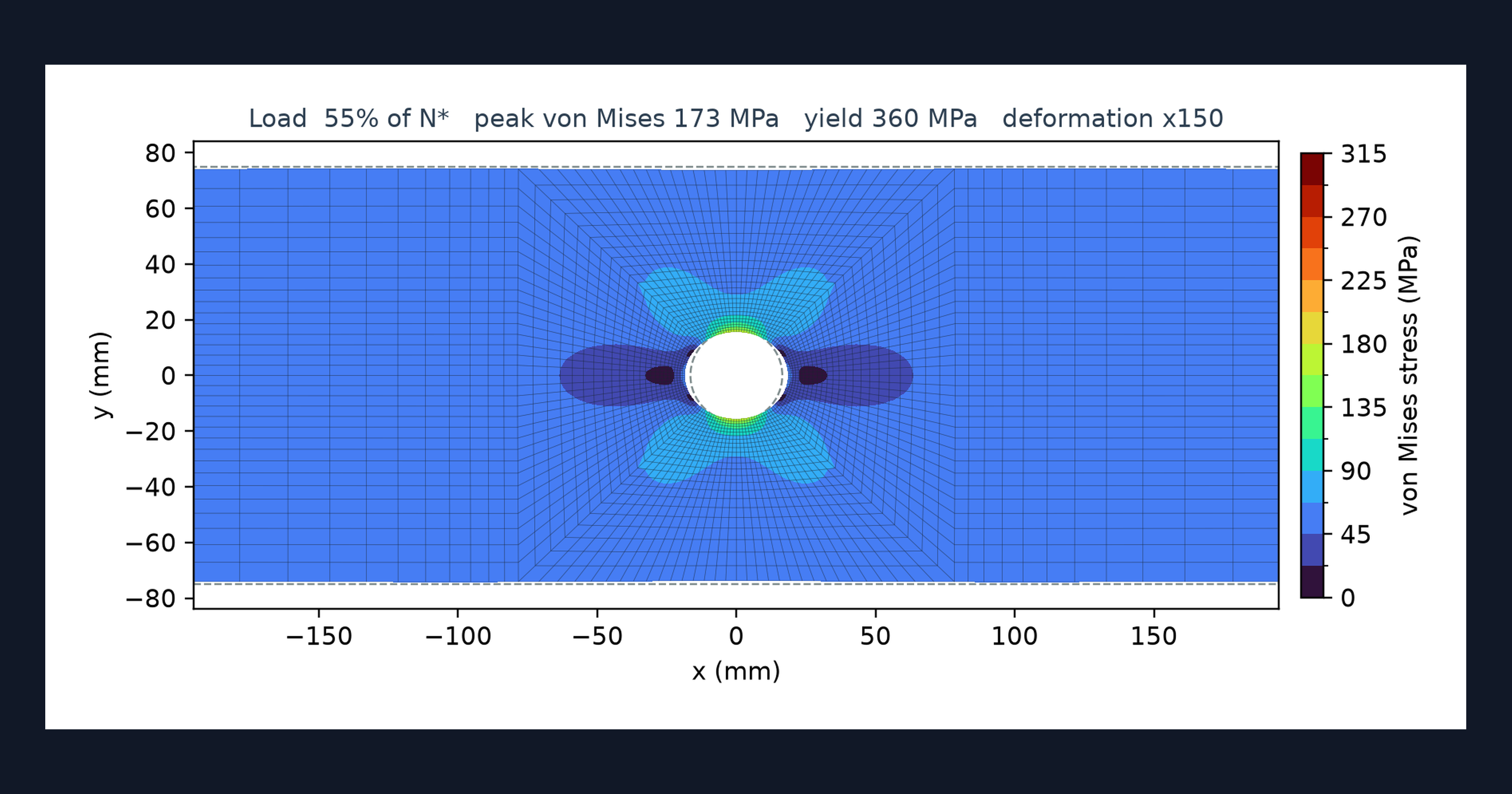
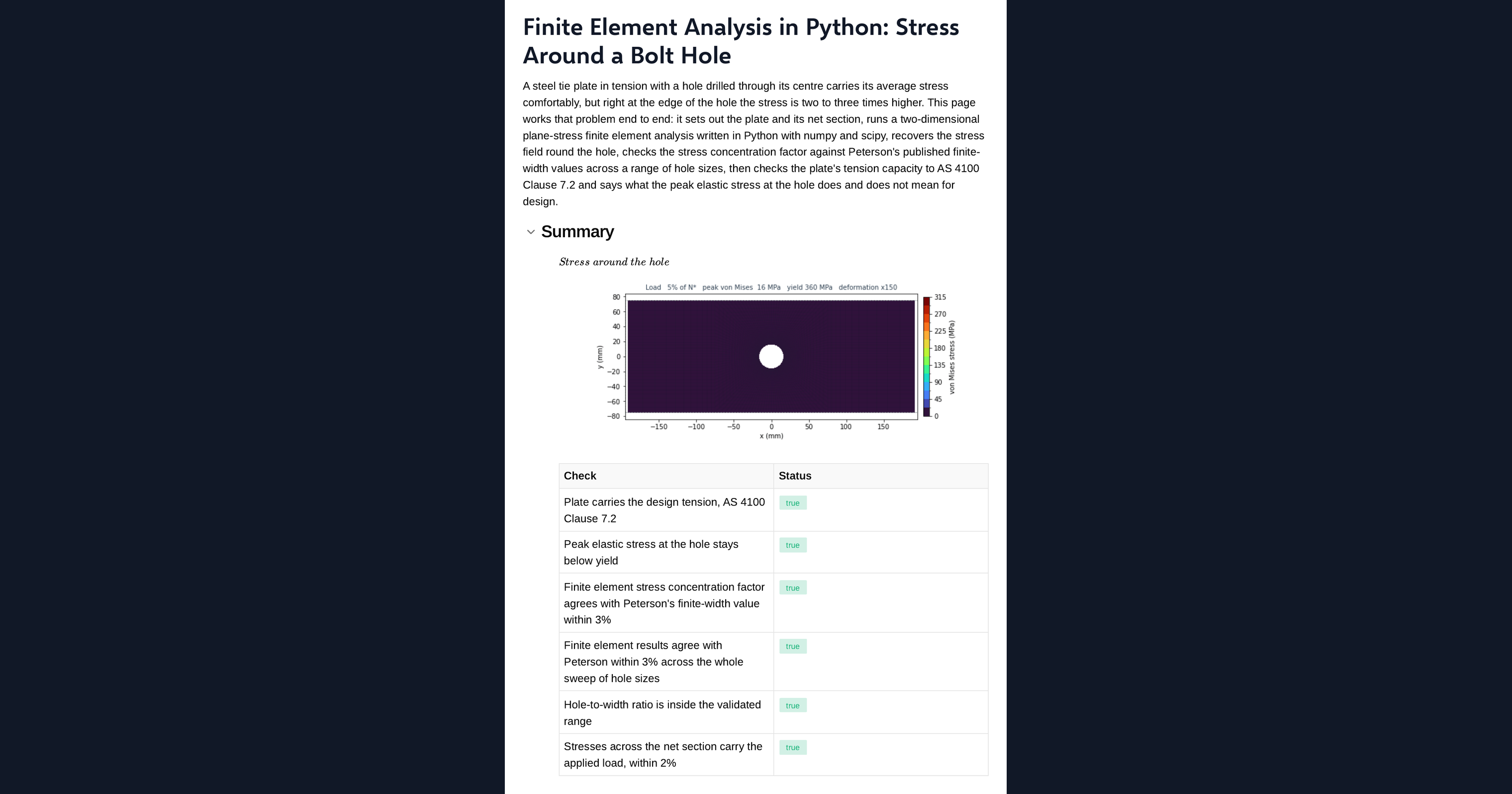
This page is a worked example of finite element analysis in Python, running in your browser inside a CalcTree calculation page. It meshes a steel plate in tension with a central bolt hole, solves for the stresses and animates the stress contour on the deformed shape. The stress concentration factor is compared with Peterson's published values, and the peak stress is set beside an AS 4100 tension check to show why local yield at a hole and member capacity are different questions.
- Structural engineer: see the stress concentration at a bolt hole next to the code tension check, and adapt the example to your own plate.
- Mechanical engineer: compare a finite element stress concentration factor with the published curve for the same geometry.
- Graduate engineer learning FEA: read a plane-stress finite element solver in NumPy and SciPy, change the mesh or the hole, and watch the stress field respond.
It is an example of what a CalcTree page can do, built with CalcTree AI, not a design method to rely on as is. The model is idealised and its limits are stated on the page. Duplicate it into your own workspace to change the inputs, read the Python, or use it as the starting point for your own analysis, and verify anything you take into a real design.
More info on Finite Element Analysis of a Plate with a Hole
Inputs
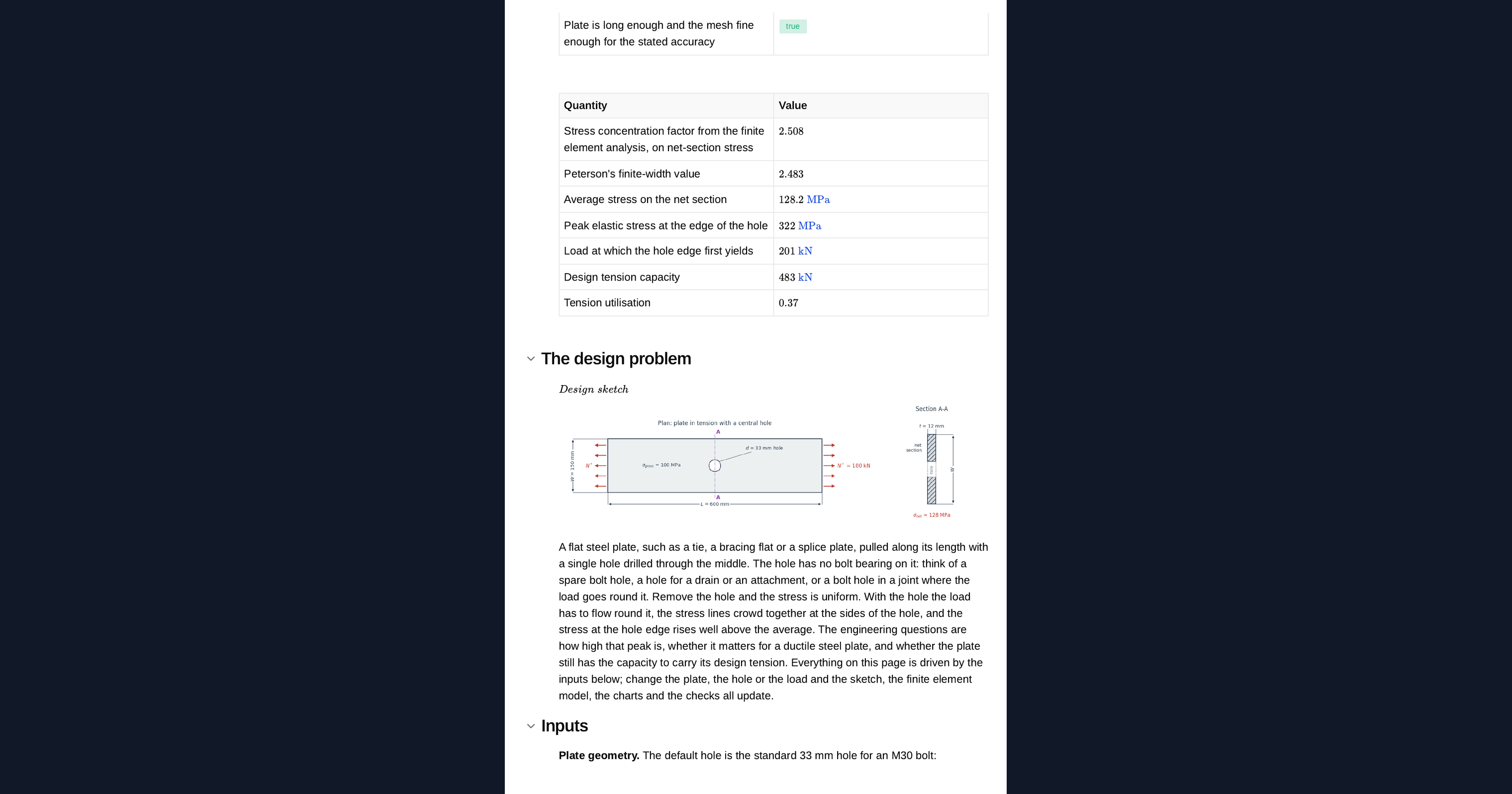
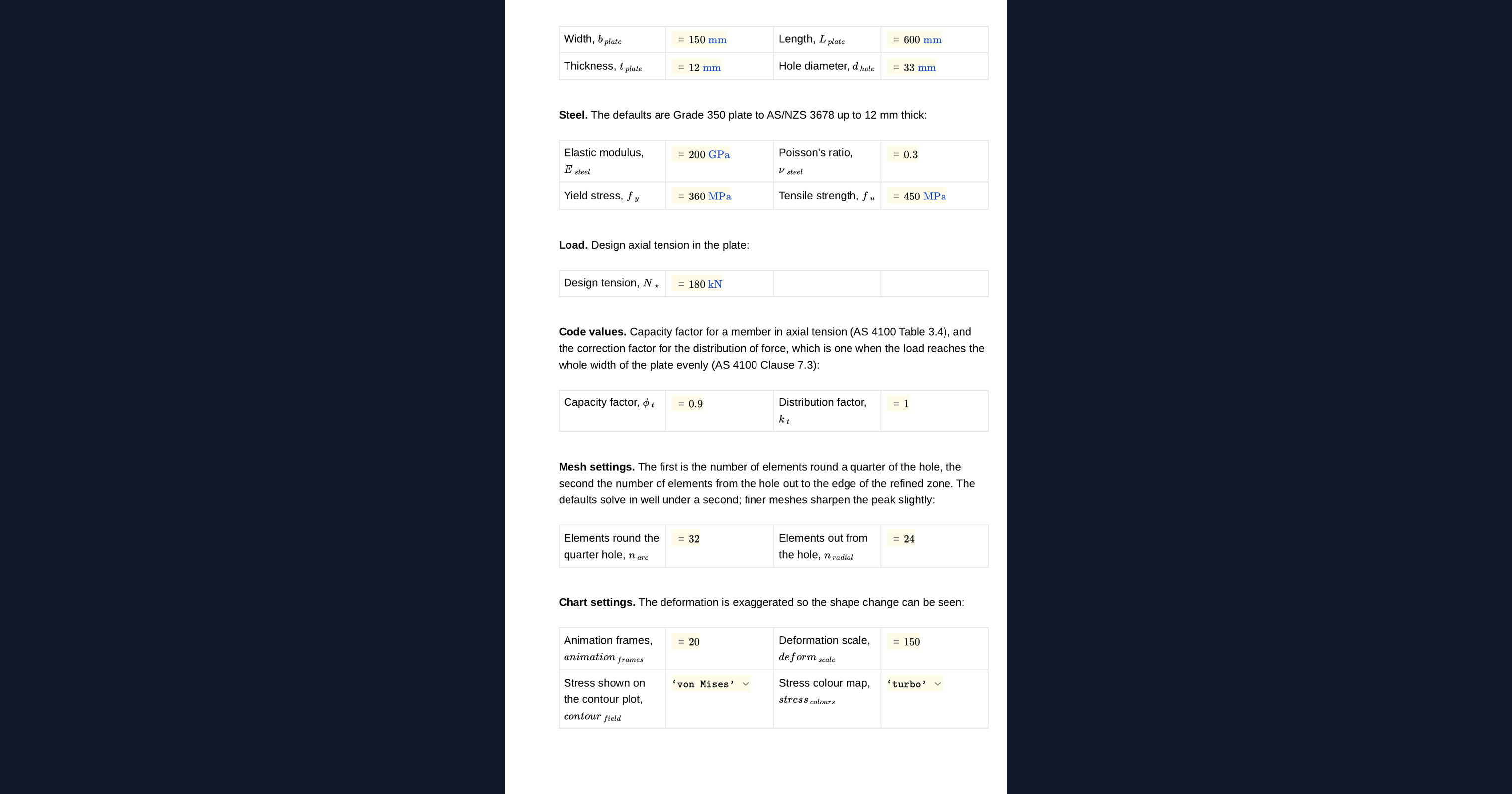
You set the plate width, length and thickness, the hole diameter, the steel modulus, Poisson ratio, yield stress and tensile strength, and the design tension. The capacity factor and the distribution factor for the tension check are inputs, as are the number of elements round the hole and radially. A plan and section sketch of the plate redraws from them.
The finite element method
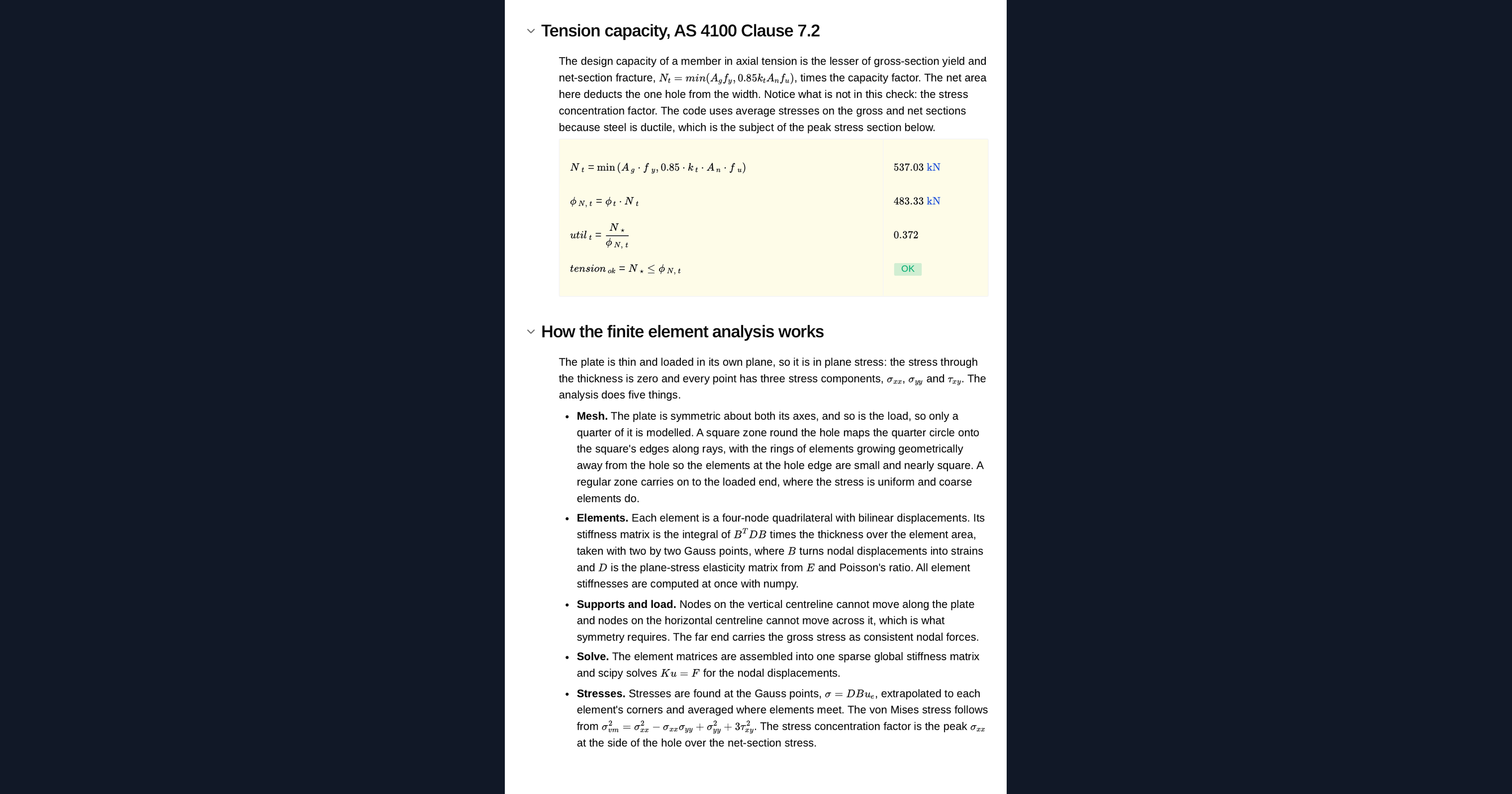
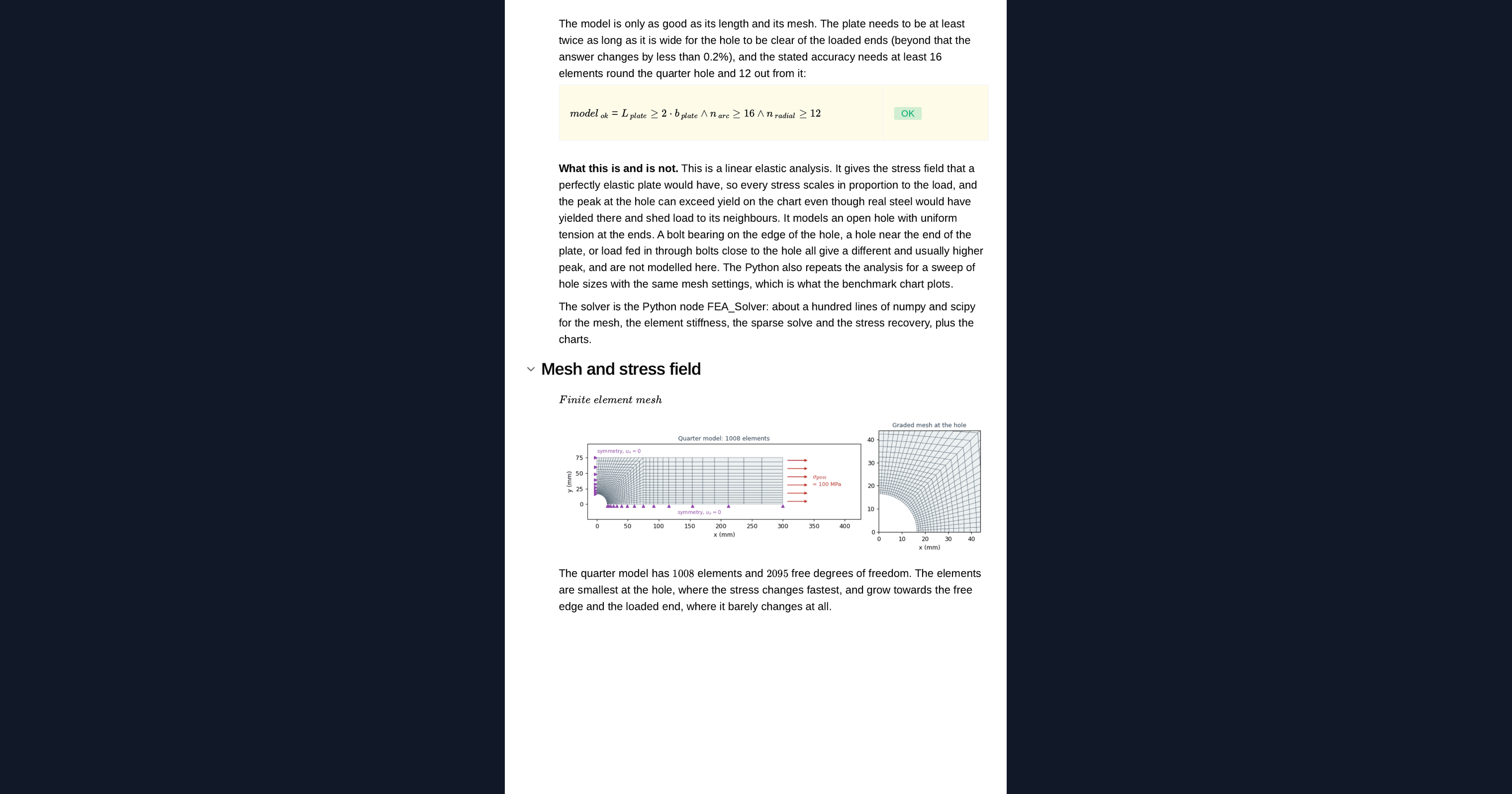
The plate is symmetric about both axes, so only a quarter is modelled. The mesh maps rays from the hole onto a square block, with rings that grow away from the hole, then a regular block to the loaded end. Each element is a four-node plane-stress quadrilateral. The page assembles the stiffness of every element into one sparse system, solves for the displacements, and recovers the stresses at the corners of each element, averaged at the nodes. The solver sits in a Python node on the page, so you can read it, change it and rerun it.
Checking the model
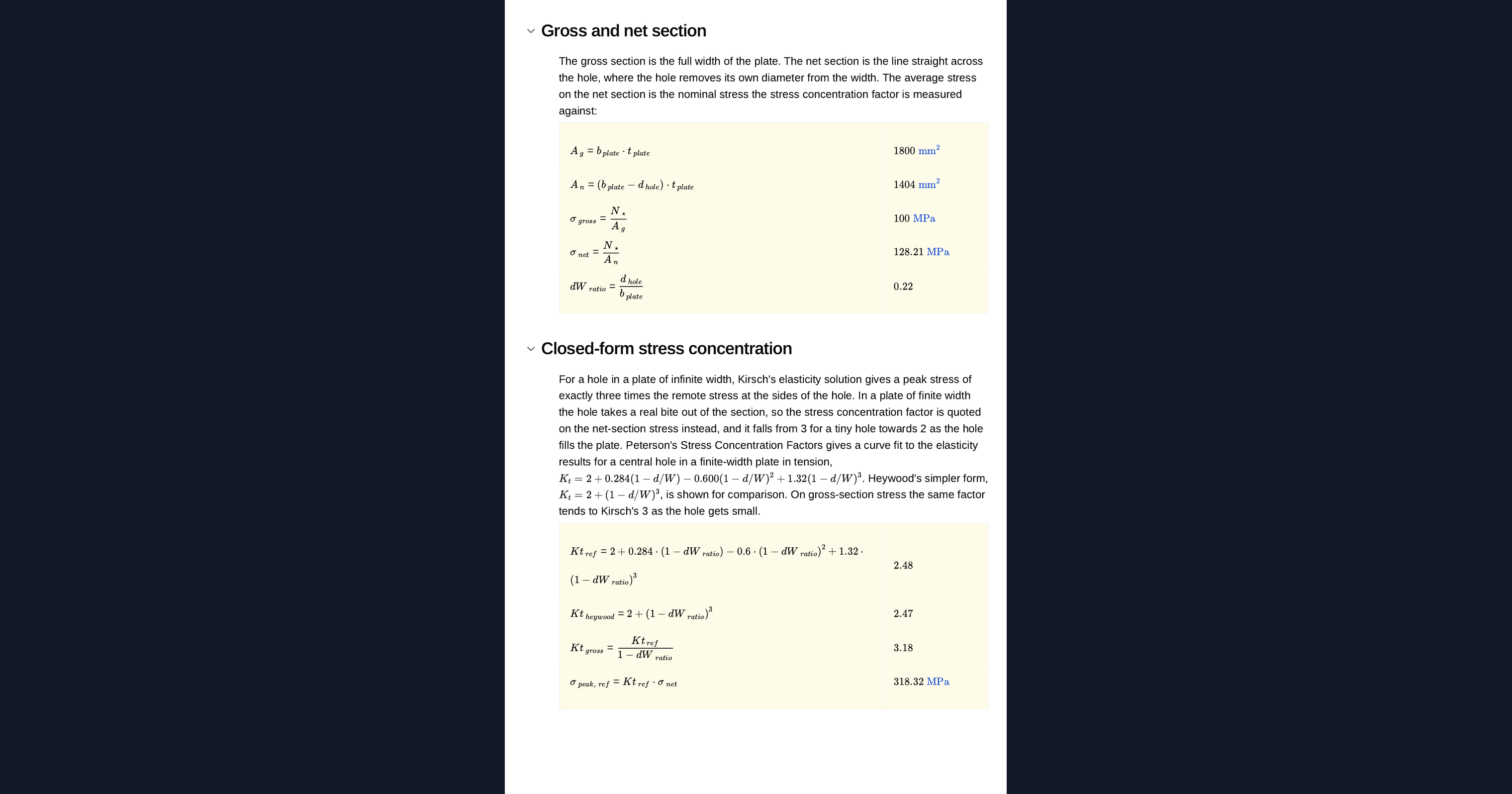
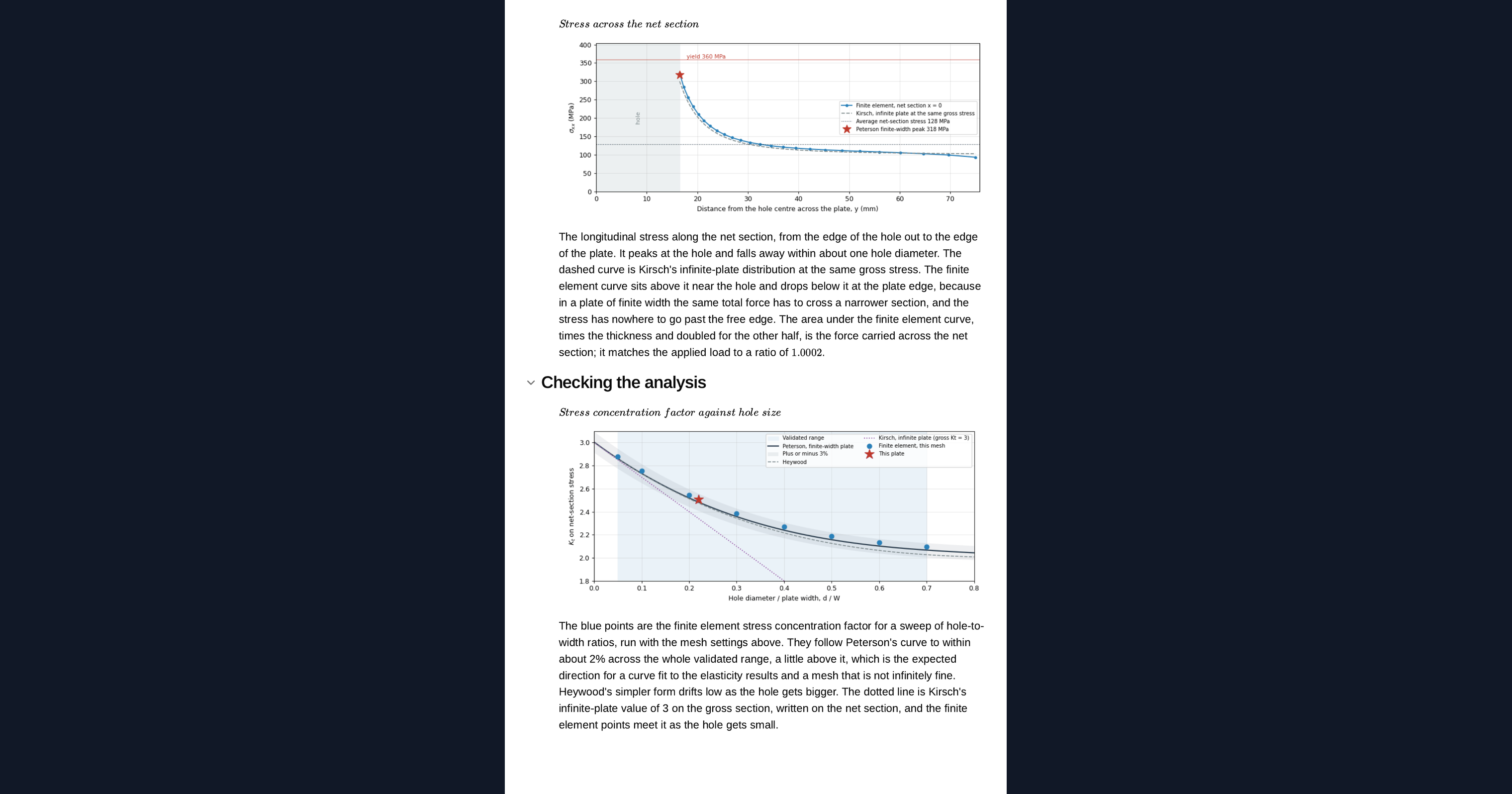
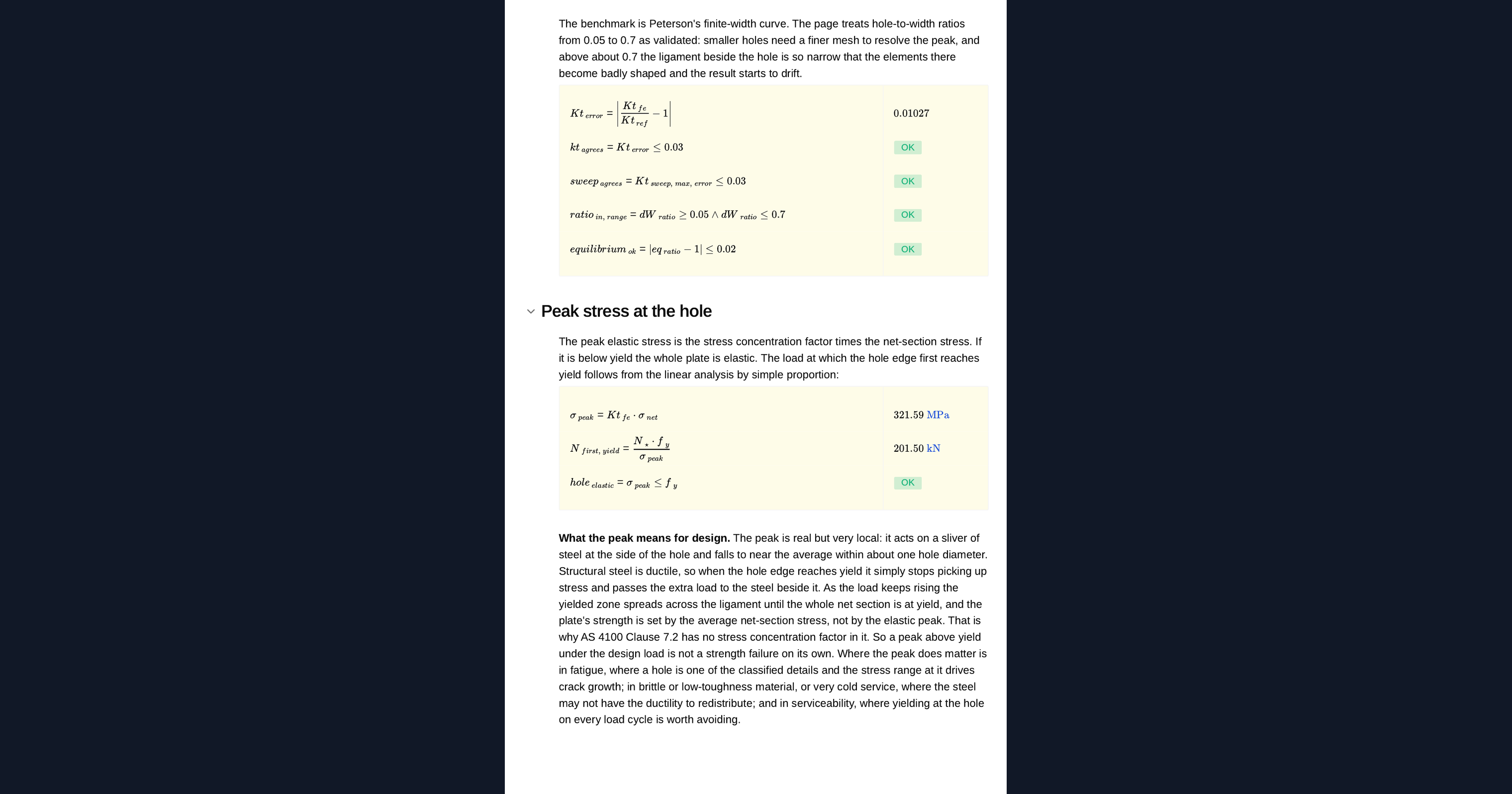
The stress concentration factor at the edge of the hole is compared with Peterson's net-section curve for a central hole in a finite-width plate. A sweep across hole sizes with the same mesh settings checks the whole curve, not just one point. The page also checks equilibrium across the net section and flags any geometry or mesh outside the validated range.
First yield and tension capacity
The peak elastic stress at the hole gives the load at which the hole first yields. The page then runs the AS 4100 tension check on the gross and net sections. For static load in ductile steel the local yield at the hole redistributes and does not govern; for fatigue or low-toughness steel it matters, and the page says so.
Python libraries used
NumPy builds the mesh and the element stiffness matrices for every element at once. SciPy assembles the global stiffness as a sparse matrix and solves for the displacements. Matplotlib draws the plate sketch, the stress concentration sweep and the animated stress contour on the deformed mesh.
Common Calculation Errors to Avoid
- Mixing gross and net stress concentration factors: charts give the factor on either the gross or the net section stress, and using the wrong one gives a very different peak.
- A mesh too coarse round the hole: the peak stress is at the edge of the hole, and a coarse mesh there understates it.
- Reading stress at the Gauss points instead of the edge: the peak is on the boundary, so stresses have to be recovered at the nodes.
- A plate too short for the load to spread: if the loaded end is close to the hole, the stress field is disturbed and the factor is wrong.
- Treating first yield at the hole as failure: for static load in ductile steel the code tension check governs, not local yield.
- Ignoring bolt bearing: this page models an open hole; a loaded bolt adds bearing stress and changes the field.
Engineering templates
Common calculators
Design guides




FAQs
Can I run finite element analysis in Python without ANSYS or Abaqus?
For a two-dimensional plane-stress problem like this one, yes. A four-node element solver in numpy and scipy runs in a browser in seconds, and this page checks it against published stress concentration factors. Use a full FEA package for three-dimensional parts, contact, plasticity and complex geometry.
What is a stress concentration factor?
The ratio of the peak stress at a discontinuity, such as a hole, to a nominal stress. For a hole in a plate in tension the peak is at the edge of the hole, across the load, and the factor depends on the hole diameter relative to the plate width.
How is the finite element model checked?
Against Peterson's net-section stress concentration curve for a central hole in a finite-width plate, at the design geometry and across a sweep of hole sizes. The page also checks equilibrium across the net section and flags a mesh or geometry outside the validated range.
Does the stress concentration at the hole reduce the tension capacity?
Not for static load in ductile steel: the material yields locally and redistributes, which is why the AS 4100 tension check uses the net section without a concentration factor. For fatigue and for brittle or low-toughness steel, the concentration matters.
Can I change the plate and rerun the analysis?
Yes. It is an example to build on: duplicate the page into your workspace, then change the plate, the hole, the load, the mesh or the Python itself. The sketch, the contour, the sweep and the checks all update together.
Learn about the benefits of using CalcTree on engineering projects!