
Check punching shear at a flat slab corner column to Eurocode 2, with link design and the outer perimeter. Try the free calculator.

This template is not available yet. You can sign up and create it yourself!
Or let us know if you'd like to be notified when it’s ready:
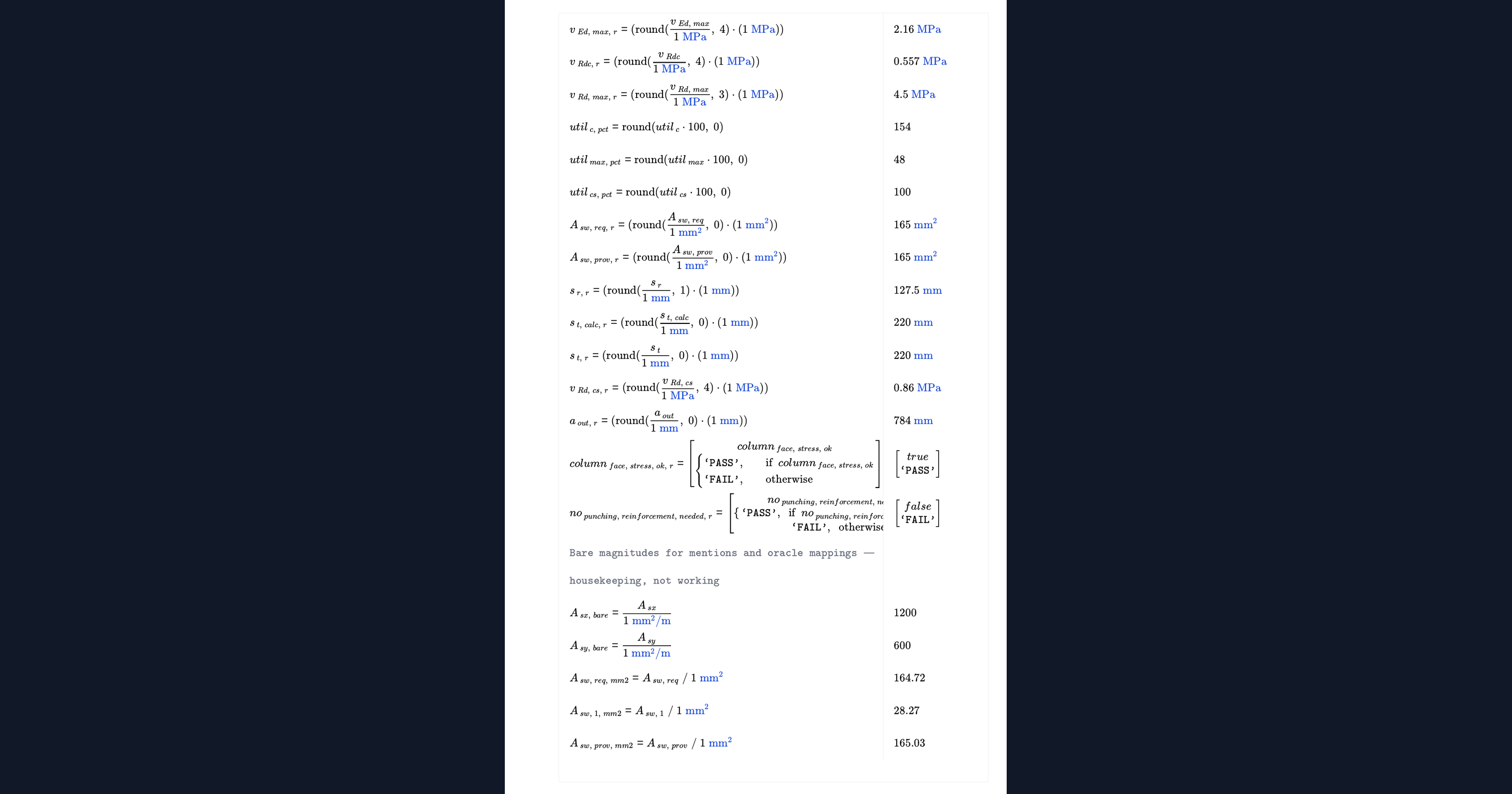
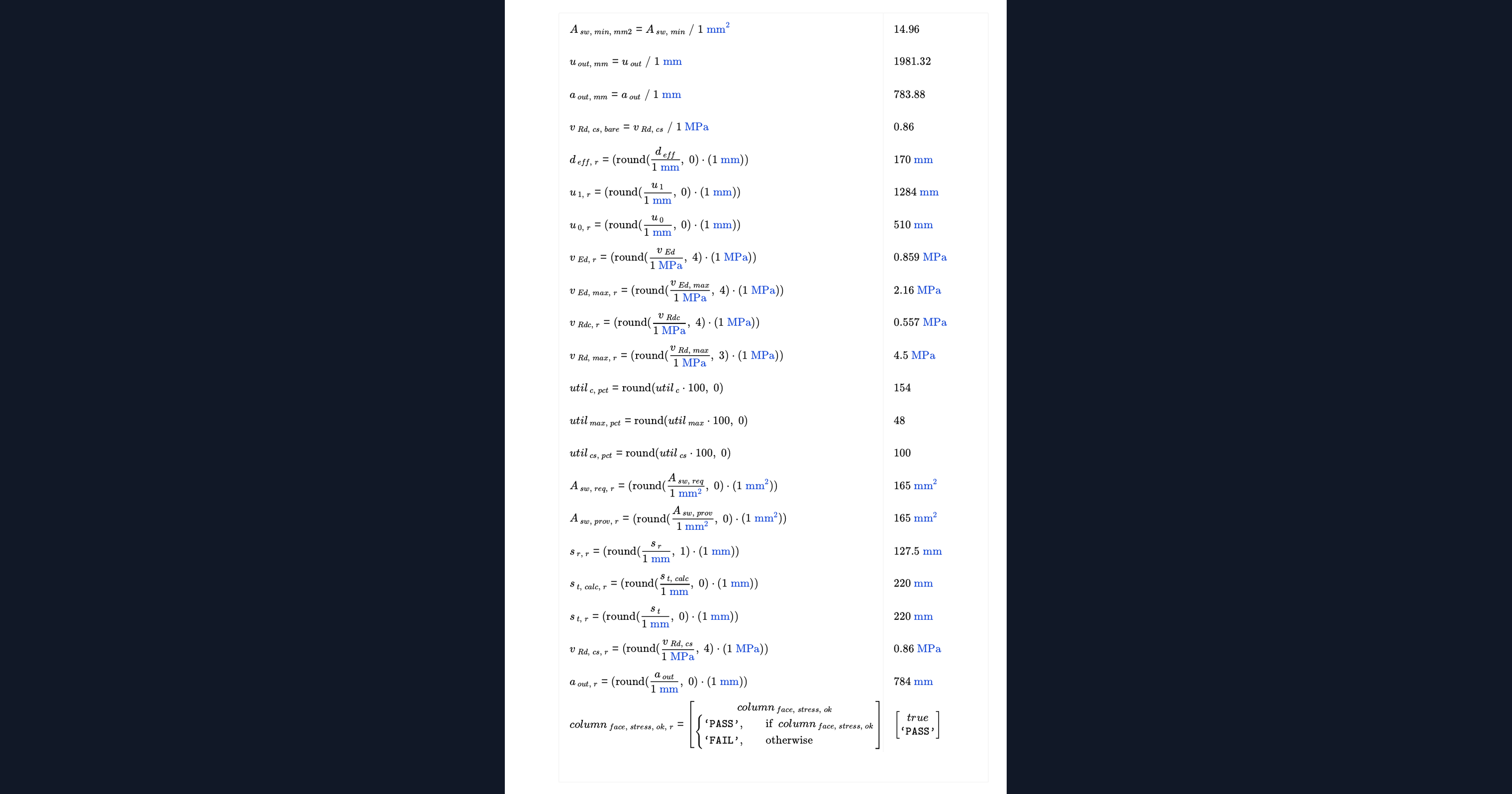
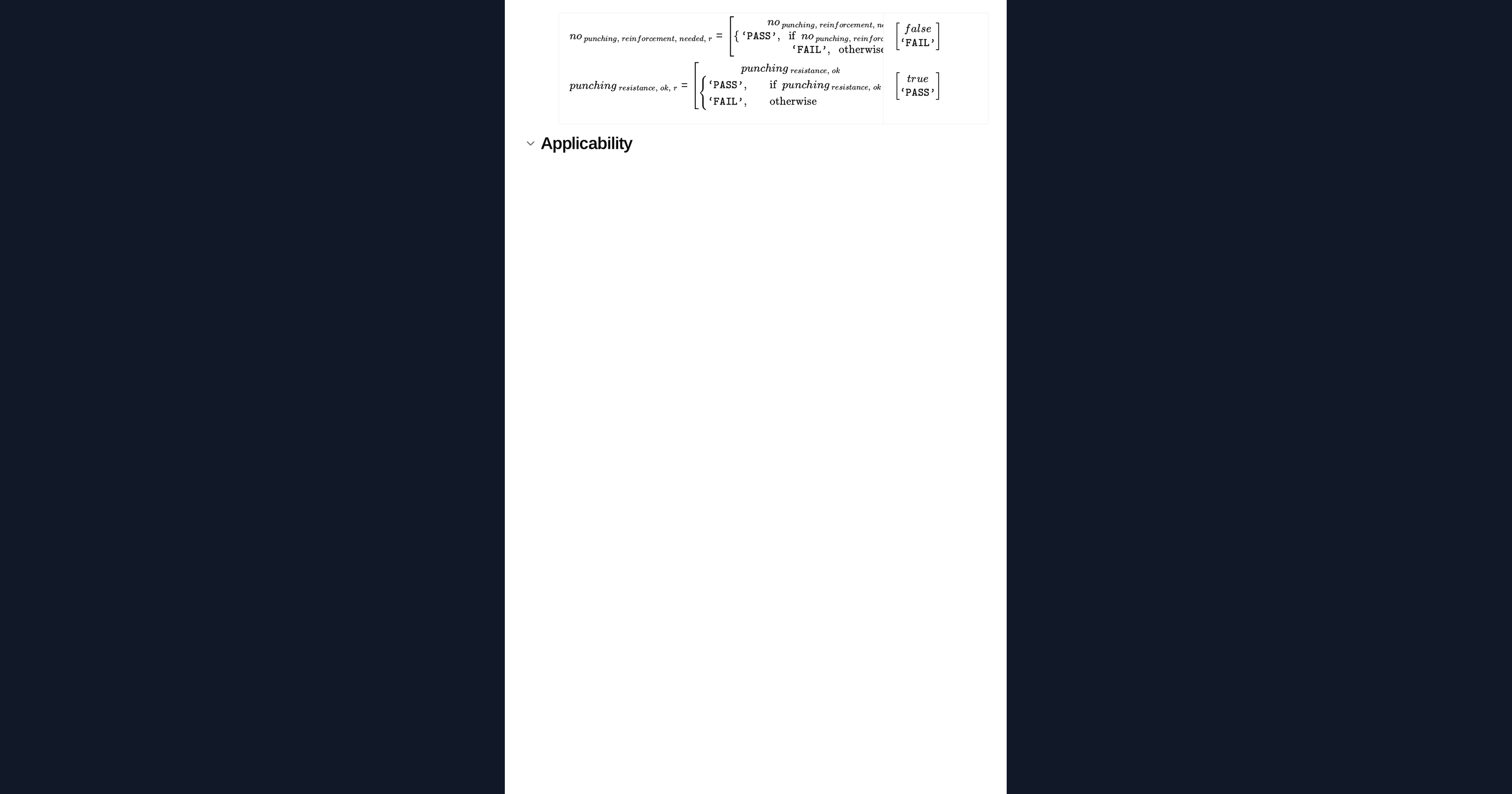
No items found.
No items found.
About this EC2 Punching Shear at a Corner Column Calculator
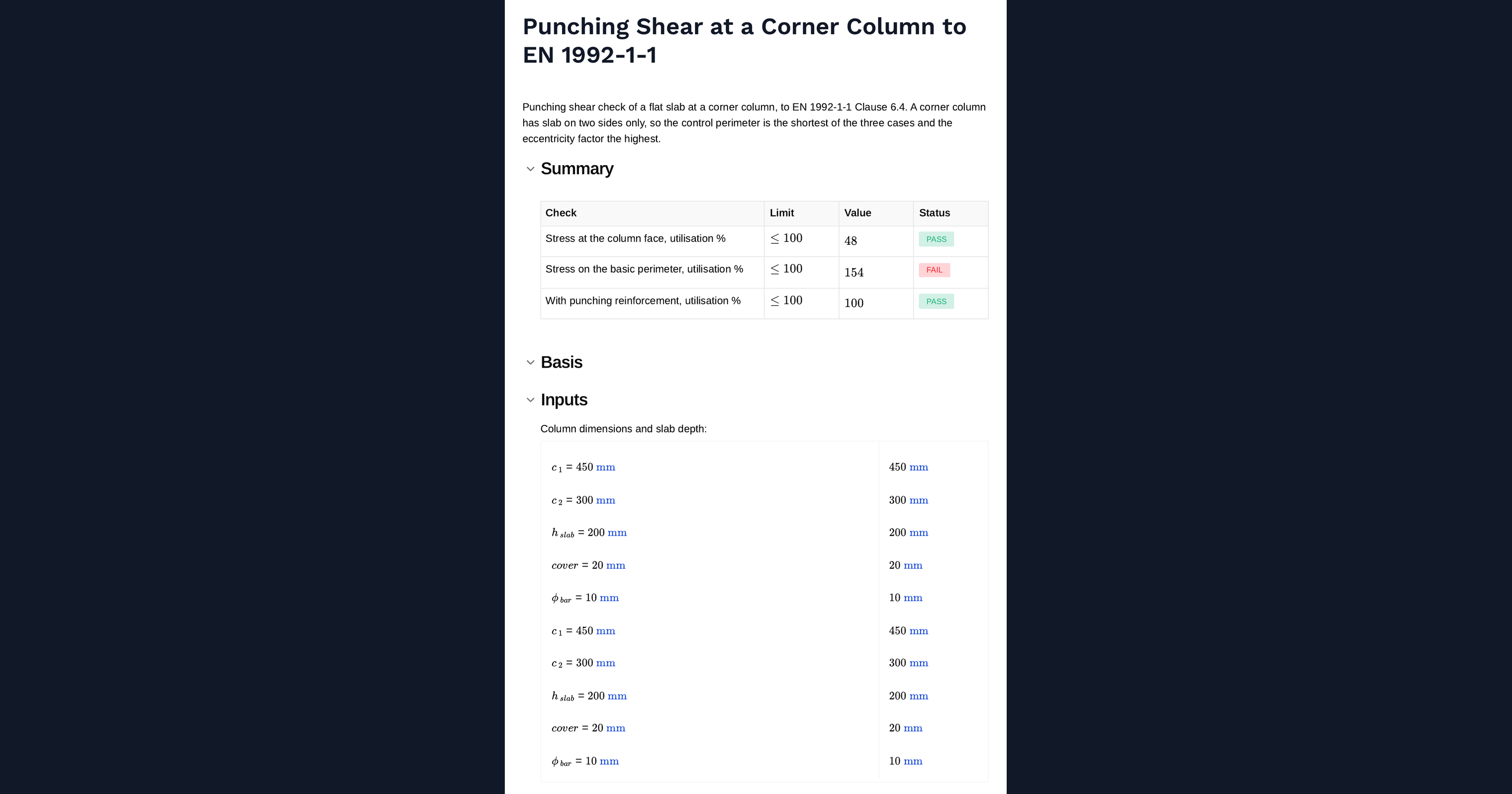
This calculator checks punching shear in a flat slab at a corner column to EN 1992-1-1 Clause 6.4. A corner column has slab on two sides only, so the control perimeter is the shortest of the three column conditions and the eccentricity factor is the highest. The calculator works out the basic control perimeter, the design shear stress, the resistance without reinforcement, the crushing check at the column face, and where reinforcement is needed, the link area, spacing and the outer perimeter beyond which none is required.
- Structural engineer. Enter the column size, slab depth and support reaction, and read whether punching reinforcement is needed and what arrangement satisfies it.
- Design reviewer. See the control perimeter and eccentricity factor used, which are what distinguish a corner column from an edge or internal one.
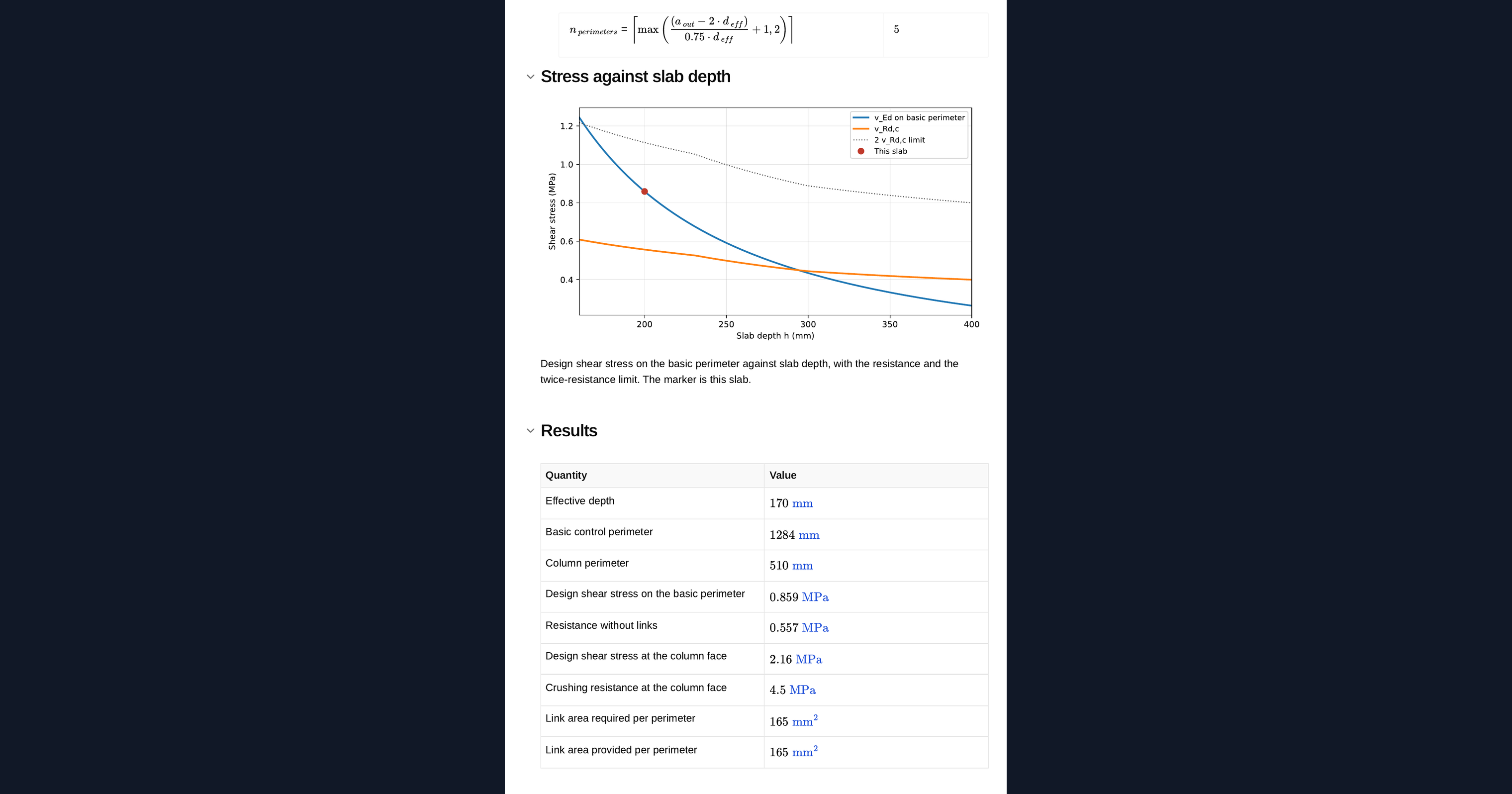
- Engineer optimising a slab. Use the chart of stress against slab depth to see how much thickness is needed to avoid links entirely.
Every expression is shown with the clause behind it and units are carried through the calculation. It is an engineering-grade calculator you can audit, adapt and save to a project page in CalcTree.
More info on EC2 Punching Shear at a Corner Column
Inputs
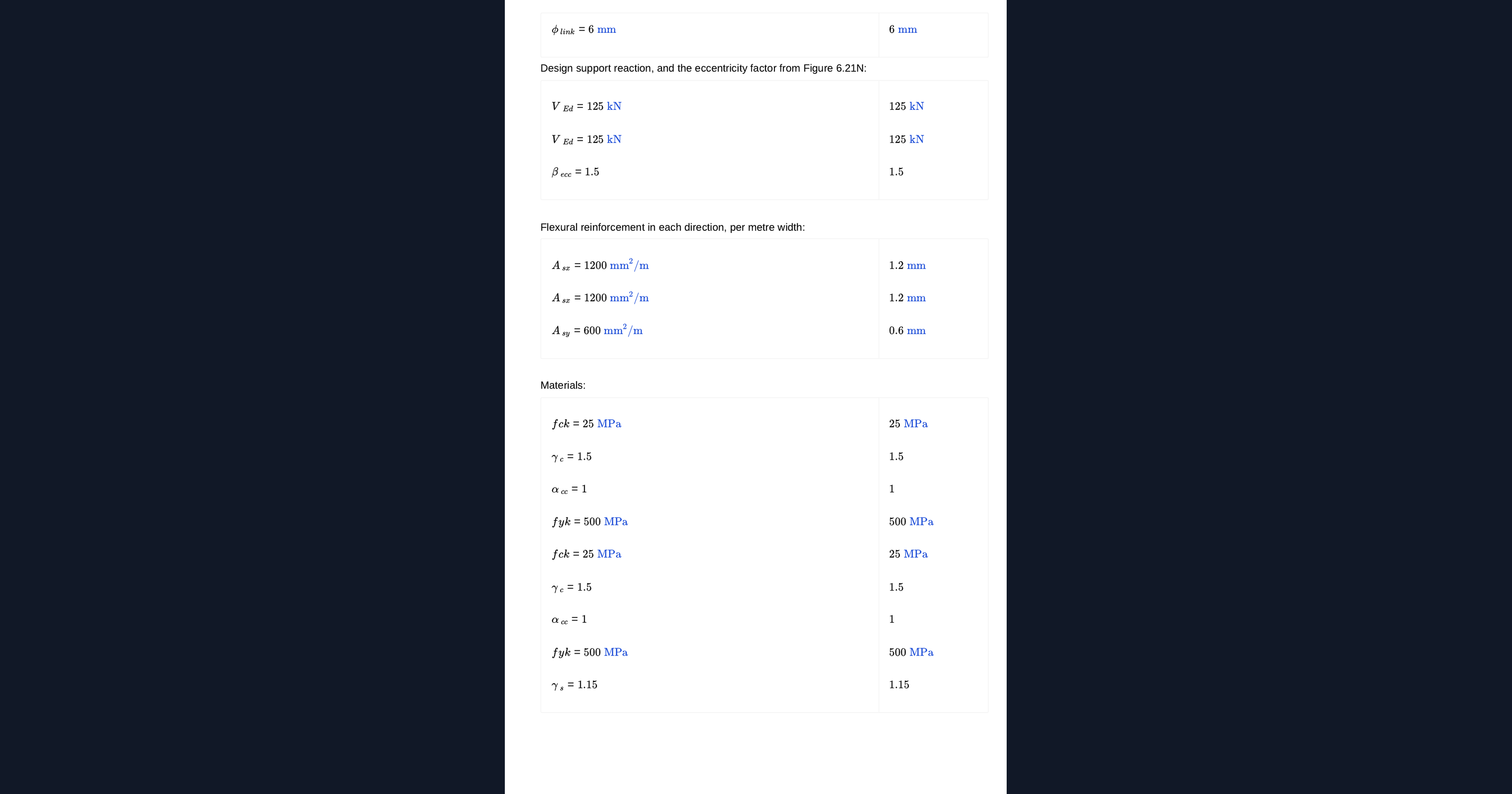
Column dimensions, slab depth, cover, bar and link diameters, the design support reaction, the eccentricity factor and the flexural reinforcement in each direction. The reinforcement is entered per metre width and is used to form the geometric mean reinforcement ratio.
Control perimeters
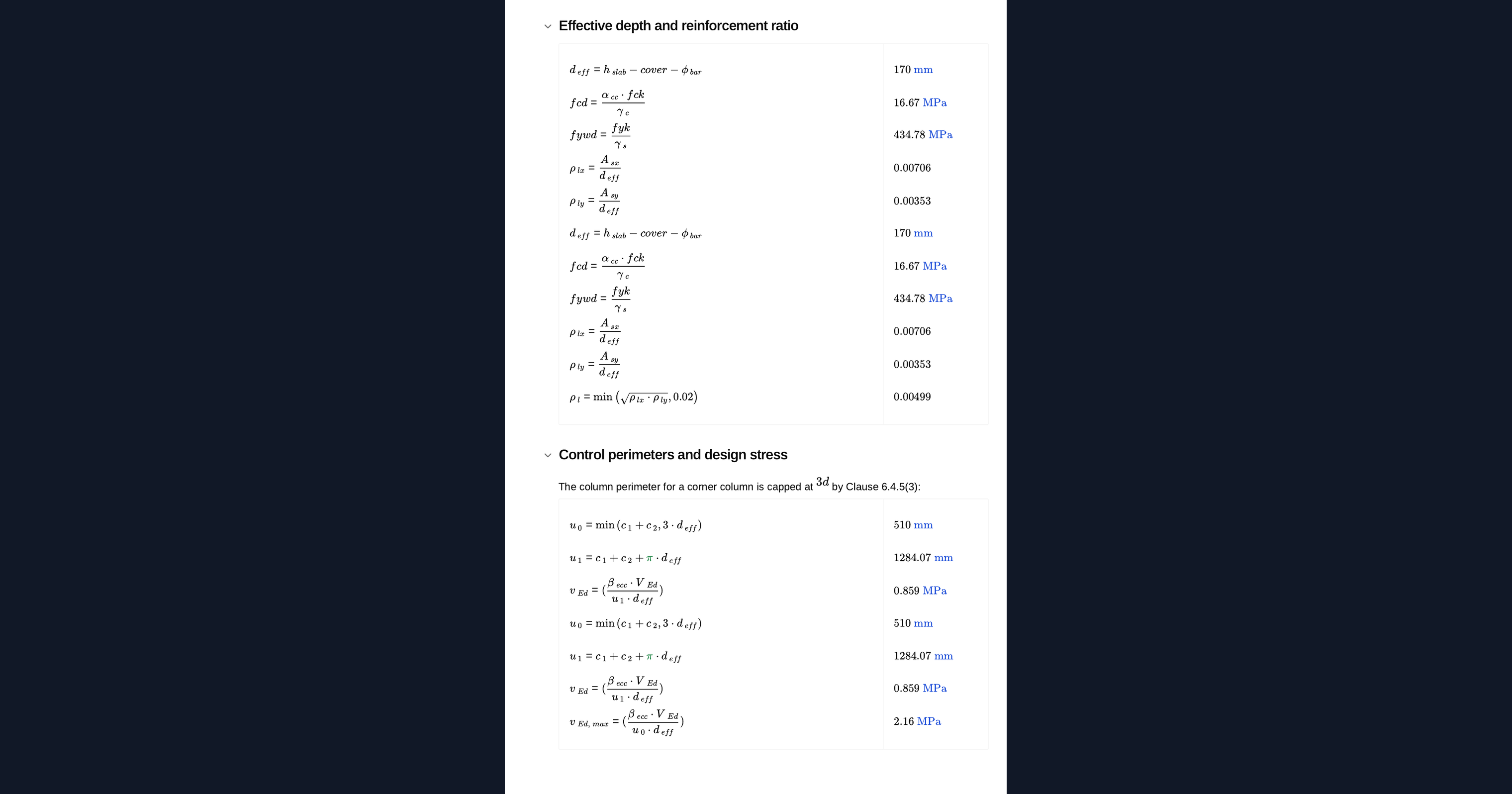
The basic control perimeter sits at twice the effective depth from the loaded area and, at a corner, is open on two sides. That makes it markedly shorter than at an edge or internal column, so the same reaction produces a higher stress. The column perimeter used for the crushing check is capped for a corner condition.
Design checks
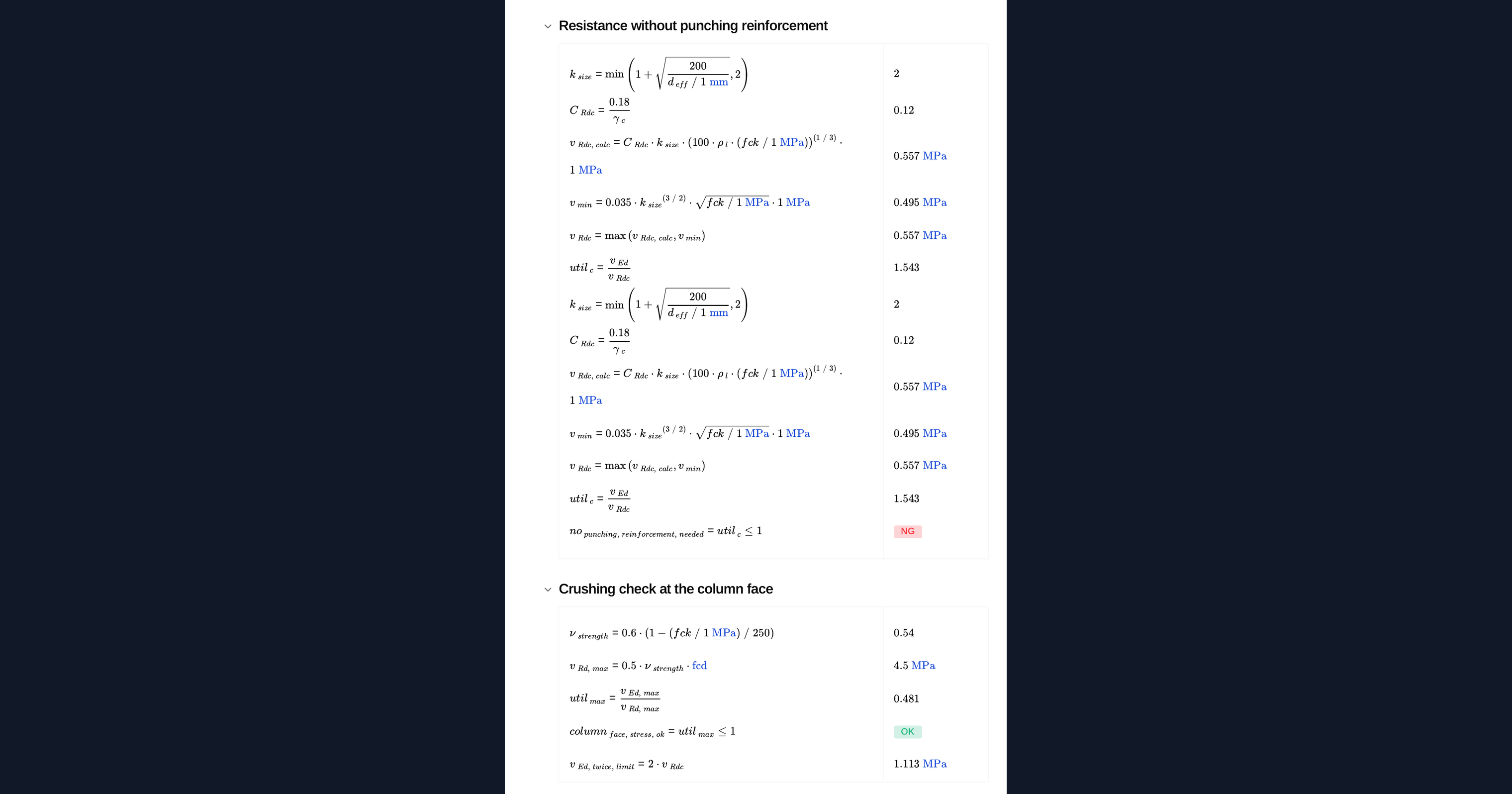
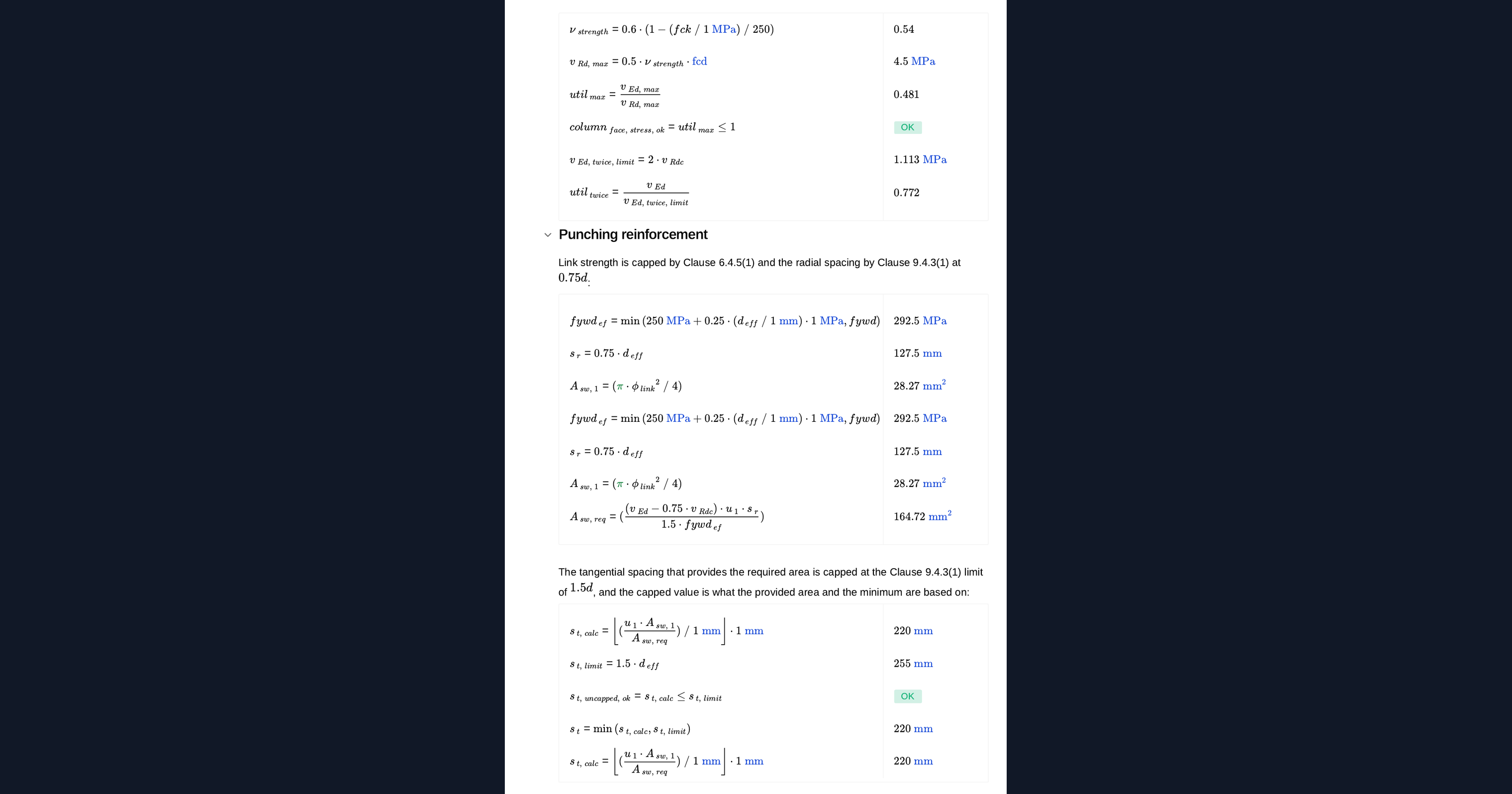
Three checks apply in sequence. The stress on the basic perimeter is compared with the resistance without reinforcement, the stress at the column face with the crushing limit, and where links are provided, the stress on the basic perimeter is capped at twice the resistance without them.
Reinforcement
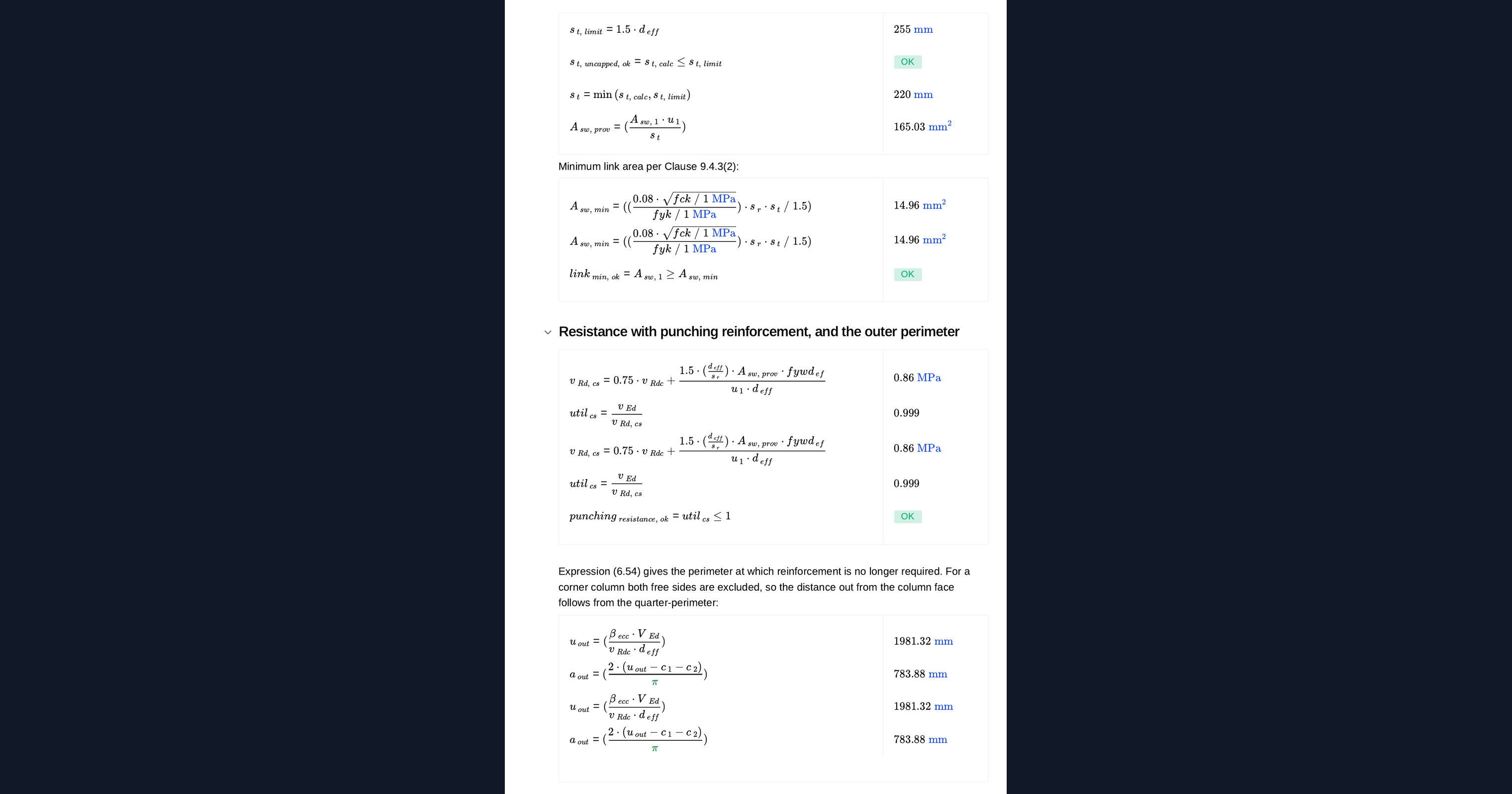
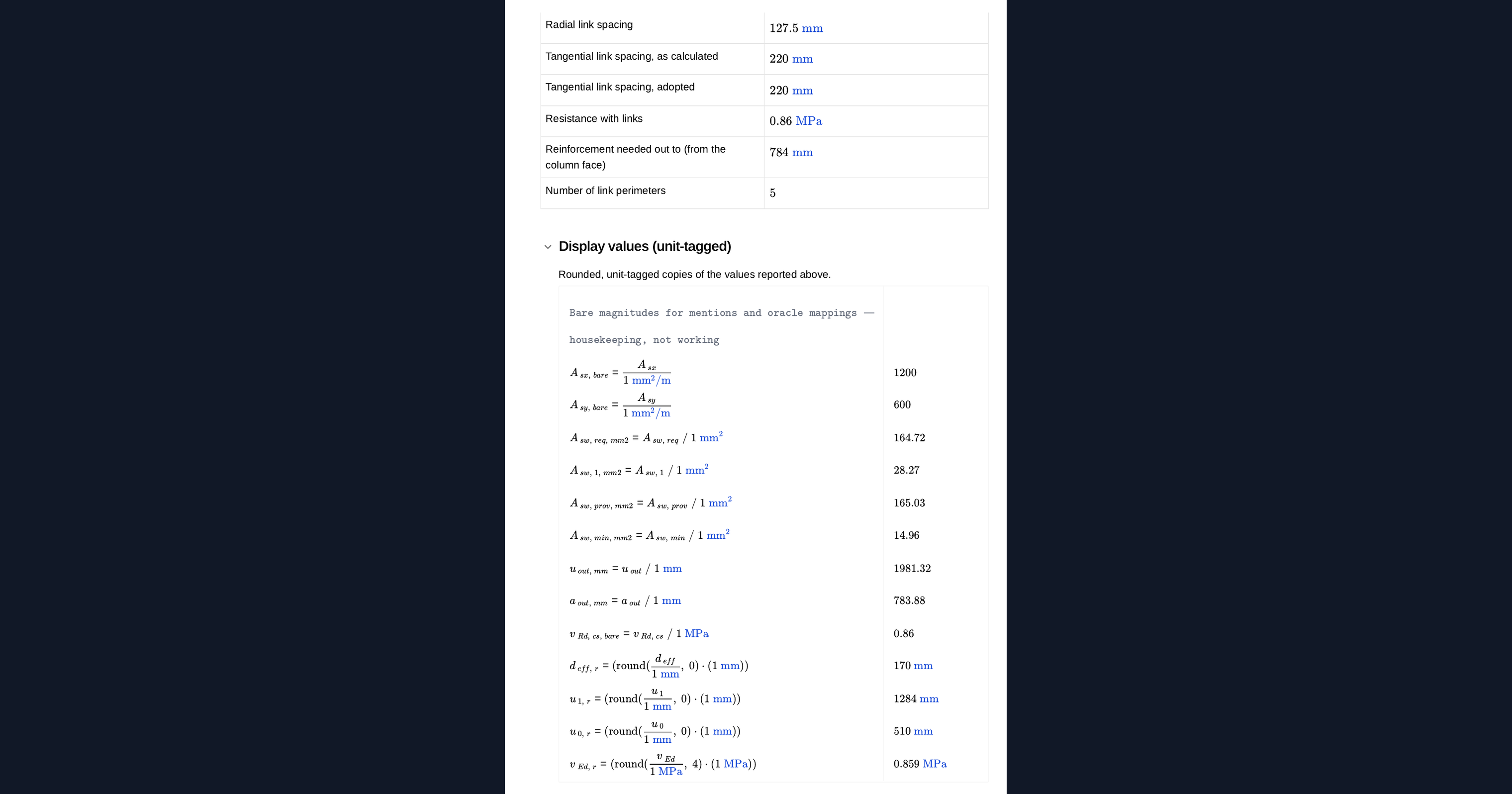
Where links are required, the calculator gives the area needed per perimeter, the radial and tangential spacings with their code limits applied, the minimum link area, and the distance out from the column face at which reinforcement can stop.
Common Calculation Errors to Avoid
- Using the edge or internal eccentricity factor. A corner column attracts the highest factor of the three, and taking either of the others understates the design stress.
- Treating the perimeter as open on one side only. At a corner the perimeter is open on two sides, which shortens it considerably and raises the stress.
- Taking the reinforcement ratio in one direction only. The ratio is the geometric mean of the two orthogonal ratios, taken over the column strip width.
- Missing the crushing check at the column face. It is a separate limit from the basic perimeter check and often governs at a corner, where the column perimeter is smallest.
- Leaving the tangential spacing uncapped. Code limits on radial and tangential spacing apply, and the provided area must be based on the spacing actually adopted.
- Detailing links that cannot be anchored. A corner leaves little room to anchor link legs properly, and a link that cannot be anchored contributes nothing.
Engineering templates
Common calculators
Design guides




FAQs
Why is a corner column the worst case for punching?
The control perimeter is open on two sides, so it is the shortest of the three column conditions, and the eccentricity factor is the highest. Both effects raise the design stress for the same support reaction.
What if the stress at the column face is too high?
Adding links does not help. That check limits crushing of the concrete strut at the loaded area, so the fix is a deeper slab, a larger column or a higher concrete grade.
Which reinforcement ratio should I enter?
The flexural reinforcement in each direction over the column strip, entered per metre width. The calculator forms the geometric mean of the two, which is what the clause uses.
How far out do the links need to go?
The calculator reports the outer perimeter at which the stress falls to the resistance without reinforcement, and the corresponding distance from the column face, together with the number of link perimeters that implies.
Can I use the same result for an edge column?
No. The perimeter geometry and the eccentricity factor both differ, so an edge column needs its own check even where the column size and reaction are the same.
Learn about the benefits of using CalcTree on engineering projects!