
Timber Bending Check to EC5 - Cl 5.2.1.1: verify bending capacity fast with auto-calculated kmod, kh & notch factors. Try the free template on CalcTree.

Tell us what you need, or sign up and build it yourself in minutes.
Leave your email and we'll tell you when a template for it is ready:



No items found.
No items found.
About this EC5 Timber Bending Check Calculator
This calculator checks a timber member in bending to Eurocode 5 by converting an applied design bending moment into a design bending stress and comparing it to a design bending strength adjusted for service and duration effects.
- Structural engineer — run a fast midspan bending utilisation check for a timber beam (including notched-beam effects and material factors) and record a clear pass/fail outcome.
- Timber designer — select a strength class and service class, apply EC5 modification factors, and iterate member geometry to reach an acceptable utilisation ratio.
- Design checker — audit the factors used (material partial factor and k-factors) and confirm that the stress-to-strength comparison matches EC5 clause intent.
It’s built as an engineering-grade calculator on CalcTree: inputs, factors, and intermediate results are explicit so the check can be reviewed, reused, and templated consistently across projects.
More info on EC5 Timber Bending Check
Inputs and selections
The calculator is driven by practical EC5 design inputs:
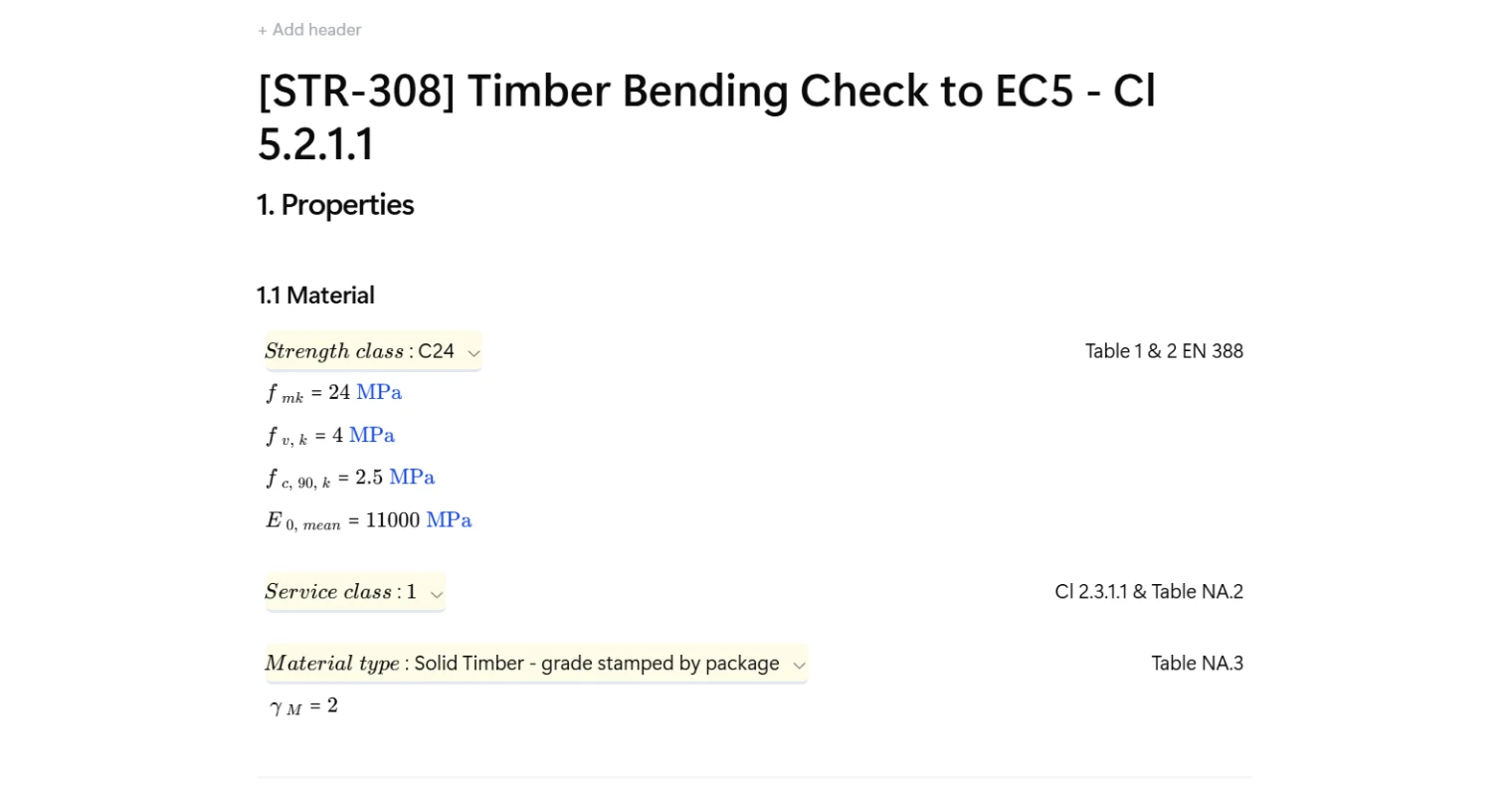
- Material grade/strength class selection to populate characteristic properties (e.g., bending strength, shear strength, compression perpendicular-to-grain, and modulus).
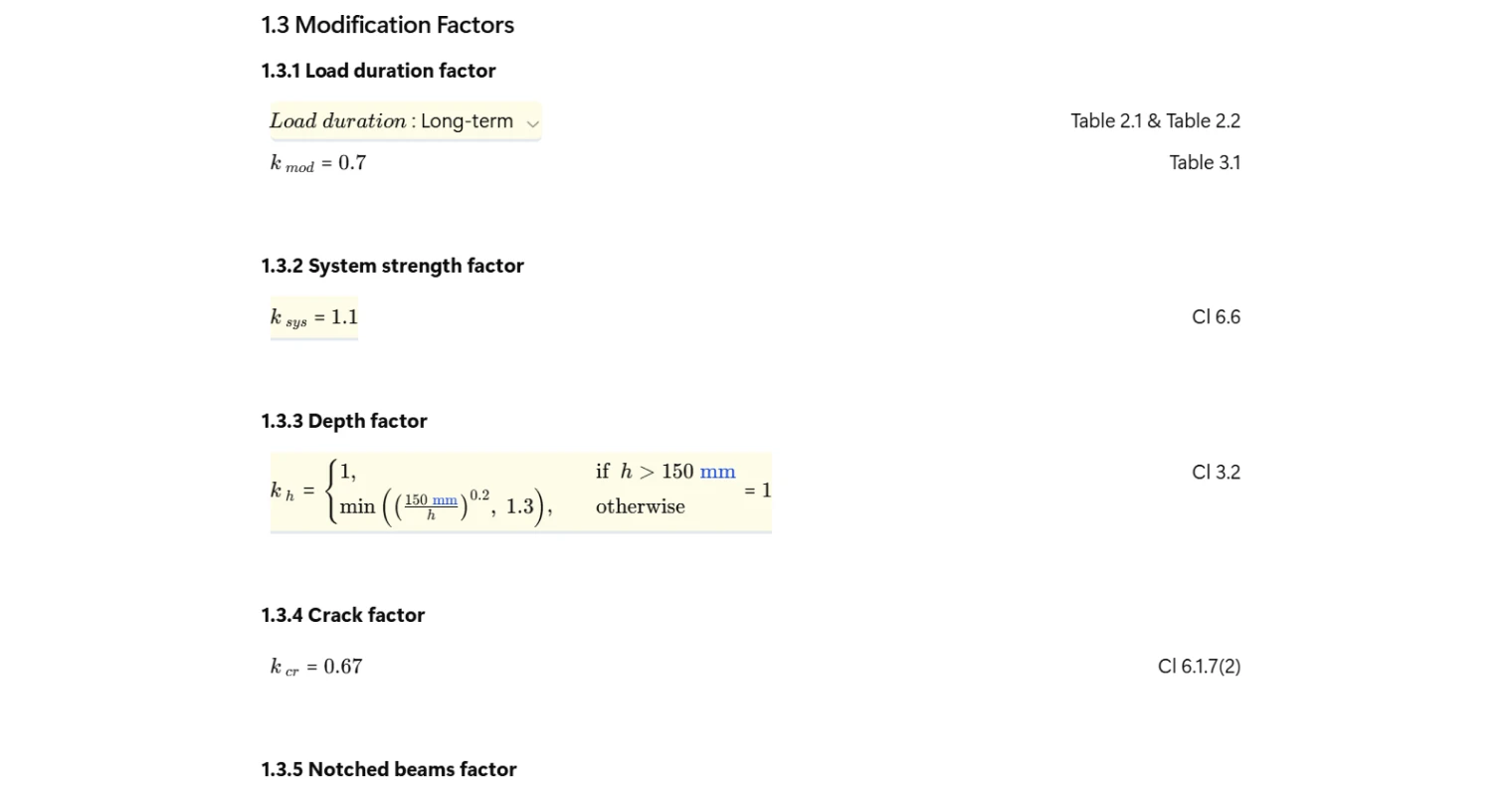
- Service class and load-duration selection to set the modification factor for strength.
- Material type selection to set the relevant partial factor and material-dependent factors used elsewhere in EC5 workflows.
- Member geometry (section dimensions, span, spacing for “per metre width” style checks) and optional notch geometry to derive effective depth and notch-related parameters.
- Design action in bending expressed as a design moment for the check location.
Material properties and tables
Characteristic properties are populated from a grade table based on the selected strength class, and design factors are taken from material-type groupings and service/duration groupings. In the provided implementation, this is handled via a Python table layer that maps UI selections to:
- Characteristic strength and stiffness properties for the selected grade.
- Material partial factor and material-type-dependent coefficients.
- The strength modification factor for the selected service class and load duration.
- The deformation factor based on material and service class.
This approach keeps the MDX page clean while making the data sources easy to maintain and audit.
Design method and outputs
The check follows the standard EC5 format:
- Design bending stress is computed from the applied design moment divided by section modulus (and adjusted for the per-metre distribution logic used in the page).
- Design bending strength is computed from the characteristic bending strength multiplied by applicable EC5 modification factors and divided by the material partial factor.
- Bending utilisation is calculated as the ratio of design stress to design strength, and a pass/fail status is returned based on whether the utilisation is below unity.
Alongside the final utilisation, the intermediate stress and strength terms are exposed so the sensitivity to k-factors, geometry, and partial factors can be traced.
Notches and modification factors
Where a notch is present, the calculator derives an effective depth and notch parameters used in EC5 notched-beam factor calculations. This allows notch-related reduction factors to be included in the workflow and ensures the bending check is not run on an unadjusted section when notch geometry has been specified.
Common Calculation Errors to Avoid
- Mixing characteristic and design quantities — keep characteristic strengths on the material side and apply EC5 factors to reach design strength before comparing to design stress.
- Incorrect duration/service mapping — ensure the load-duration choice maps to the correct table column for the modification factor and the service class is treated as an integer class selection.
- Unit inconsistency between moment and section properties — verify that the moment, section modulus, and any per-metre scaling are in a compatible unit system before forming the design stress.
- Forgetting the material partial factor — the design strength should include division by the appropriate partial factor for the selected material type.
- Notch geometry applied without checking effective depth — if a notch is specified, ensure the effective depth is used consistently in any notch-related parameters and factors.
- Silent fallbacks masking bad inputs — if a lookup fails and a fallback value is used, flag it clearly so the check isn’t inadvertently “passing” due to a default factor.
Engineering templates
Common calculators
Design guides




FAQs
What does EC5 Clause 5.2.1.1 actually check?
Cl 5.2.1.1 of EC5 checks that the design bending stress in a timber member does not exceed the design bending strength. The utilisation ratio is σm,y,d / fm,y,d and must be ≤ 1.0 to pass. Design stress is derived from the applied moment and section modulus; design strength combines the characteristic value with modification factors for load duration, service class, system behaviour, and depth, divided by the material partial factor γM.
What is the difference between the three service classes?
Service class 1 covers dry indoor conditions (mean wood moisture content ≤ 12%). Service class 2 covers humid indoor or covered outdoor exposure (moisture content up to around 20%). Service class 3 covers exposed outdoor conditions where moisture content can exceed 20%. The service class affects both kmod and kdef, so selecting the wrong class can significantly overstate capacity or understate deflection.
How does the depth factor kh work and when does it matter?
For solid timber sections shallower than 150 mm, kh applies a bonus factor of (150/h)^0.2, capped at 1.3. This reflects the statistical size effect: smaller sections are less likely to contain a critical defect. For sections at or above 150 mm, kh = 1.0 and has no effect. In this template the formula is evaluated automatically from the input depth h.
When is a notch reduction factor kv needed and how do I input it?
If a beam is notched at a support, the effective depth heff is reduced and stress concentrations arise at the notch root. EC5 Cl 6.5.2 accounts for this with factor kv, which is less than 1.0 for notched beams. In this template, enter the notch depth, notch slope length, and distance x from the support face. If notch depth is set to zero the template sets kv = 1.0 automatically.
Why does the partial factor γM change depending on material type?
γM covers uncertainty in material strength and the consequences of grading method. Solid timber graded and stamped individually carries γM = 1.3, while timber stamped by package carries the higher value of 2.0, reflecting greater uncertainty when not every piece is individually verified. Glulam and LVL have lower values (1.25 and 1.2 respectively) due to tighter production controls. The template reads γM directly from the selected material type, so the correct value is applied without manual lookup.
What load duration should I select for typical floor and roof cases?
Permanent actions such as self-weight use the permanent duration class. Imposed floor loads are generally medium-term. Snow loads are typically short-term or instantaneous depending on the altitude and national annex. Wind is instantaneous. Where multiple load cases govern, run the check for each combination with the appropriate duration class, since kmod varies and can change the critical case.
Learn about the benefits of using CalcTree on engineering projects!